What is AI Image Enlarger?
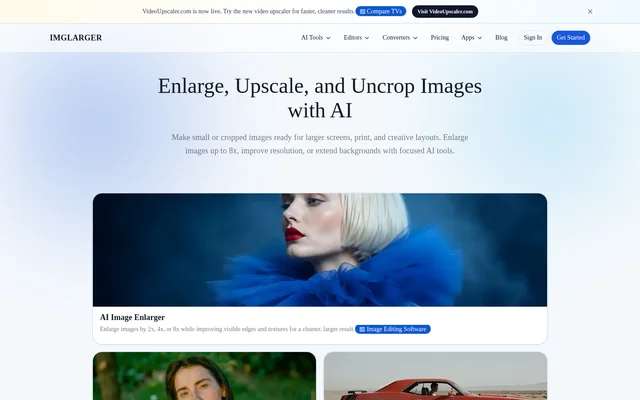
AI Image Enlarger is an online collection of AI tools for making images larger, clearer, and better framed. AI Image Enlarger serves creators, photographers, graphic designers, and teams working with photos, artwork, product images, and AI-generated visuals. Dedicated tools separate enlargement, upscaling, enhancement, sharpening, and uncropping rather than combining every task in a general-purpose editor.
AI Image Enlarger also includes background removal, old photo restoration, browser-based editing, and image format conversion. The collection supports preparing images for websites, presentations, larger displays, print, and creative layouts. Access combines a free credit allowance with paid subscriptions, while the supporting editor and converter tools remain free.
What AI Image Enlarger can do
AI Image Enlarger distinguishes between making an image physically larger and increasing resolution for cleaner output. Enhancement addresses broader problems such as softness, noise, compression artifacts, and weak texture, while the dedicated sharpener targets mild blur and unclear edges. Background extension uses generative outpainting to create additional image content.
- AI Image Enlarger enlarges images by 2x, 4x, or 8x.
- AI Image Enlarger increases resolution by 2x or 4x through its upscaling tool.
- AI Image Enlarger extends backgrounds and changes aspect ratios with generative outpainting.
- AI Image Enlarger improves photo clarity, texture, and edge definition.
- AI Image Enlarger removes backgrounds and creates transparent PNGs.
- AI Image Enlarger provides browser-based editing and conversion between supported image formats.
How AI Image Enlarger works
AI Image Enlarger works in modern browsers on desktop computers, tablets, iPhone, and Android devices without requiring desktop software installation. Users choose a dedicated tool and upload an image under the requirements displayed by its uploader. Core AI tools support JPG, JPEG, PNG, and WebP, with file-size and dimension limits varying by tool.
AI Image Enlarger provides a preview for comparing the processed image with the original before download. Available ratios and output limits appear before processing and depend on the source image and current plan. Batch processing is available on supported tools and plans, while focused generative workflows process a single image at a time.
Who AI Image Enlarger is for
AI Image Enlarger supports creators preparing visuals for different display sizes and layouts, alongside photographers and graphic designers improving image quality. Product-photo and portrait workflows can use background removal, while teams with higher processing volumes can consider the Business plan. The separate workflows address specific image problems without requiring navigation through a complicated editor.
- AI Image Enlarger prepares photos and digital artwork for websites and presentations.
- AI Image Enlarger enlarges product images and AI-generated visuals.
- AI Image Enlarger creates extra space around subjects for creative layouts.
- AI Image Enlarger improves soft, noisy, and compressed photos.
AI Image Enlarger strengths and limitations
AI Image Enlarger combines focused AI workflows with free supporting editors and converters, browser access across device types, and previews before download. AI Image Enlarger automatically deletes uploaded and processed images within six hours rather than maintaining a permanent public gallery. Source quality still matters: clearer input generally produces more accurate and natural-looking results.
- AI Image Enlarger cannot reliably recover detail that is completely absent.
- AI Image Enlarger restricts free processing to single images and enlargement up to 2X.
- AI Image Enlarger limits batch processing to supported tools and plans.
- AI Image Enlarger does not carry unused subscription credits into the next billing cycle.
AI Image Enlarger FAQ
What is AI Image Enlarger?
AI Image Enlarger is an online collection of AI tools for image enlargement, upscaling, enhancement, sharpening, and uncropping. AI Image Enlarger also includes background removal, old photo restoration, image editing, and format conversion for preparing photos and other visuals.
Is AI Image Enlarger free?
AI Image Enlarger offers a free plan with 100 credits per month, single-image processing, and enlargement up to 2X. AI Image Enlarger also offers paid Premium and Business subscriptions. Editor and converter tools are always free and do not consume credits.
How much can AI Image Enlarger enlarge an image?
AI Image Enlarger supports enlargement by 2x, 4x, or 8x, while its dedicated upscaling tool increases resolution by 2x or 4x. Available ratios and output limits depend on the source image and plan and appear in the tool before processing.
Can AI Image Enlarger extend image backgrounds?
AI Image Enlarger includes an image extender that expands images beyond their original borders using generative AI outpainting. AI Image Enlarger can extend backgrounds, add space around a subject, and change aspect ratios without cropping out the main subject.
Does AI Image Enlarger work on iPhone and Android?
AI Image Enlarger works in modern browsers on iPhone, Android, tablets, and desktop computers. AI Image Enlarger lets users process and download images without installing desktop software, with sign-in requirements and processing options varying by tool and plan.
How long does AI Image Enlarger keep uploaded images?
AI Image Enlarger automatically deletes uploaded and processed images within six hours rather than keeping a permanent public gallery. AI Image Enlarger also advises users to avoid uploading files they do not have permission to process.
From the community
No reviews yet
Be the first to review this tool. What you write helps the next person choose.