What is AI Video Editor?
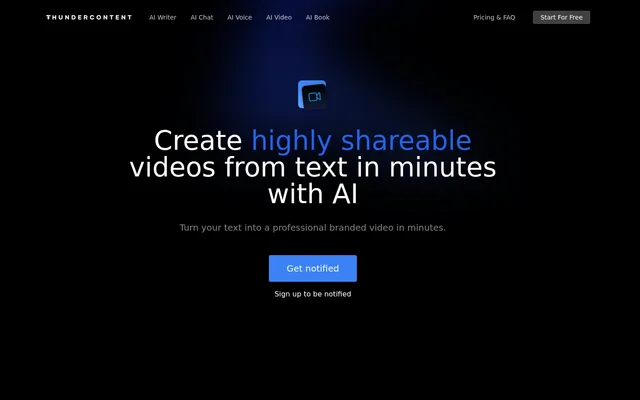
AI Video Editor is an AI text-to-video tool presented on Thundercontent’s website. AI Video Editor is described as turning text into branded videos in minutes, with an emphasis on content intended for sharing. The product’s stated purpose is relevant to businesses that want to use written material as the starting point for video creation.
AI Video Editor has a brief product page rather than an extensive feature guide. The available copy establishes text input, branded video output and the intended speed of creation. The page does not explain the underlying generation process or identify particular editing controls, so a more detailed technical description is not supported.
What AI Video Editor can do
AI Video Editor focuses on converting written content into video. Thundercontent describes the resulting videos as branded and shareable, and states that creation takes minutes. These are the concrete capabilities presented for the video product; the supplied page does not document a broader set of conventional video-editing functions.
- AI Video Editor turns text into video using AI.
- AI Video Editor creates branded video content.
- AI Video Editor is described as creating videos in minutes.
How AI Video Editor works
AI Video Editor uses text as the stated starting point and video as the stated output. The product page offers a notification signup labelled Get notified and Sign up to be notified. The source does not provide an in-product walkthrough, installation instructions or a sequence of editing and export steps.
Who AI Video Editor is for
AI Video Editor is relevant to businesses seeking branded videos made from written content. The emphasis on shareable output supports a use case centred on presenting text in video form. Although the surrounding website references companies using Thundercontent, that statement does not establish a separate customer count for the video product.
- AI Video Editor supports turning written content into video.
- AI Video Editor supports creating videos with branding.
- AI Video Editor targets video content intended for sharing.
AI Video Editor pricing and access
AI Video Editor does not have a video-specific price in the supplied material. The accompanying pricing page lists subscriptions for Thundercontent’s writing, chat and voice tools instead. Those prices do not establish the cost of the video product. The video page’s explicit access route is a signup to receive notifications.
AI Video Editor strengths and limitations
AI Video Editor presents a specific purpose: making branded, shareable videos from text. That narrow description makes the intended output clear, but leaves important evaluation details unspecified. The supplied copy does not establish supported video formats, languages, integrations or editing controls. The stated creation time is a product-page claim rather than a documented performance test.
- AI Video Editor provides a notification signup rather than a documented immediate-use workflow.
- AI Video Editor has no video-specific subscription details in the supplied pricing text.
- AI Video Editor does not specify export formats or integrations in the supplied copy.
AI Video Editor FAQ
What is AI Video Editor?
AI Video Editor is a text-to-video tool presented on Thundercontent’s website. AI Video Editor is described as turning text into branded videos in minutes, with an emphasis on creating videos intended for sharing.
Is AI Video Editor free?
AI Video Editor does not have a stated free tier or video-specific price in the supplied text. The video page offers notification signup, while the accompanying pricing information covers Thundercontent’s writing, chat and voice tools.
What can you use AI Video Editor for?
AI Video Editor can be used to turn text into branded video content, according to the product page. AI Video Editor focuses on shareable videos, but the supplied description does not identify specific publishing channels or export formats.
How do you access AI Video Editor?
AI Video Editor provides a notification signup on the product page through Get notified and Sign up to be notified. The supplied text does not explain an immediate video-creation workflow or give installation instructions.
From the community
No reviews yet
Be the first to review this tool. What you write helps the next person choose.