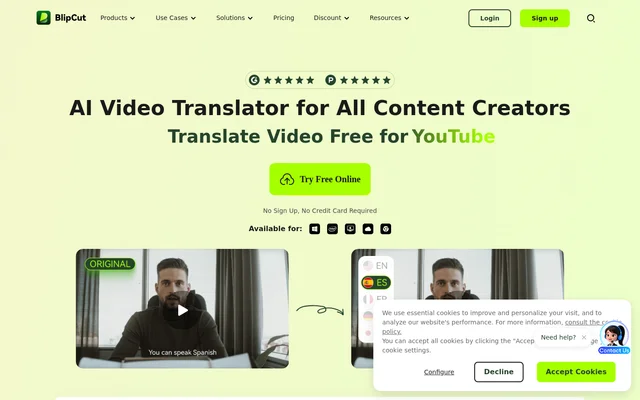
What is AI Video Translator?
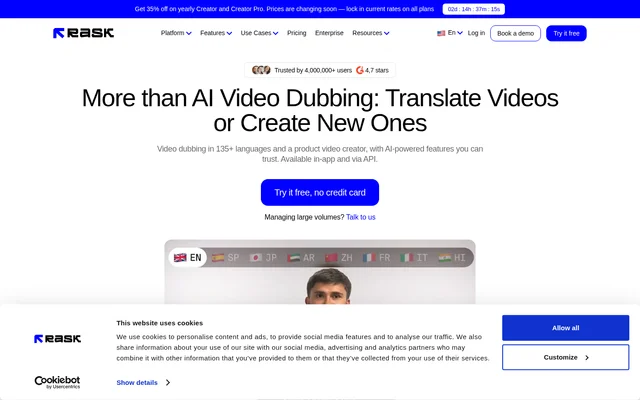
AI Video Translator is a BlipCut tool for translating and localizing video and audio content across 140+ languages. AI Video Translator combines speech transcription, translation, subtitles, and translated audio for creators and organizations sharing content with multilingual audiences. The website presents applications in social media, marketing, education, training, filmmaking, podcasts, healthcare, and news, with online access and downloadable versions for Windows and Mac systems.
What AI Video Translator can do
AI Video Translator combines language conversion with controls for translated speech and on-screen text. AI Video Translator supports automatic source language recognition, context-aware translation, and multi-speaker recognition. Voice cloning and lip syncing address the spoken and visual elements of localized videos, while editing tools let users revise transcripts and translations after processing. Batch translation supports multiple videos destined for the same language or different target languages.
- AI Video Translator translates video and audio across 140+ languages.
- AI Video Translator recognizes multiple speakers and clones their voices.
- AI Video Translator matches speakers' lip movements to translated audio.
- AI Video Translator generates and translates subtitles.
- AI Video Translator lets users edit and merge transcripts.
- AI Video Translator provides speech speed, clip position, and subtitle style controls.
How AI Video Translator works
AI Video Translator starts with a video or audio upload, or a pasted video link. Users choose the target languages and speaker voices before translation. AI Video Translator then provides a preview where users can review the translated video, adjust the transcription and translation, and download the result. Editing options include real-time previews of individual clips, drag-and-drop clip positioning, and changes to subtitle color, font, and placement.
Who AI Video Translator is for
AI Video Translator serves content creators and teams adapting existing media for audiences who speak different languages. The website describes use cases ranging from YouTube videos and product advertising to e-learning courses and internal training. AI Video Translator also supports podcast translation and transcription, movie subtitles, translated medical education materials, and news videos, making the stated applications broader than social media publishing alone.
- AI Video Translator localizes video advertisements for multilingual marketing.
- AI Video Translator translates e-learning videos and PowerPoint tutorials.
- AI Video Translator adapts YouTube and other social media videos.
- AI Video Translator translates podcast episodes and provides downloadable transcripts.
- AI Video Translator translates movies and dramas and generates subtitles.
AI Video Translator pricing and access
AI Video Translator offers a free online trial with no sign-up or credit card required. The website also states that all editing functions are free to use, including adjustments to transcript and translation content after translation. AI Video Translator provides a free voice library with 300+ voices. Download options listed on the page include Windows 10/11, Intel systems, and Apple M1 and M2 systems.
AI Video Translator strengths and editing controls
AI Video Translator brings batch processing, multilingual dubbing, subtitles, and voice cloning into a localization workflow that also allows manual revision. AI Video Translator gives users controls for checking translated dialogue, changing speech speed, and aligning subtitle presentation with their content. Multi-speaker recognition supports videos featuring different voices, while the upload and video-link input options provide alternative ways to begin translating existing media.
AI Video Translator FAQ
What is AI Video Translator?
AI Video Translator is a BlipCut video and audio localization tool supporting 140+ languages. AI Video Translator combines transcription, translated subtitles, AI dubbing, voice cloning, and lip syncing for creators, marketers, educators, and training teams.
Is AI Video Translator free?
AI Video Translator offers a free online trial without sign-up or a credit card. AI Video Translator also provides free editing functions for refining transcripts and translations, along with a free voice library containing 300+ voices.
How do you translate a video with AI Video Translator?
AI Video Translator accepts uploaded video or audio files and pasted video links. Users select target languages and speaker voices, preview the translated result, edit the transcription and translation as needed, and download the translated video.
Can AI Video Translator clone voices and sync lips?
AI Video Translator supports AI voice cloning and lip syncing for translated videos. AI Video Translator recognizes multiple speakers, clones their voices, and matches speakers' lip movements to the translated audio.
Can AI Video Translator translate multiple videos at once?
AI Video Translator supports batch video translation into the same language or different languages at once. AI Video Translator also provides transcript and translation editing, speech speed adjustments, and subtitle styling for reviewing localized content.
Can you edit subtitles in AI Video Translator?
AI Video Translator lets users change subtitle color, font, and position, as well as edit or merge transcripts and modify translations. AI Video Translator also supports extracting subtitles and downloading original and translated subtitles.
From the community
No reviews yet
Be the first to review this tool. What you write helps the next person choose.