What is Airparser?
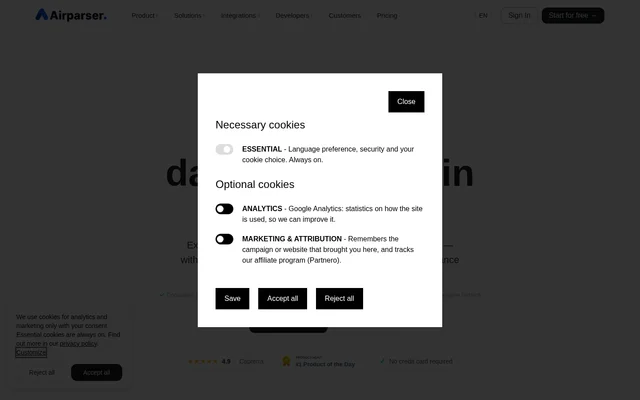
Airparser is a web-based AI document parser that converts emails, PDFs, images, and other documents into structured data. Airparser serves teams that need to move information from incoming documents into spreadsheets, business applications, or automated workflows. Supported tasks include extracting invoice details, resume information, contract terms, and order confirmation data.
Airparser uses Text LLM, Vision LLM, and AI OCR engines to interpret document content. Airparser describes extraction fields by their meaning rather than relying only on their position, allowing processing when document layouts change. Airparser supports typed, scanned, and handwritten text in 60+ languages and provides consistent JSON output.
What Airparser can do
Airparser combines extraction, validation, review, and delivery capabilities for document processing. Airparser lets users define editable schemas and validation rules, then route extracted information into downstream systems. Airparser also provides human-in-the-loop review so a team can verify, correct, and approve low-confidence documents before the data reaches integrations.
- Airparser extracts names, contact details, dates, and order information from emails.
- Airparser captures amounts, vendor details, and line items from invoices, receipts, and purchase orders.
- Airparser extracts work experience and contact information from resumes.
- Airparser digitizes handwritten notes and lists.
- Airparser exports parsed data as Excel, CSV, or JSON.
- Airparser generates Python post-processing code from plain-language instructions.
How Airparser works
Airparser follows an import, extract, and export workflow. Users forward emails and attachments to an Airparser inbox, upload files manually, or import documents through the API and automation services. Users then create a list of fields describing the information to extract. Airparser automatically processes incoming emails, attachments, and files using that extraction schema.
Airparser delivers parsed data through webhooks, API access, file downloads, and connected applications. Airparser names Google Sheets, HubSpot, Salesforce, Slack, QuickBooks, Notion, and Airtable among supported destinations, with additional connections through Zapier and Make. Airparser also lists n8n integration and supports real-time export into connected workflows.
Who Airparser is for
Airparser is for teams handling recurring document-based work, including accounts payable, lead management, recruitment, contract management, and order processing. Airparser connects extraction with business applications so information can move from source documents into operational workflows. Airparser also supports users who need to turn handwritten or scanned material into organized data.
- Airparser sends extracted lead details to a CRM.
- Airparser syncs receipt, bill, and invoice data to QuickBooks.
- Airparser extracts order numbers, items, and delivery details from confirmations.
- Airparser collects contract terms and identifies the parties involved.
Airparser pricing and plans
Airparser offers free access without a credit card, with the pricing page listing a Trial allowance of 20 credits per month and all features included. Airparser paid plans start with Starter at $33 per month, billed annually, including 100 monthly credits. Higher plans provide larger credit allowances and longer document retention periods.
- Airparser Growth costs $49 per month, billed annually, with 500 monthly credits.
- Airparser Business costs $149 per month, billed annually, with 2 000 monthly credits and unlimited team members.
- Airparser Premium costs $249 per month, billed annually, with 5 000 monthly credits and unlimited team members.
Airparser strengths and limitations
Airparser combines plain-language field definitions with multiple document engines, review controls, and integration options. Airparser states that customer documents and extracted data are never used to train AI models. Airparser also provides encryption at rest and in transit, GDPR compliance, and configurable automatic deletion, giving teams controls over document handling and retention.
- Airparser consumes credits for parsed emails, documents, and individual PDF pages.
- Airparser limits document retention according to the selected plan.
- Airparser restricts the public demo to a single page and a maximum file size of 10MB.
Airparser FAQ
What is Airparser?
Airparser is an AI-powered document parser that extracts structured data from emails, PDFs, images, Word documents, HTML, CSV, and handwritten text. Airparser uses extraction schemas to identify requested fields and can send the results to files, APIs, webhooks, and connected business applications.
Is Airparser free?
Airparser offers free access without a credit card, and the pricing page lists a Trial with 20 credits per month and all features included. Airparser also offers paid subscriptions starting at $33 per month, billed annually, with higher credit allowances.
How do you set up data extraction in Airparser?
Airparser lets users import documents through email forwarding, manual uploads, API requests, or automation services, then describe the fields to extract in plain language. Airparser does not require templates, training datasets, or coding for this extraction setup.
Does Airparser have an API and integrations?
Airparser provides a REST API, webhooks, and integrations through Zapier, Make, and n8n. Airparser names Google Sheets, HubSpot, Salesforce, Slack, QuickBooks, Notion, and Airtable as supported destinations and allows custom integrations through API and webhook access.
Does Airparser use customer documents to train AI?
Airparser states that customer documents and extracted data are never used to train or improve AI or LLM models. Airparser encrypts data at rest and in transit, supports configurable automatic deletion after processing, and states GDPR compliance.
Can Airparser review uncertain extraction results?
Airparser supports human-in-the-loop review for low-confidence documents. Airparser holds those documents so team members can verify, correct, and approve extracted data before delivery to integrations, adding a review step before information enters downstream workflows.
From the community
No reviews yet
Be the first to review this tool. What you write helps the next person choose.