What is Akkadu?
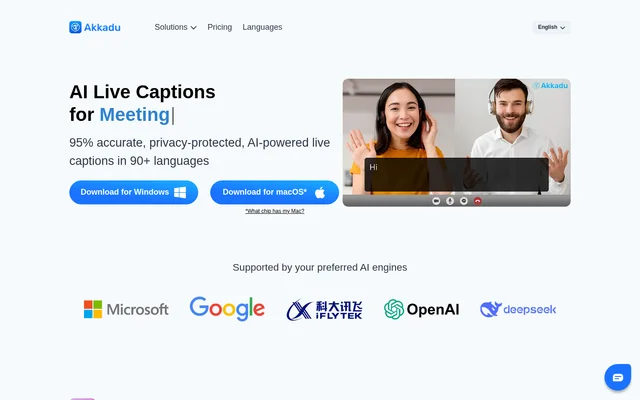
Akkadu is AI live captioning and real-time translation software for online meetings, in-person events and live streams. Akkadu supports 90+ languages and runs on Windows and macOS, with downloads for Intel and Apple chips. The software serves professionals who need translated captions during spoken sessions, including webinars, international conferences and broadcasts.
Akkadu captures audio from a computer rather than relying on a particular meeting service. The website names Zoom, Teams, Webex, YouTube Live and Facebook Live as compatible services. This approach lets users apply live translation across different meeting and streaming environments using the desktop software.
What Akkadu can do
Akkadu combines live translation with controls for terminology, speaker accents and caption appearance. Users can choose a translation engine, including Google or Microsoft, and supply specialized vocabulary before a session. Akkadu also saves original and translated transcripts to a dashboard, where users can download, edit or share the session text.
- Akkadu displays translated live captions in 90+ languages.
- Akkadu accepts custom glossaries containing technical terms and proper names.
- Akkadu lets users specify the speaker's accent.
- Akkadu filters sensitive or profane words in real time.
- Akkadu customizes caption fonts, colors and backgrounds.
- Akkadu includes multilingual transcripts, AI summaries and secure QR sharing.
How Akkadu works
Akkadu starts with a desktop download and installation. For virtual meetings, users select Computer Audio and click START; captions appear when speakers begin talking. For onsite events, users connect a mixer table to a laptop so Akkadu receives microphone audio. For live streams, the documented workflow uses OBS Virtual Camera to insert Akkadu captions into the video feed before starting the broadcast.
Who Akkadu is for
Akkadu is designed for professionals delivering spoken content to multilingual audiences. The website organizes its workflows around virtual meetings and webinars, events and conferences, and live streams. Event teams can show captions on a screen, while meeting participants can read translated speech and access transcripts after the session.
- Akkadu provides translated captions for virtual meetings and webinars.
- Akkadu displays multilingual captions at international events and conferences.
- Akkadu inserts translated captions into live stream video feeds.
Akkadu pricing and plans
Akkadu gives new users 10 minutes of free live captions and offers pay-as-you-go credits, monthly subscriptions and custom enterprise pricing. The listed $6 package includes 5 credits for 1 hour of live captions or 30 minutes of live audio. Pay-as-you-go credits never expire; unused monthly subscription credits reset at the beginning of the next billing cycle. Enterprise options include shared credits, unlimited seats, an uncapped audience and enterprise SSO security.
Akkadu strengths and limitations
Akkadu supports a range of meeting and streaming services through computer audio capture, while custom glossaries and accent selection provide controls for translation quality. Akkadu states that voice data is not stored and technology partners do not retain data for training. Users can also permanently delete transcripts. Translation accuracy nevertheless depends on the source audio, speaker clarity and specific language pairings.
- Akkadu limits the new-user free caption allowance to 10 minutes.
- Akkadu resets unused monthly subscription credits at each new billing cycle.
- Akkadu requires desktop installation for the documented workflows.
Akkadu FAQ
What is Akkadu?
Akkadu is AI live captioning and real-time translation software for meetings, events and live streams. Akkadu runs on Windows and macOS, supports 90+ languages, and provides translated captions alongside original and translated transcripts.
Is Akkadu free?
Akkadu gives new users 10 minutes of free live captions. Continued use is available through pay-as-you-go credits, monthly subscriptions or custom enterprise pricing. Pay-as-you-go credits never expire, while unused monthly subscription credits reset at the next billing cycle.
Does Akkadu work with Zoom, Teams and YouTube Live?
Akkadu works with Zoom, Teams, Webex, YouTube Live and Facebook Live by capturing audio from the user's computer. Akkadu states compatibility with any video conference or streaming platform, and documents OBS Virtual Camera for adding captions to a live stream video feed.
Can Akkadu transcripts be downloaded?
Akkadu automatically saves original and translated transcripts to the user's dashboard. Users can download, edit or share transcripts immediately after a session. Akkadu also gives users control to permanently delete transcripts.
Does Akkadu store meeting audio?
Akkadu states that voice data is not stored and that technology partners do not retain data for training. Original and translated transcripts are saved to the dashboard, but users can permanently delete those transcripts at any time.
How accurate is Akkadu translation?
Akkadu states that translation performance varies with audio quality, speaker clarity and language pairings. Akkadu supports custom glossaries for technical terminology and speaker accent selection to improve precision, and directs users to support for language-specific accuracy information.
From the community
No reviews yet
Be the first to review this tool. What you write helps the next person choose.