What is Almanac?
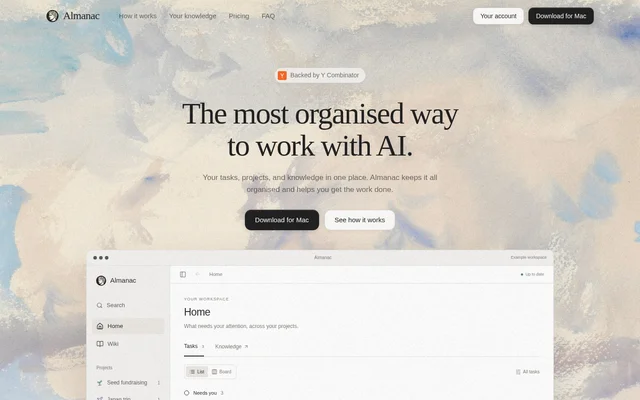
Almanac is a personal AI workspace for people who manage projects and follow-ups across conversations and connected accounts. It keeps tasks, project knowledge, and conversations together in a workspace with a connected wiki. The wiki links people, decisions, and next steps to the emails, meetings, and work they came from, so users can see where a project or conversation left off.
What Almanac can do
Almanac picks up follow-ups and ongoing work from conversations and connected accounts, while still letting users add tasks and mark them done. Opening a task shows the related conversation, its context, and anything already prepared. Users can continue the conversation while reviewing a draft or making changes to the work alongside it.
- Almanac links people, projects, and decisions in an editable wiki.
- Almanac identifies follow-ups from conversations and connected accounts.
- Almanac opens related conversations and drafts alongside tasks.
- Almanac provides source links for checking wiki details.
- Almanac can research and prepare work in the background.
How Almanac works
Almanac draws context from accounts users choose to connect, information they share, and work they do in the workspace. The site illustrates the workflow with a fundraising follow-up: an email, a calendar event, and meeting notes appear in the same wiki entry as an updated deck and a draft reply. The user can ask where the conversation left off, then open the task and revise the reply.
Who Almanac is for
Almanac is designed for people who want to manage ongoing work without manually copying everything from connected accounts into a new workspace. It is useful for keeping track of commitments that come up in conversations and returning to work that has already started. Users can also open a conversation alongside a draft, a research task, or code and continue working there.
- Track commitments from email and meetings.
- Check the latest context for a project or contact.
- Review a prepared reply before sending it.
- Research a trip or work on code alongside a conversation.
Almanac pricing and plans
Almanac offers a seven-day trial of the full workspace and requires a card to start. The Almanac Pro plan automatically renews at $20/month after the trial unless canceled. Users can cancel in Usage & billing. A ChatGPT subscription is paid separately, and model usage counts toward the connected account’s Codex limits.
Almanac strengths and limitations
Almanac makes its wiki editable and provides source links so users can check important details. If something is wrong, users can correct the wiki, change a task, or explain the issue in chat. Almanac can prepare work in the cloud with the laptop closed, and its default instructions leave consequential final steps to the user unless the user asks Almanac to carry them out.
- Work that needs local files or apps requires the computer to be available.
- Model usage counts toward the connected account’s Codex limits.
- Users should verify important details before relying on them.
Getting started with Almanac
Almanac setup starts with the Mac desktop app and requires users to connect a ChatGPT subscription. Users choose which accounts to connect and can optionally connect iMessage during setup to continue conversations from a phone. Once in the workspace, they can start a conversation, add a task manually, or open a follow-up Almanac has picked up from connected activity.
Almanac FAQ
What is Almanac?
Almanac is a personal AI workspace that brings together tasks, projects, conversations, and knowledge. Its connected wiki keeps track of people, decisions, and next steps, while individual tasks show related conversations and work that has already been prepared.
Is Almanac free?
Almanac offers a seven-day trial, then charges $20/month for Almanac Pro unless canceled. The trial requires a card. Users also need a separate ChatGPT subscription, and model usage counts toward their connected account’s Codex limits.
Does Almanac need ChatGPT?
Almanac requires users to connect a ChatGPT subscription during setup. The ChatGPT subscription is paid separately from the Almanac subscription, and model usage counts toward the connected account’s Codex limits.
Can Almanac work when my laptop is closed?
Almanac can continue cloud work when the laptop is closed, including background research and preparation. Work that needs the local computer, its files, or a local app requires that device to be available.
Can Almanac send messages on my behalf?
Almanac prepares drafts by default and leaves consequential final steps, such as sending a prepared reply, to the user unless asked to carry them out. Users can specify what Almanac should handle and what they want to review.
Can I use Almanac from my phone?
Almanac lets users continue conversations from a phone through iMessage if they connect it during setup. The Mac desktop app is the starting point for setting up the workspace.
From the community
No reviews yet
Be the first to review this tool. What you write helps the next person choose.