What is Amazing AI?
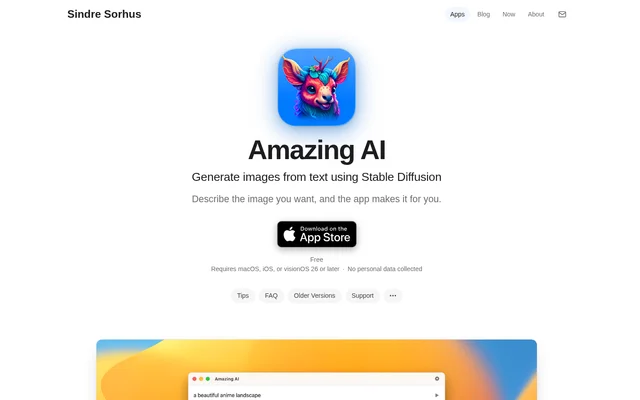
Amazing AI is a local text-to-image app that turns written descriptions into images using Stable Diffusion 1.5. Amazing AI is made by Sindre Sorhus and is available for macOS, iOS, and visionOS. The app is intended for people who want to generate images on supported Apple devices without relying on cloud services.
Amazing AI runs completely locally, collects no personal data, and uses the Apple Neural Engine. The source describes Stable Diffusion 1.5 as flexible but notes that detailed descriptions are needed to generate usable images. Amazing AI focuses on a simple generation workflow rather than custom models or image-editing features such as inpainting.
What Amazing AI can do
Amazing AI combines text-based image generation with controls for excluding unwanted content, previewing results, and saving images. Several file-management features are specific to macOS, including Finder metadata, tags, and automatic saving. Amazing AI also labels saved and shared images with machine-readable metadata indicating that the images were generated by AI.
- Amazing AI generates square images from text descriptions with Stable Diffusion 1.5.
- Amazing AI accepts negative prompts after the ## separator.
- Amazing AI opens larger previews when users click image thumbnails.
- Amazing AI provides macOS preview shortcuts for navigation, saving, and copying.
- Amazing AI can automatically save generated images to the Pictures folder on macOS.
- Amazing AI can include prompts, generation steps, and tags in macOS image files.
- Amazing AI adds trainedAlgorithmicMedia source metadata to saved and shared images.
How Amazing AI works
Amazing AI starts with a description of the desired image. Users can append ## followed by a negative prompt to specify what should be excluded. Clicking a thumbnail opens a larger preview. On macOS, users can save images automatically, choose a different destination folder, or disable inclusion of the prompt in image metadata.
Amazing AI requires macOS, iOS, or visionOS 26 or later for the current version. Macs must use Apple silicon; Intel Macs are not supported. On iOS, the minimum hardware is an iPhone 15 Pro or an iPad with an M1 processor. The first image after installation may take longer because of model validation.
Who Amazing AI is for
Amazing AI serves users of supported Apple devices who want to experiment with text-to-image generation locally. Amazing AI can also be used to create images for commercial or non-commercial purposes, provided users follow the Creative ML OpenRAIL-M licence restrictions. Those restrictions prohibit uses including illegal activity, false information, discrimination, and medical advice.
- Amazing AI supports local experimentation with detailed image prompts.
- Amazing AI lets users exclude unwanted subjects or elements through negative prompts.
- Amazing AI helps Mac users retain generation details in saved image metadata.
Amazing AI pricing and plans
Amazing AI is free without ads and is available through the App Store. Amazing AI also has a separate macOS download for people who cannot access the App Store. That version requires manual installation by unzipping the download and moving the app to the Applications folder, and does not receive automatic updates.
Amazing AI strengths and limitations
Amazing AI combines local processing, no personal data collection, and free access without advertising. Amazing AI also offers useful macOS saving controls and image metadata. The workflow has deliberate limits: the developer does not plan to support custom models, inpainting, or outpainting, and the underlying Stable Diffusion library supports only square images.
- Amazing AI requires supported Apple hardware and cannot run on Intel Macs.
- Amazing AI safety checks sometimes reject harmless images and prevent adult image generation.
- Amazing AI generation speed depends on device performance, available memory, and CPU resources.
- Amazing AI uses a large model that occupies disk space and memory.
- Amazing AI adds metadata rather than C2PA Content Credentials or an invisible watermark; copied images do not retain the AI source mark.
Amazing AI FAQ
What is Amazing AI?
Amazing AI is a free text-to-image app for macOS, iOS, and visionOS that uses Stable Diffusion 1.5. Amazing AI generates images from written descriptions, runs completely locally without cloud dependencies, and collects no personal data.
Is Amazing AI free?
Amazing AI is free without ads. Amazing AI is available through the App Store, and a separate macOS version is available for users who cannot access the store. The separate download does not receive automatic updates.
What devices can run Amazing AI?
Amazing AI requires macOS, iOS, or visionOS 26 or later for the current version. Amazing AI requires Apple silicon on Mac and does not support Intel Macs. On iOS, Amazing AI requires at least an iPhone 15 Pro or an iPad with an M1 processor.
Can Amazing AI images be used commercially?
Amazing AI allows generated images to be used for commercial and non-commercial purposes, subject to the Creative ML OpenRAIL-M licence's usage restrictions. The restrictions include prohibitions on illegal activity, false information, discrimination, and medical advice.
Does Amazing AI support custom models or inpainting?
Amazing AI does not support custom models, inpainting, or outpainting, and the developer states that support is not planned. Amazing AI uses Stable Diffusion 1.5 and generates only square images because of the library used by the app.
How do negative prompts work in Amazing AI?
Amazing AI accepts a negative prompt after ## in the image description. Everything after that separator tells Amazing AI what to exclude from the generated image. Users should write the separator only once.
From the community
No reviews yet
Be the first to review this tool. What you write helps the next person choose.