What is BetterWispr?
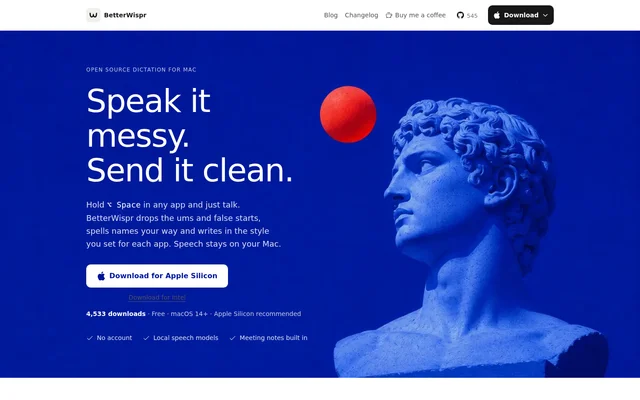
BetterWispr is a free, open-source dictation app for Mac users who want to speak text into the apps they already use. Installed local speech models transcribe on the Mac without a cloud fallback. BetterWispr can keep the transcript as spoken or remove English filler words and false starts before inserting the text. A built-in Notetaker captures meeting transcripts alongside notes the user writes.
What BetterWispr can do
BetterWispr separates speech recognition from editing, so users can choose how much the transcript changes. The default Light setting removes English fillers, repeats, and false starts. None preserves every word, while Medium uses the selected notes model to edit English for clarity. English writing styles also adjust punctuation and capitalization for personal chats, work apps, email, and other apps.
- BetterWispr converts spoken punctuation and paragraph commands into text formatting.
- BetterWispr deletes the last sentence when it hears the English command scratch that.
- BetterWispr learns names and terms from vocabulary entries or transcript corrections.
- BetterWispr can restore the raw transcript from local history.
- BetterWispr can generate meeting summaries, decisions, and action items with a notes model.
How BetterWispr works
BetterWispr starts recording when the user holds Option + Space in a focused text field and transcribes the recording when the shortcut is released. Users can switch to a press-to-toggle mode or change the shortcut. With a Parakeet model, BetterWispr previews words during recording, but inserts the transcript of the full recording after release. Microphone permission enables recording, and Accessibility permission enables automatic insertion into other apps.
BetterWispr offers built-in models from Apple Speech, Parakeet, and Whisper. Parakeet TDT v3 covers 25 European languages, a separate Parakeet model covers Japanese, and Whisper offers broader multilingual recognition. Apple Speech depends on the locale and installed system assets. Users can also choose an external transcription API such as Sarvam AI, Smallest AI, or an OpenAI-compatible endpoint.
Who BetterWispr is for
BetterWispr is for Mac users who want to dictate everyday messages, emails, and work notes without changing apps. Custom vocabulary helps with tasks that involve repeatedly dictating names or specialized terms. For meetings, BetterWispr labels microphone input as Me and other apps’ audio as Them when supported, leaving room for the user’s own notes alongside the transcript.
- Dictate personal messages in a casual style.
- Compose work emails without typing.
- Capture meeting conversations alongside written notes.
- Extract meeting decisions and action items.
BetterWispr pricing and plans
BetterWispr is free to download and use under the Apache 2.0 license, with no dictation subscription, account, or required API key. The website offers downloads for Apple Silicon and Intel Macs. Downloadable local models use storage on the Mac, and the source code is available on GitHub for users who want to inspect or build it.
BetterWispr strengths and limitations
BetterWispr can keep dictation and transcript history on the Mac when local models are used. For meeting summaries and Medium cleanup, users can choose Apple Intelligence on supported Macs or a local Ollama model. Optional external providers receive the text they process. BetterWispr also provides controls to turn off dictation history and stop learning vocabulary from corrections.
- BetterWispr requires macOS 14 or later and recommends Apple Silicon.
- English is required for filler cleanup, writing styles, and voice commands.
- Secure fields and some apps can block automatic insertion.
- Capturing other apps’ audio requires macOS 14.2 or later.
- Apple Intelligence meeting summaries require a supported Mac running macOS 26.
Getting started with BetterWispr
BetterWispr opens a welcome guide that walks users through permissions and selecting a local speech model. After the compatible model and its required assets are installed, offline dictation is available. Users can test the setup by focusing a text field, holding Option + Space, speaking, and releasing the shortcut. If automatic insertion is blocked, the transcript can be retrieved from the dashboard and copied manually.
BetterWispr FAQ
What is BetterWispr?
BetterWispr is an open-source Mac dictation app that inserts spoken text into the active app. BetterWispr can remove English filler words and false starts, apply writing styles by app type, and capture meeting transcripts alongside written notes.
Is BetterWispr free?
BetterWispr is free and open source under Apache 2.0, with no dictation subscription, account, or required API key. BetterWispr offers downloads for Apple Silicon and Intel Macs, and downloadable speech models use storage on the device.
Can BetterWispr transcribe speech offline?
BetterWispr can transcribe speech offline once a compatible local model and its required assets are installed. BetterWispr has no automatic cloud fallback. Users can separately choose an external transcription API instead of a local model.
Can BetterWispr take meeting notes?
BetterWispr can transcribe microphone audio and, on macOS 14.2 or later, audio from other apps alongside written notes. BetterWispr can use Apple Intelligence on a supported Mac or a local Ollama model to generate summaries, decisions, and action items.
Which languages does BetterWispr support?
BetterWispr supports different languages depending on the dictation model. Parakeet TDT v3 covers 25 European languages, Parakeet Japanese covers Japanese, and Whisper offers broader multilingual recognition. BetterWispr limits filler cleanup, writing styles, and voice commands to English.
Does BetterWispr send speech or transcripts to the cloud?
BetterWispr keeps speech on the Mac when using an installed local transcription model and does not fall back to cloud transcription. BetterWispr can use optional external transcription or notes providers when selected, and those providers receive the audio or text they process.
From the community
No reviews yet
Be the first to review this tool. What you write helps the next person choose.