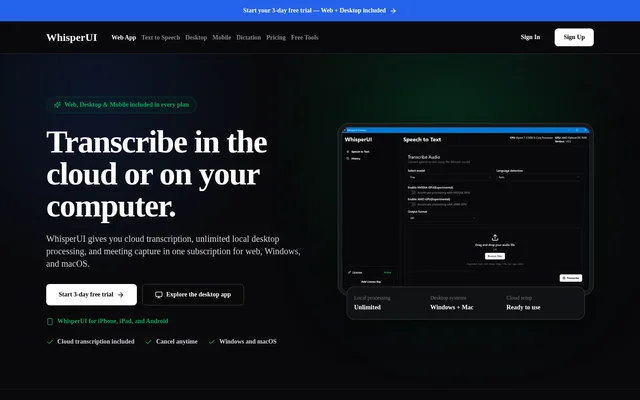
What is WhisperUI?
WhisperUI is a speech-to-text tool for turning recordings, spoken messages, and online meetings into text. Users can transcribe audio in the browser, process recordings locally on a Windows or macOS computer, or dictate and record on a mobile device. WhisperUI is suited to interviewers, students working with lecture recordings, podcasters, and teams that need transcripts of their calls.
What WhisperUI can do
WhisperUI handles existing recordings as well as speech captured through dictation or a meeting recorder bot. Cloud transcription is available in the browser and the desktop app. Local processing offers an alternative for private or long recordings, while the mobile apps let users dictate a message, make a recording, or transcribe a file.
- WhisperUI transcribes uploaded audio in the cloud without an external API key.
- WhisperUI processes desktop recordings locally without a usage limit.
- WhisperUI supports offline desktop dictation after setup.
- WhisperUI captures meetings in Zoom, Google Meet, and Microsoft Teams.
How WhisperUI works
WhisperUI uses the same account on web, desktop, and mobile. Browser users can upload a recording and draw on their plan’s cloud transcription allowance. Desktop users install the app and activate it with the license key in their account, then choose between local and cloud processing. Local dictation can run offline once the subscription is activated online and a local model is downloaded.
Who WhisperUI is for
WhisperUI is for people who need written records of spoken material, from an interview or lecture to a podcast episode or a team meeting. Local desktop processing suits users with private recordings or files that are particularly long or large. The mobile apps suit users who want to dictate a message or capture a recording away from their computer.
- Transcribe recorded interviews.
- Turn lecture recordings into text.
- Create transcripts from podcasts.
- Capture team calls and create transcripts.
- Dictate messages on a mobile device.
WhisperUI pricing and plans
WhisperUI offers Starter and Pro subscriptions. Starter costs $8 per month and includes 300 minutes of cloud transcription and 500 shared cloud dictation minutes. Pro includes 3,000 shared cloud dictation minutes per month. Every plan includes web, desktop, and mobile access and unlimited local desktop transcription. Cloud allowances and meeting recording limits depend on the plan. Eligible new personal subscriptions include a three-day free trial with a card required.
WhisperUI strengths and limitations
WhisperUI lets users keep private or long transcription jobs on their computer or use cloud processing when they do not want to rely on local hardware. WhisperUI does not impose a file-size or duration limit on local transcription. For cloud transcription, the site says uploaded source files are deleted after processing.
- The desktop app supports Windows and macOS, not Linux.
- Local transcription speed depends on the computer’s hardware.
- NVIDIA and AMD GPU acceleration is experimental.
- Cloud allowances and meeting recording limits depend on the plan.
Getting started with WhisperUI
WhisperUI users begin by choosing a subscription based on the cloud allowance and meeting recording capacity they need. They can start transcribing in the browser or install the Windows or macOS app and enter the desktop license key from their account. Users who want to work on iPhone, iPad, or Android can sign in to the mobile app with the same account.
WhisperUI FAQ
What is WhisperUI?
WhisperUI is a speech-to-text tool for audio transcription, voice dictation, and meeting recording. WhisperUI can transcribe recordings in the cloud or process them locally on Windows and macOS. The service also offers a browser app and apps for iPhone, iPad, and Android.
Is WhisperUI free?
WhisperUI is a paid subscription service with a three-day free trial for eligible new personal subscriptions. The trial requires a payment card, and users must cancel before the trial ends to avoid a charge. Starter costs $8 per month.
Can WhisperUI transcribe audio locally and dictate offline?
WhisperUI supports local audio transcription and offline dictation through its Windows and macOS desktop app. Offline dictation requires online subscription activation and a local model download first. WhisperUI does not impose file-size or audio-duration limits on local transcription.
Can WhisperUI record Zoom, Google Meet, and Microsoft Teams meetings?
WhisperUI can capture Zoom, Google Meet, and Microsoft Teams conversations with a meeting recorder bot and turn them into transcripts. Meeting recording limits depend on the WhisperUI subscription plan.
Does WhisperUI keep uploaded audio files?
WhisperUI says uploaded source files are deleted after cloud transcription processing completes. Users who prefer to process recordings on their own computer can choose local transcription in the Windows or macOS desktop app.
From the community
No reviews yet
Be the first to review this tool. What you write helps the next person choose.