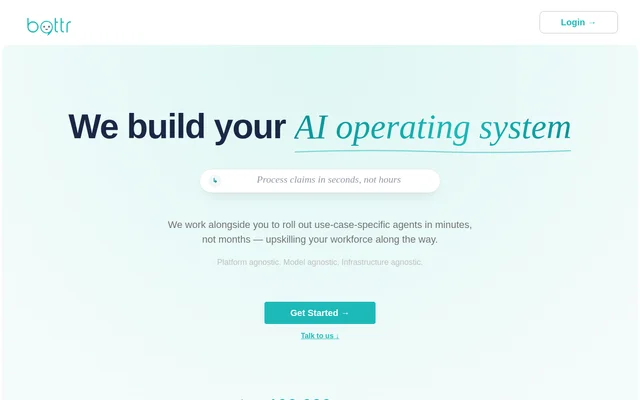
What is Bottr?
Bottr is an enterprise AI agent platform and implementation service for organizations that want to automate work inside their existing systems. Bottr combines a catalog of preconfigured agents with hands-on help to scope, build, integrate, and deploy agents for individual workflows. Teams can make agents available through an embedded chat widget, their own apps, customer portals, or an API.
What Bottr can do
Bottr lets teams share resources across agents instead of configuring the same knowledge bases, APIs, and data connections for each workflow. Teams can choose a different language model for each agent and switch models without committing the entire workspace to one provider. Bottr lists models from providers including OpenAI, Anthropic, and Google through its GPT, Claude, and Gemini options.
- Teams configure agents in a no-code editor or through the REST API.
- Agents reuse shared knowledge bases and data sources.
- Teams can supply their own model API keys.
- Workspaces provide role-based access controls and audit logs.
- Teams can embed agents in a chat widget.
How Bottr works
Bottr starts by asking about an organization's industry and goals, then recommends agents and relevant integrations. Teams set up shared resources, choose agents from the catalog, and connect the documents or APIs needed for their workflows. Bottr lists integrations with Salesforce, Zendesk, Slack, and ServiceNow, alongside options for connecting internal systems through APIs and custom connectors. Teams can test agents with real queries before deploying them.
Who Bottr is for
Bottr serves organizations looking to automate customer-facing or internal tasks across support, operations, HR, finance, and sales. The website lists industries including healthcare, finance, SaaS, ecommerce, and education. One healthcare case study describes agents for document processing and member services that run on the client's infrastructure and private cloud and connect to its core administration system.
- Support teams can handle incoming tickets.
- Claims teams can process claims and policy documents.
- Finance teams can extract invoice data.
- HR teams can automate parts of new-hire onboarding.
- Sales teams can qualify incoming leads.
Bottr pricing and plans
Bottr provides sign-up and contact options, but its website does not list prices, subscription plans, or a free tier for the agent platform. The site does offer a free AI readiness diagnostic report. Organizations can request that report with a company email to identify potential automation opportunities and initial workflows; the offer does not establish whether the agent platform itself is free.
Bottr strengths and limitations
Bottr supports cloud, private cloud, on-premises, and air-gapped deployments, giving organizations options for running agents on infrastructure they control. Workspaces include role-based access controls and audit logs, and Bottr lists data retention controls as part of its governance features. Preconfigured agents reduce the need to start from scratch, but teams still need to connect the data and systems each workflow depends on.
- The page does not publish platform prices or plan details.
- Document workflows require teams to supply the relevant documents.
- API connections need configuration through OAuth, API keys, or custom connectors.
Getting started with Bottr
Bottr's onboarding starts with a description of the organization's industry and goals. Teams can then select a recommended agent, connect a knowledge base or API, and check its responses to actual work queries before rolling it out. For assisted deployments, Bottr describes training staff during implementation so they can understand and improve the agent, followed by ongoing optimization, accuracy tuning, and support.
Bottr FAQ
What is Bottr?
Bottr is an enterprise AI agent platform and implementation service for building agents around specific business workflows. It provides a catalog of preconfigured agents, a visual editor, and options for deploying agents in apps, customer portals, or embedded chat widgets.
Is Bottr free?
Bottr offers a free AI readiness diagnostic report, but its website does not say whether access to the agent platform is free or list any subscription prices. The report requires a company email and is intended to identify automation opportunities and potential first workflows.
What can teams automate with Bottr?
Bottr can be used for customer support, claims processing, invoice data extraction, new-hire onboarding, and lead qualification. Its catalog also covers document intake, finance operations, and IT help desk work, and teams can connect agents to existing business systems.
Does Bottr have an API and integrations?
Bottr includes a REST API and lists integrations with Salesforce, SAP, Zendesk, Slack, HubSpot, Jira, ServiceNow, and Microsoft 365. Teams can also connect databases and internal APIs, with OAuth, API keys, and custom connectors among the listed connection options.
Can Bottr run on-premises or in a private cloud?
Bottr supports on-premises and private cloud deployments as well as cloud and air-gapped environments. The website describes a deployment for document processing and member services that runs on a client's infrastructure and private cloud and connects to its core administration system.
From the community
No reviews yet
Be the first to review this tool. What you write helps the next person choose.