What is Brave Leo?
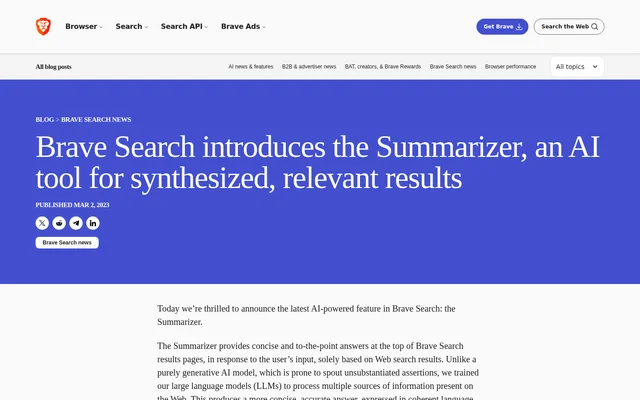
Brave Leo is an AI chat assistant built into the Brave browser for people who want help while browsing. The release announcement makes Brave Leo available for testing and feedback in the desktop Nightly channel. Brave hosts the assistant without third-party AI services, and the announced model is Meta’s source-available Llama 2.
What Brave Leo can do
Brave Leo lets users interact with the web page they are visiting from the browser sidebar. The assistant can respond to general questions as well as requests involving the active page, without requiring the user to leave that page. Its capabilities in the announcement include the following:
- Brave Leo provides interactive article summaries.
- Brave Leo can respond to requests for video transcripts.
- Brave Leo suggests follow-up questions.
- Brave Leo helps with reading comprehension.
- Brave Leo can augment original content.
How Brave Leo works
Brave Leo is accessed through its button in the Brave Sidebar by users of the desktop Nightly channel. The browser sends the latest query and ongoing conversation history to the server. When a request calls for page context, the browser also sends the necessary material from the active page, such as article text or a YouTube video transcript.
Brave Leo submits user inputs anonymously through a reverse proxy to Brave’s inference infrastructure. According to the announcement, conversations are not persisted on Brave’s servers and are discarded immediately after a reply is generated. The announcement also says the chats cannot be used for training or reviewed.
Who Brave Leo is for
Brave Leo is for Brave desktop Nightly users who want a chat assistant alongside the pages they visit. Its sidebar access supports reading and question-answering tasks within the browsing experience. The announcement describes several uses tied to articles, videos and content.
- Readers can request an interactive summary of an article.
- Viewers can ask for a video transcript.
- Users can ask questions about the page they are viewing.
- Readers can request help understanding content.
- Writers can use Brave Leo to augment original content.
Brave Leo pricing and plans
Brave Leo is free for users of the Brave desktop Nightly channel, according to the release announcement. No user login or account is required to use the assistant. The announced access point is the Brave Sidebar, and the page does not describe a paid plan for this release.
Brave Leo strengths and limitations
Brave Leo combines a browser-sidebar workflow with page-aware questions and summaries, so users do not need to leave the page they are reading. The announcement also describes anonymous input submission and says conversations are discarded after a reply. Those privacy and access details sit alongside limitations of the announced release.
- The announced release is available in the desktop Nightly channel.
- Past conversations cannot be reviewed because they are not stored.
- The announced release does not have access to live information.
- Answers should be treated with care because they may contain inaccuracies or errors.
Getting started with Brave Leo
Brave Leo can be opened from the sidebar button in the Brave desktop Nightly browser. Users can ask a question or request help with the page they are viewing. Brave recommends clear, detailed instructions and suggests rewording a prompt if the response is not what the user wanted.
Brave Leo FAQ
What is Brave Leo?
Brave Leo is an AI chat assistant built into the Brave browser. The announced release lets desktop Nightly users ask questions, request article summaries and interact with web pages from the browser sidebar.
Is Brave Leo free?
Brave Leo is free for Brave desktop Nightly users, according to the release announcement. Users do not need a login or account to access the assistant from the Brave Sidebar.
What can you use Brave Leo for?
Brave Leo can help users ask questions about a web page, request interactive article summaries or video transcripts, and get help with reading comprehension. Brave Leo can also suggest follow-up questions and augment original content.
Does Brave Leo save conversations?
Brave Leo conversations are not persisted on Brave’s servers, according to the release announcement. Conversations are discarded immediately after a reply is generated, so users cannot review past conversations. The announcement also says chats cannot be used for training.
Does Brave Leo have access to live information?
Brave Leo does not have access to live information in the announced release. Brave says it plans to offer a future version with some level of current information access powered by Brave Search.
What information does Brave Leo send to the server?
Brave Leo sends the latest query and ongoing conversation history to the server. When needed for the request, the browser also sends necessary context from the active page, such as article text or a YouTube video transcript.
From the community
No reviews yet
Be the first to review this tool. What you write helps the next person choose.