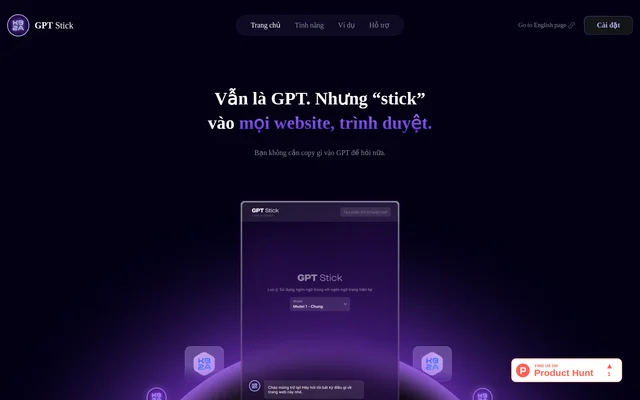
What is GPT Stick?
GPT Stick is a GPT assistant for interacting with information while browsing websites. GPT Stick lets users ask questions about online content without copying that content into GPT first. The product website presents articles, blogs, and YouTube as supported settings for this interaction, alongside functions for summarizing, explaining, searching, and creating content.
GPT Stick is intended for people who want assistance with the material they encounter on the web. The stated scope covers content across subjects rather than a single specialist topic. GPT Stick combines information questions and content-related tasks within the browsing experience described on the product page.
What GPT Stick can do
GPT Stick provides several ways to work with website information, from asking a direct question to requesting a summary or explanation. GPT Stick also supports creating content from websites and asking questions about YouTube material. These capabilities make the assistant relevant to both understanding existing content and producing text from information encountered online.
- GPT Stick answers questions about website information.
- GPT Stick summarizes content from websites.
- GPT Stick explains information found on webpages.
- GPT Stick creates content from website material.
- GPT Stick supports questions about YouTube content.
- GPT Stick supports searching across subjects.
How GPT Stick works
GPT Stick is obtained through the installation option presented on the product website. The page describes installation as easy and identifies a keyboard shortcut for switching GPT Stick on or off. Once used with web content, GPT Stick is intended to remove the need to copy material into GPT before asking questions.
GPT Stick supports multiple languages and is presented as working across websites and browsers. The workflow centers on the content being viewed: users can ask about website information, request a summary, seek an explanation, or create content from a website. YouTube is explicitly included among the supported content settings.
Who GPT Stick is for
GPT Stick is for web users who want help understanding or working with online information. Readers of articles and blogs can use GPT Stick to ask questions, summarize material, or request explanations. People exploring YouTube content can also ask questions, while users creating text can work from information found on websites.
- GPT Stick helps article readers request summaries and explanations.
- GPT Stick helps blog readers ask questions about page information.
- GPT Stick helps YouTube viewers ask questions about content.
- GPT Stick supports creating content from website material.
GPT Stick strengths and privacy statements
GPT Stick combines several web-content tasks in a browsing-oriented assistant, with no need to copy content into GPT to ask questions. Multilingual support and keyboard shortcut activation are additional stated conveniences. GPT Stick also includes a privacy statement: the website says that GPT Stick protects user information and supports privacy and safety during use.
GPT Stick FAQ
What is GPT Stick?
GPT Stick is a browser-based GPT assistant for asking questions about online information, summarizing webpages, explaining content, and creating content from websites. GPT Stick supports interaction with articles, blogs, and YouTube without requiring users to copy content into GPT first.
Can GPT Stick summarize websites?
GPT Stick can summarize website content, including material encountered while reading articles and blogs. GPT Stick also provides related functions for asking questions, explaining website information, and creating content from material on a webpage.
Does GPT Stick work with YouTube?
GPT Stick supports asking questions about YouTube content. The product website explicitly lists YouTube alongside articles and blogs as a place for interacting with content, but does not describe a separate YouTube installation process.
Does GPT Stick support multiple languages?
GPT Stick supports multiple languages according to the product website. GPT Stick combines this language support with website questions, summaries, explanations, and content creation, although the supplied page does not list the supported languages individually.
How do you start using GPT Stick?
GPT Stick is available through an installation option on the product website, which describes installation as easy. GPT Stick also supports a keyboard shortcut for switching the assistant on or off during use.
From the community
No reviews yet
Be the first to review this tool. What you write helps the next person choose.