What is Capsule?
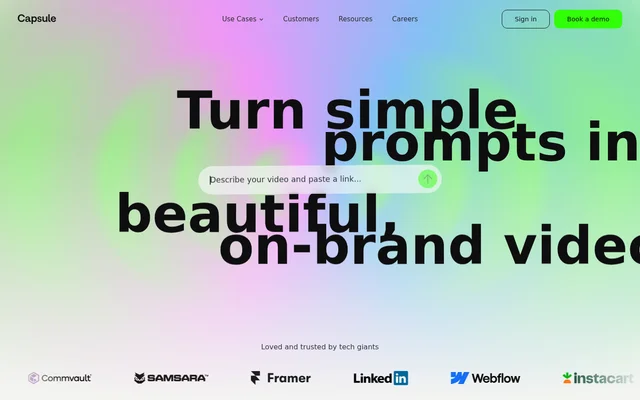
Capsule is a web-based video creation system for organizations that want employees across departments to produce branded videos. Capsule combines prompt-based video creation, reusable motion design templates and an editor for non-creative users. The focus is repeatable business content, including product demonstrations, internal communications, paid media and sales videos.
Capsule positions shared video production as a company-wide workflow rather than a task reserved for creative specialists. Capsule gives teams a common system built around approved brand designs. Creative teams contribute their motion assets, while other employees use those assets to create videos without needing design skills.
What Capsule can do
Capsule supports video creation through both a conversational agent and a visual editor. Capsule connects reusable creative assets with guided workflows so employees can produce videos that follow brand standards. The stated capabilities cover template preparation, motion design, video editing and assistance for users learning to make business videos.
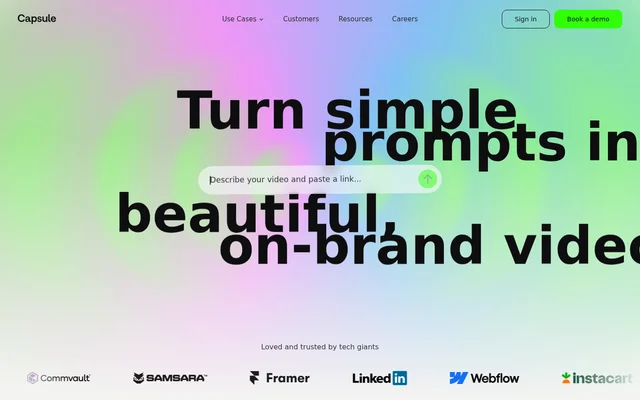
- Capsule turns simple prompts into on-brand videos.
- Capsule supports custom Video Skills in Claude or ChatGPT.
- Capsule guides users through creating brand-approved videos with an agent.
- Capsule converts After Effects files into editable templates.
- Capsule provides a video editor for people without design skills.
- Capsule builds custom motion design systems with creative teams.
How Capsule works
Capsule offers a conversational route in which organizations build custom Video Skills for Claude or ChatGPT. Employees then talk to an agent that guides them through the steps of creating a brand-approved video. Capsule also offers an editor-based route, with After Effects assets available inside Capsule for users to edit.
Capsule’s motion engineers work with an organization’s creative team to build a custom motion design system. Capsule describes brand consistency extending to motion details such as easing curves. This arrangement connects the creative team’s design work with templates that employees outside the creative department can use themselves.
Who Capsule is for
Capsule serves business teams that need repeatable branded videos and creative departments that want other employees to use approved designs. Capsule explicitly supports beginners and non-creative users. The listed workflows span marketing, sales, internal communications and customer education, rather than focusing only on specialist video production.
- Capsule supports product teams creating demonstration videos.
- Capsule supports marketing teams producing paid media advertisements.
- Capsule supports employees making internal communication videos.
- Capsule supports teams creating customer education content.
- Capsule supports sales teams producing follow-up videos.
Capsule access and onboarding
Capsule provides a demo booking option for organizations exploring the system. Capsule pairs the video tools with hands-on education: a dedicated success manager walks every new user through Capsule. This onboarding approach is presented as support for employees who are new to video creation, including people without a creative background.
Capsule brand controls and ongoing support
Capsule’s strengths center on reusing approved creative assets and supporting non-creative employees with guided video production. Capsule combines custom motion design work, editable templates and user education rather than offering an editor alone. The described setup involves collaboration between Capsule’s motion engineers and the customer’s creative team to establish the shared design system.
Capsule continues supporting organizations after initial onboarding, with help for new designs, additional teams and rebrands. Capsule also helps customers identify further uses for video as adoption expands. This ongoing service complements the self-serve workflow by maintaining access to video expertise as organizational needs and brand designs change.
Pros and cons
What works
- Capsule gives non-creative teams tools to produce on-brand videos.
- Capsule reuses existing After Effects files as editable templates.
- Capsule supports both conversational and editor-based video workflows.
- Capsule includes hands-on onboarding and ongoing design support.
Capsule FAQ
What is Capsule?
Capsule is a web-based video creation system for business teams that need on-brand videos. Capsule combines a conversational video agent, editable After Effects templates and a video editor designed for employees without design skills.
Does Capsule work with Claude or ChatGPT?
Capsule supports custom Video Skills for use in Claude or ChatGPT. Capsule describes a workflow where employees talk to an agent and receive guidance through the steps needed to create a brand-approved video.
Can Capsule use existing After Effects files?
Capsule converts After Effects files into easy-to-use templates that non-creative teams can edit. Capsule makes those assets available inside its video editor so employees can create videos using their organization’s existing motion designs.
What can teams use Capsule for?
Capsule supports product demos, paid media ads, internal communications, customer education and sales follow-up videos. Capsule also lists long-form cutdowns and sales ABM among its workflows for repeatable business video production.
Do users need design skills to use Capsule?
Capsule is designed to let non-creative users make videos without design skills. Capsule combines editable templates with hands-on education, and a dedicated success manager walks new users through the system.
How can a business get started with Capsule?
Capsule offers a demo booking path for businesses exploring its video creation system. Capsule also provides onboarding through a dedicated success manager and collaboration with motion engineers to build custom motion design systems.
From the community
No reviews yet
Be the first to review this tool. What you write helps the next person choose.