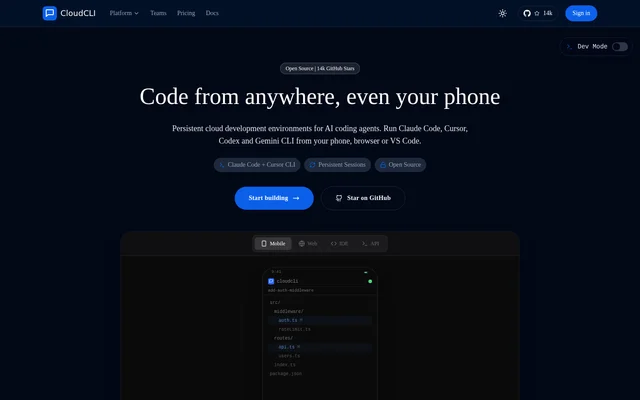
What is CloudCLI?
CloudCLI is a cloud development environment for developers and teams using AI coding agents such as Claude Code, Cursor CLI, OpenAI Codex, Gemini CLI, and OpenCode. The hosted service runs agents in persistent containers, keeping the repository, shell, files, and terminal state available when a developer switches devices or closes a laptop. The service is built on an open-source interface formerly known as Claude Code UI.
What CloudCLI can do
CloudCLI combines an agent chat interface with a terminal, file explorer, and Git controls in the browser. Developers can install their own dependencies, databases, and tools in the workspace. The same environment can run multiple supported agents, so switching agents does not require switching workspaces.
- CloudCLI runs Claude Code, Cursor CLI, Codex, Gemini CLI, and OpenCode in hosted workspaces.
- CloudCLI keeps tests, refactors, and migrations running after a device disconnects.
- CloudCLI provides access through a mobile browser or an installable PWA.
- CloudCLI lets teams share MCP servers, context files, and tool configurations.
How CloudCLI works across devices
CloudCLI lets developers start a coding session from a phone, a desktop browser, or the API. Sessions can also start through tools such as Linear, Jira, and n8n. A developer can then connect from VS Code or Cursor over SSH and continue working with the files and changes already in the workspace. Closing a laptop does not stop processes running in the cloud container.
Who CloudCLI is for
CloudCLI serves individual developers who want to start or check on coding work away from their desks, as well as teams that want a common setup for their coding agents. Teams can share environment variables, MCP servers, and context files such as CLAUDE.md and .cursorrules. Each developer still works in an isolated container.
- Start a coding task on a phone and continue in a desktop IDE.
- Leave a test suite or migration running while the local computer is offline.
- Give new team members access to shared agent settings and project context.
CloudCLI pricing and plans
CloudCLI lists Hobby at €7 per month for one active environment with 2 CPU cores and 4 GB of RAM. Growth costs €20 per month and includes 5 active environments. Team costs €39 per month and includes 5 environments, 5 team members, and centralized billing. Enterprise pricing is custom.
CloudCLI offers a hosted trial without a credit card, with 2 hours of runtime in one environment to use within 2 days. The hosted service has no permanent free tier. The open-source CloudCLI UI is available under AGPL-3 and is free to run locally, on a VPS, or on team infrastructure.
CloudCLI strengths and limitations
CloudCLI keeps development work running independently of the device used to start a session. Developers can reconnect to the same workspace and choose among supported coding agents rather than use a single provider. Teams can share project settings without putting developers in the same container. The hosted subscription covers the workspace and tools, not access to the AI agents themselves.
- Developers must bring an AI provider API key or subscription.
- The hosted trial limits both runtime and the time in which it can be used.
- Unsubscribed trial environments are deleted after a grace period.
CloudCLI FAQ
What is CloudCLI?
CloudCLI is a persistent cloud development environment for AI coding agents including Claude Code, Cursor CLI, OpenAI Codex, Gemini CLI, and OpenCode. Its hosted containers keep files, terminal sessions, and running processes available when developers disconnect or switch devices.
Is CloudCLI free?
CloudCLI is free to self-host as an open-source core UI, but the hosted service starts at €7 per month and has no permanent free tier. The hosted trial provides 2 hours of runtime in one environment within 2 days of signing up.
Can I use Claude Code on my phone with CloudCLI?
CloudCLI lets developers start and manage Claude Code sessions from a phone browser or an installed PWA. The mobile interface includes agent chat, a terminal, a file explorer, and Git, and the session runs in the cloud even after the phone disconnects.
Can I connect VS Code to a CloudCLI workspace?
CloudCLI supports connecting from VS Code or Cursor over SSH to resume work in a hosted workspace. Developers can start a session from another device and then open the same workspace in their IDE with its files and changes still available.
Does CloudCLI include an AI subscription?
CloudCLI does not include an AI subscription. CloudCLI provides the cloud environment and preinstalled coding tools, while developers supply their own API key or subscription for a supported provider such as Claude Code, Cursor, Codex, or Gemini.
From the community
No reviews yet
Be the first to review this tool. What you write helps the next person choose.