What is Code Autopilot?
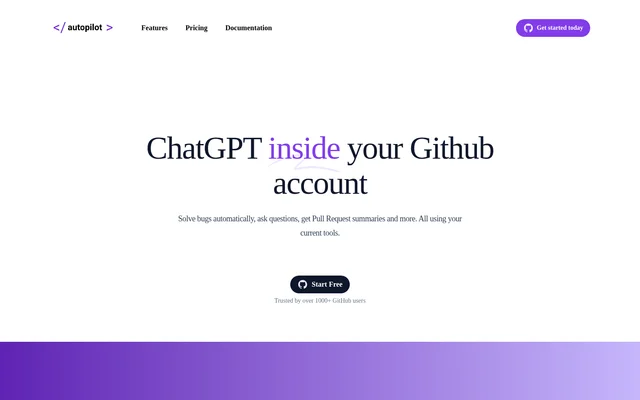
Code Autopilot is an AI coding assistant for individual software developers and teams that manage development work in GitHub. It brings coding agents into the issue and pull request threads where developers already discuss their work. The integration covers tasks on both sides of a change: proposing a solution when an issue is opened and summarizing what changed when a pull request is ready for review.
What Code Autopilot can do
Code Autopilot helps developers turn a task description into an implementation plan, investigate a bug, or ask a follow-up question about a proposed change. For feature work, developers can choose between copying a suggested code snippet and opening a pull request. For review work, Code Autopilot summarizes the changes so reviewers have an overview before making a merge decision.
- Code Autopilot answers questions in issue and pull request threads.
- Code Autopilot responds to repository issues with proposed solutions.
- Code Autopilot drafts implementation plans from feature descriptions.
- Code Autopilot provides code snippets developers can copy.
- Code Autopilot lets developers open a pull request with a click.
- Code Autopilot summarizes pull request changes for reviewers.
How Code Autopilot works in GitHub
Code Autopilot integrates with GitHub repositories and listens for new issues. When a developer creates an issue, Code Autopilot can respond with a proposed solution in the thread. Developers can then ask questions or refine the suggestion in the same conversation. Code Autopilot also supports conversations in pull request threads and can work across multiple repositories rather than being confined to the repository where a task begins.
Who Code Autopilot is for
Code Autopilot is for developers who track bugs and feature requests in GitHub, as well as teams that use pull requests to review code changes. An individual developer might use Code Autopilot to turn a task description into a starting plan. A team might use the issue thread to discuss a suggested fix or read a pull request summary before reviewing the changes.
- Investigate a bug reported in a GitHub issue
- Turn a feature request into an implementation plan
- Refine a proposed fix in an issue thread
- Get an overview of changes before a pull request review
Code Autopilot pricing and plans
Code Autopilot lists a free Starter plan with ~5 issues and access to GPT-4. The Individual plan is listed at $19 with ~30 issues/month. The Enterprise plan is listed at $300 and includes unlimited issues and the option to use private, self-hosted LLMs. All listed plans cover feature implementation, bug solving, questions, and pull request analysis. The page directs prospective Enterprise customers to contact the company.
Code Autopilot strengths and limitations
Code Autopilot keeps coding conversations inside GitHub and allows installation on as many repositories as needed. The service's FAQ says Code Autopilot temporarily retains a copy of the code while resolving an issue and keeps repository metadata rather than source code afterward. Teams evaluating the integration should also account for how snippets are processed and how issue usage is shared across their repositories.
- The Starter and Individual plans list approximate issue allowances.
- Repositories within the same organization count toward shared usage.
- The FAQ says code snippets are sent to OpenAI's API.
Code Autopilot FAQ
What is Code Autopilot?
Code Autopilot is an AI coding assistant that works inside GitHub issues and pull requests. Developers can use it to ask questions, investigate bugs, turn feature requests into implementation plans, and get summaries of code changes before a pull request review.
Is Code Autopilot free?
Code Autopilot offers a free Starter plan with ~5 issues, pull request analysis, and access to GPT-4. It also lists an Individual plan at $19 with ~30 issues/month and an Enterprise plan at $300 with unlimited issues and an option to use private, self-hosted LLMs.
Who is Code Autopilot for?
Code Autopilot is for software developers and teams that track work and review changes in GitHub. The page positions the Individual plan for individuals or small businesses and offers an Enterprise plan for companies that want unlimited issues or the option to use private, self-hosted models.
Can Code Autopilot work across multiple GitHub repositories?
Code Autopilot can be installed on as many GitHub repositories as needed and is designed to work across multiple repositories. Billing is per organization, and usage from repositories within the same organization counts toward that organization's allowance.
Does Code Autopilot store source code?
Code Autopilot says it temporarily retains a copy of the code while resolving an issue, then retains repository metadata rather than source code. The FAQ also says that code snippets are sent to OpenAI's API.
From the community
No reviews yet
Be the first to review this tool. What you write helps the next person choose.