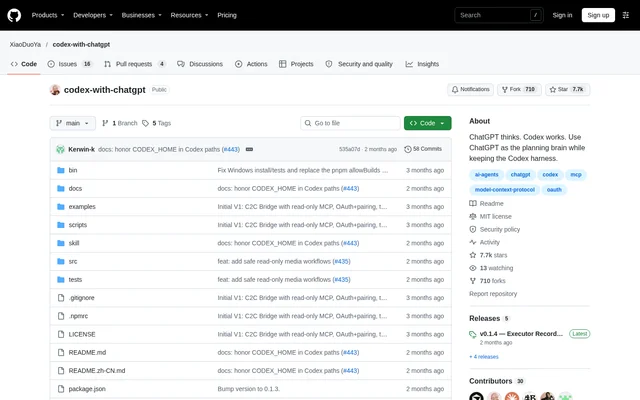
What is Codex with ChatGPT?
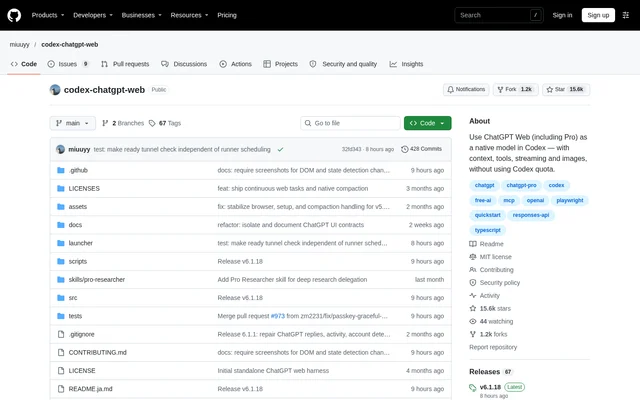
Codex with ChatGPT is an open-source project that uses the ChatGPT web app as the planning and review component of a Codex coding session. Codex keeps control of execution, including workspace edits, shell commands and tests. The project targets users whose existing ChatGPT Plus or Pro web allowance could handle reasoning otherwise performed with API or Codex tokens.
Codex with ChatGPT is distributed through a GitHub repository under the MIT license. The repository describes an unofficial community project, not a product affiliated with or endorsed by OpenAI. Installation adds a Codex Skill and a ChatGPT connector rather than a Codex Web GPT, launcher or model-catalog entry.
What Codex with ChatGPT can do
Codex with ChatGPT separates planning from execution while allowing ChatGPT to inspect the evidence needed for review. The read-only MCP connection exposes workspace information, file contents, search results, git changes and execution records. ChatGPT retrieves relevant content through the connector rather than receiving pasted file bodies, logs or diffs in control messages.
- Codex with ChatGPT lets ChatGPT plan tasks before Codex executes them.
- Codex with ChatGPT exposes read-only file access and workspace search.
- Codex with ChatGPT lets ChatGPT inspect actual git diffs and test records.
- Codex with ChatGPT supports inspection of workspace images through read_image.
- Codex with ChatGPT blocks sensitive files by default and supports custom .c2cignore rules.
How Codex with ChatGPT works
Codex with ChatGPT connects the ChatGPT web app to a local workspace bridge through a Cloudflare tunnel. OAuth and a one-time pairing code protect the connection. ChatGPT and Codex exchange structured state messages for planning, execution and review, while the MCP connection carries requested workspace content. The bridge does not expose write, delete, shell or commit tools.
Codex with ChatGPT is installed by building the repository, copying the Skill into the Codex skills directory and running c2c setup. The supplied installation prompt asks Codex to handle dependency installation and connector configuration. Users may need to log in, complete authentication checks and create a ChatGPT Project with project-only memory for a new workspace.
Who Codex with ChatGPT is for
Codex with ChatGPT serves people already using Codex who want ChatGPT to handle planning and independent review. The README also provides an installation prompt for non-technical users who do not know git, Node.js or terminals. Developer-facing commands are available for building, testing, checking status, viewing logs and managing pairing.
- Codex with ChatGPT supports implementation tasks planned through the ChatGPT web app.
- Codex with ChatGPT supports post-execution reviews using repository changes and test evidence.
- Codex with ChatGPT supports users who want agent-assisted installation and configuration.
Codex with ChatGPT pricing and access
Codex with ChatGPT is available as an MIT-licensed open-source repository on GitHub. The README describes using a ChatGPT Plus or Pro subscription that the user already pays for, without API keys or a reverse proxy. The source provides no separate project subscription plans or subscription prices for the required ChatGPT access.
Codex with ChatGPT strengths and limitations
Codex with ChatGPT combines read-only workspace access with execution remaining in Codex. Workspace-scoped tokens, path containment and default sensitive-file exclusions restrict what the connector can read. The entire repository is not uploaded, although ChatGPT can retrieve permitted content on demand. Setup still depends on local software, an authenticated ChatGPT session and a public tunnel.
- Codex with ChatGPT requires Node.js, git and cloudflared for the public connection.
- Codex with ChatGPT uses a temporary Cloudflare address by default, requiring connector repair after restarts.
- Codex with ChatGPT requires a Cloudflare account and a domain on Cloudflare for the optional stable hostname.
Codex with ChatGPT FAQ
What is Codex with ChatGPT?
Codex with ChatGPT is an MIT-licensed open-source project that connects the ChatGPT web app to Codex coding sessions. ChatGPT handles planning and review, while Codex retains control of file editing, shell commands, tests and fixes.
Is Codex with ChatGPT free?
Codex with ChatGPT is available as an MIT-licensed open-source project on GitHub. The documented workflow uses an existing paid ChatGPT Plus or Pro subscription, so access to the project is separate from the ChatGPT subscription used for planning and review.
Does Codex with ChatGPT upload your repository?
Codex with ChatGPT does not upload the entire repository. ChatGPT requests relevant workspace content through an OAuth-protected, read-only MCP connection. Sensitive files are denied by default, custom exclusions are supported through .c2cignore, and access tokens are bound to individual workspaces.
How do you install Codex with ChatGPT?
Codex with ChatGPT can be installed using the README's prompt for Codex to build the checkout, install the Codex Skill and configure the ChatGPT connector. The setup requires Node.js, git and cloudflared, with user involvement when login or authentication checks are needed.
Does Codex with ChatGPT need an API key?
Codex with ChatGPT does not require API keys or a reverse proxy. The project uses the official ChatGPT web interface and an OAuth-protected, read-only MCP bridge, while Codex remains responsible for executing coding tasks in the workspace.
Is Codex with ChatGPT an official OpenAI product?
Codex with ChatGPT is an unofficial community project and is not affiliated with or endorsed by OpenAI. The GitHub repository distributes the project under the MIT license and documents its Codex Skill, workspace bridge and ChatGPT connector setup.
From the community
No reviews yet
Be the first to review this tool. What you write helps the next person choose.