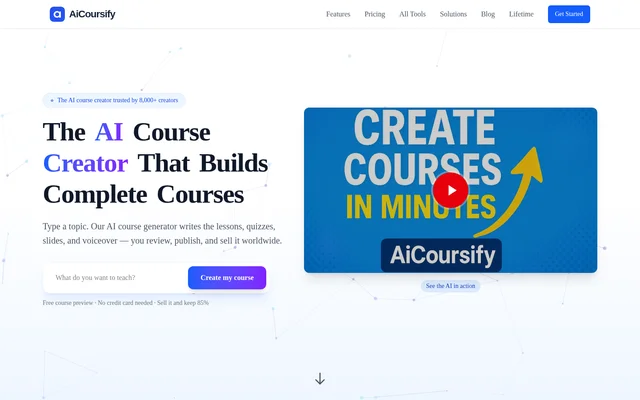
What is CreateAICourse (cAIc)?
CreateAICourse (cAIc) is an AI course generator for educators, authors, and training teams that need to turn a topic into structured learning material. It supports both short courses and more comprehensive programs. Its focus is course authoring: creators can draft a curriculum, review the lessons, and prepare materials for delivery through a learning management system, website, or marketplace.
What CreateAICourse (cAIc) can do
CreateAICourse (cAIc) generates teaching materials and assessments from the same course content. Its editing tools can refine lesson structure, simplify language, or add examples. The course builder also connects the written curriculum to other formats, so creators can turn lessons into slides for a presentation or narrated audio for learners.
- Generate course outlines, structured modules, and written lessons.
- Refine lesson content and align it with stated learning objectives.
- Create editable multiple-choice, true-or-false, and short-answer questions.
- Draft practical assignments with grading rubrics.
- Convert course content into downloadable PowerPoint slides.
- Narrate lessons with an available AI voice or a custom model trained on the creator's voice.
How CreateAICourse (cAIc) works
CreateAICourse (cAIc) starts with a course topic, title, or upload. The generator uses that input to organize the material into modules and draft lessons. Creators can then review the output, adjust the outline, and edit the assessments before publishing or exporting. The site describes exports for learning management systems, websites, and marketplaces.
CreateAICourse (cAIc) also offers mobile apps for iPhone, iPad, and Android. The mobile app listing on the page describes full course creation, offline access, push notifications, and syncing with the web app. For presentation-based delivery, creators can download PowerPoint slides generated from their course content and use them for classroom instruction or online learning.
Who CreateAICourse (cAIc) is for
CreateAICourse (cAIc) is aimed at educators, authors, course creators, and professional training teams. Authors can use the guided builder to organize subject expertise into a course, while educators can build assessments alongside lessons. Training teams can develop shorter modules for adult learning and create assignments that ask learners to apply what they have learned.
- Turn subject expertise into an online course.
- Build microlearning modules for professional training.
- Create assignments and rubrics tied to learning objectives.
- Prepare slides for classroom or online instruction.
CreateAICourse (cAIc) pricing and plans
CreateAICourse (cAIc) offers a free course preview with up to 4000 words of lesson content and does not require a credit card for the preview. The pricing FAQ says premium plans add more features and enable complete course exports. The provided page does not list premium subscription prices, so the cost of those plans cannot be determined from the page.
CreateAICourse (cAIc) strengths and limitations
CreateAICourse (cAIc) combines curriculum drafting, assessment design, slides, and audio narration in one authoring workflow. Creators can edit generated questions and refine lesson text before delivery, rather than publishing the first draft as written. The free preview lets creators inspect the generated material before paying, but the pricing FAQ places complete course export under premium plans.
- The free preview is limited to 4000 words of lesson content.
- The pricing FAQ lists complete course exports as a premium capability.
- The page does not list premium subscription prices.
CreateAICourse (cAIc) FAQ
What is CreateAICourse (cAIc)?
CreateAICourse (cAIc) is an AI course authoring tool that generates structured learning materials from a topic or upload. It can draft course outlines, written lessons, quizzes, assignments, slides, and narrated audio for educators, authors, and training teams.
Is CreateAICourse (cAIc) free?
CreateAICourse (cAIc) offers a free course preview with up to 4000 words of lesson content and no credit card requirement. The pricing FAQ says premium plans offer additional features and the ability to export complete courses.
Can CreateAICourse (cAIc) generate quizzes and assignments?
CreateAICourse (cAIc) generates editable multiple-choice, true-or-false, and short-answer questions based on course content. It can also draft practical assignments and grading rubrics that align with the course's learning objectives and assessment criteria.
Can CreateAICourse (cAIc) export courses to an LMS?
CreateAICourse (cAIc) supports exporting courses for use in a learning management system. The site also describes exports to websites and marketplaces, and the pricing FAQ lists the ability to export complete courses under premium plans.
Can CreateAICourse (cAIc) narrate lessons in a custom voice?
CreateAICourse (cAIc) can generate lesson narration with a custom model trained on the creator's own voice. Creators can also choose from the available AI voices to turn written lessons into audio without training a custom model.
From the community
No reviews yet
Be the first to review this tool. What you write helps the next person choose.