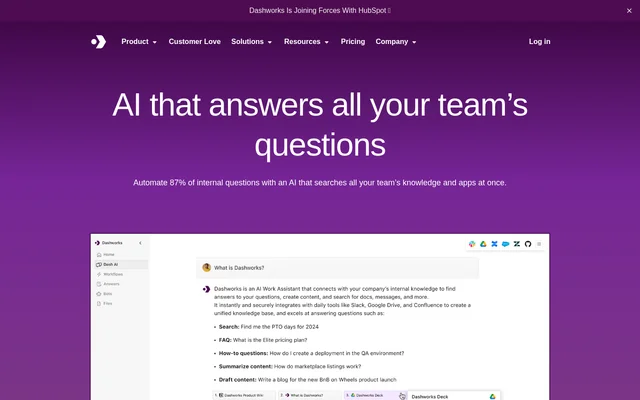
What is Dash AI?
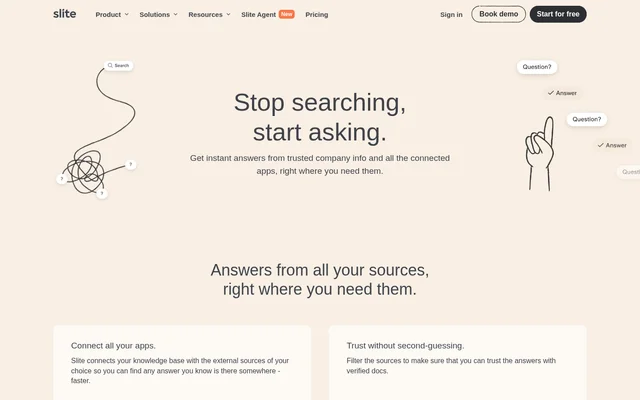
Dash AI is an AI enterprise search assistant that answers internal workplace questions by looking across connected apps and knowledge bases. Employees can ask questions in natural language about products, policies, processes, projects, or people instead of searching each app separately. The assistant is designed for organizations where useful information is spread across documents, messages, tickets, and other tools.
What Dash AI can do
Dash AI brings workplace search and question answering into a single interface. Teams can connect apps, websites, and documents, then ask questions and use citations to check where an answer came from. The pricing page also lists file uploads and workflows on the Team plan, with custom bots and model selection on the Business plan.
- Dash AI searches connected workplace sources in real time.
- Dash AI includes citations with its answers.
- Dash AI answers questions in Slack channels and direct messages.
- Dash AI lets teams build custom bots for tasks such as onboarding.
- Dash AI offers a browser extension and supports file uploads.
How Dash AI searches connected apps
Dash AI uses live search rather than relying on a duplicated index of all connected data. The site says that no initial sync is required and that document-level permission changes take effect immediately. Employees can ask questions through Slack or access search from the browser. The pricing comparison lists integrations across wikis and documents, messaging, CRM, project management, support, code, and websites.
Who Dash AI is for
Dash AI is designed for internal teams that frequently answer questions or look up information across tools. Support teams can search previous tickets and product wikis, while sales teams can look up information before responding to prospects. Engineers can search code and issue histories during on-call work, and product teams can use the assistant to answer recurring questions.
- Support teams can find answers in historical tickets and support documents.
- Sales teams can look up product details for customer questions.
- Engineers can search code, documentation, issues, and Slack threads together.
- Product teams can answer recurring questions from connected product sources.
- Onboarding teams can create a bot for new hire questions.
Dash AI strengths and limitations
Dash AI combines live search with source citations, so employees can find information across apps and check the material behind an answer without switching between separate search interfaces. Slack access is included in the Team plan, but teams that need custom bots or a choice of AI models need the Business plan or above. API access is listed separately as an Enterprise add-on.
- The Business plan requires at least 10 seats.
- The Team plan does not include custom bots or model selection.
- API access is listed as an Enterprise add-on.
- Enterprise pricing requires contacting the provider.
Dash AI FAQ
What is Dash AI?
Dash AI is an AI enterprise search assistant that answers workplace questions using information from connected apps, websites, and documents. It searches those sources in real time and includes citations so employees can see where the information came from.
Is Dash AI free?
Dash AI offers a 14-day free trial without requiring a credit card, but the pricing page does not list a permanent free plan. Team and Business are paid per-seat plans with monthly and yearly billing options, and Enterprise pricing is available by contacting the provider.
Who is Dash AI for?
Dash AI is for support, sales, engineering, and product teams that need to find internal information across different tools. Support staff can look up past tickets, engineers can search code and issues, and product teams can answer recurring questions from connected sources.
Does Dash AI work in Slack?
Dash AI works in Slack through a Slackbot that answers questions in channels and direct messages. The Slackbot is included in the Team plan and provides a way for employees to ask workplace questions without leaving Slack.
Does Dash AI offer API access?
Dash AI lists API access as an add-on for the Enterprise plan. The pricing page does not list an API price or show API access as part of the Team or Business plans.
Can teams build custom bots with Dash AI?
Dash AI lets teams build custom bots on the Business and Enterprise plans. The site describes creating one or more assistants for specific needs, including helping new hires find onboarding information and answering questions about a product.
From the community
No reviews yet
Be the first to review this tool. What you write helps the next person choose.