What is DeepL Translate?
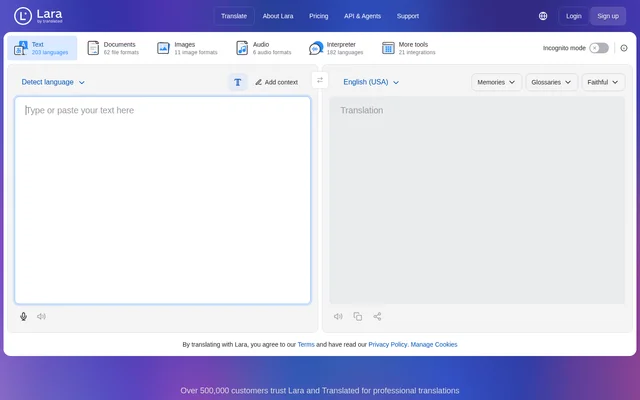
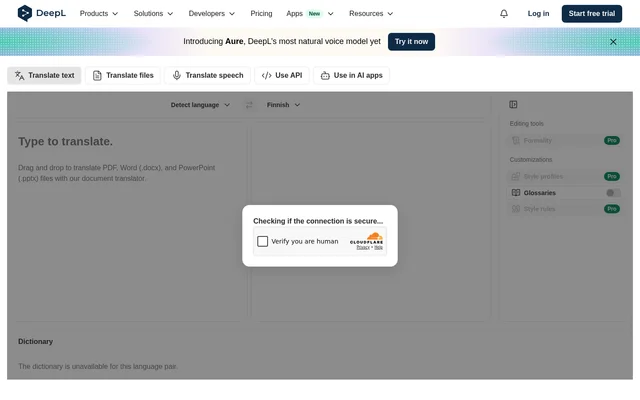
DeepL Translate is a translation tool with modes for text, files, and speech, alongside options for API access and use in AI apps. DeepL Translate serves people who need to translate content between languages. The page places text input, language selection, translation results, and a dictionary area within the translation interface.
DeepL Translate lists Spanish to English, French to English, and Japanese to English as popular translation directions. These examples identify uses highlighted on the page rather than a complete language list. The displayed interface has Detect language selected for the source and English (American) selected as the target.
What DeepL Translate can do
DeepL Translate offers several translation input routes on the same page. Text can be typed or pasted, while the document translator accepts files through drag and drop. The listed translation modes also include speech. API and AI app options appear alongside these modes, although the supplied text does not explain their setup.
- DeepL Translate translates typed or pasted text.
- DeepL Translate offers a Detect language source option.
- DeepL Translate provides source and target language selectors.
- DeepL Translate accepts PDF, Word (.docx), and PowerPoint (.pptx) documents.
- DeepL Translate supports drag-and-drop document input.
- DeepL Translate lists a speech translation mode.
- DeepL Translate provides API and AI app usage options.
How DeepL Translate works
DeepL Translate presents a source text area where users can type or paste content to translate. Users can select a source language or use the displayed Detect language option, then choose a target language. The page labels a separate area for translation results and includes a dictionary area associated with the language pair.
- DeepL Translate accepts text directly in the source text area.
- DeepL Translate offers English (American) as the displayed target selection.
- DeepL Translate accepts supported documents through drag and drop.
Who DeepL Translate is for
DeepL Translate is relevant to people translating written content, supported document files, or speech. The page’s examples focus on translating Spanish, French, and Japanese into English. The file options also make document translation a stated use case, while the API and AI app entries offer other ways to use translation.
- DeepL Translate supports translating text entered by typing or pasting.
- DeepL Translate supports translating PDF, Word, and PowerPoint files.
- DeepL Translate lists speech translation as another use case.
DeepL Translate strengths and limitations
DeepL Translate brings text input, document uploads, language selection, and additional translation modes together on the product page. The explicit file format list makes the supported document inputs clear. Dictionary availability is a visible limitation: the page states that the dictionary is unavailable for the language pair currently displayed.
- DeepL Translate supports text and file translation inputs.
- DeepL Translate lists PDF, Word (.docx), and PowerPoint (.pptx) document formats.
- DeepL Translate does not provide a dictionary for the displayed language pair.
DeepL Translate FAQ
What is DeepL Translate?
DeepL Translate is a translation tool with modes for text, files, and speech. DeepL Translate also lists options for API access and use in AI apps, with source and target language selection available in the text interface.
Which document formats does DeepL Translate support?
DeepL Translate supports PDF, Word (.docx), and PowerPoint (.pptx) files through its document translator. DeepL Translate allows users to drag and drop these documents into the translation interface.
How do you translate text with DeepL Translate?
DeepL Translate accepts text typed or pasted into the source text area. DeepL Translate provides source and target language selectors, including a Detect language option, and displays a translation results area.
Does DeepL Translate have an API?
DeepL Translate lists a Use API option alongside its text, file, and speech translation modes. DeepL Translate also lists Use in AI apps, but the supplied page text does not describe setup or integration details.
Does DeepL Translate include a dictionary?
DeepL Translate displays a dictionary area, but the page states that the dictionary is unavailable for the displayed language pair. DeepL Translate therefore does not show dictionary support for that pair.
From the community
No reviews yet
Be the first to review this tool. What you write helps the next person choose.