What is DigiFace?
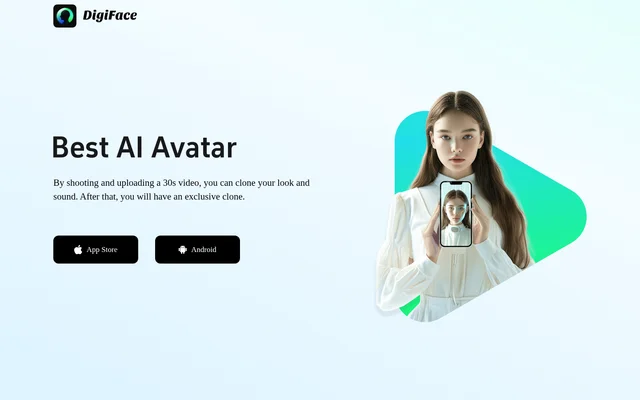
DigiFace is a tool for creating a personal clone that reproduces a user's look and sound. DigiFace describes the result as an exclusive clone. The stated input is a 30s video that the user shoots and uploads, rather than separate inputs for appearance and voice.
What DigiFace can do
DigiFace combines appearance cloning and voice cloning in the same described process. DigiFace uses an uploaded recording as the starting point for creating the user's clone. The supplied text identifies these capabilities without detailing editing options, output formats or subsequent uses for the result.
- DigiFace clones the user's appearance.
- DigiFace clones the user's sound.
- DigiFace creates an exclusive personal clone from an uploaded video.
How DigiFace works
DigiFace starts with the user shooting a 30s video and uploading that recording. DigiFace states that the user will have an exclusive clone afterward. The supplied workflow does not specify recording settings, processing time, account requirements or any additional steps between upload and the finished clone.
Who DigiFace is for
DigiFace is for people who want to reproduce their own appearance and voice as a personal clone. DigiFace describes a user recording and uploading a video of themselves. The supplied text does not identify particular professions, business audiences or industry-specific applications for the resulting clone.
- DigiFace supports creating a clone of the user's own look.
- DigiFace supports creating a clone of the user's own sound.
- DigiFace combines both elements in an exclusive personal clone.
DigiFace strengths and limitations
DigiFace's stated strengths are the combination of appearance and voice cloning and the short video required to begin. DigiFace also describes the resulting clone as exclusive. The practical requirement is that users must shoot and upload a personal recording; no alternative input method is described.
- DigiFace requires a recorded video.
- DigiFace specifies a 30s recording.
- DigiFace requires uploading the recording.
DigiFace FAQ
What is DigiFace?
DigiFace is a personal cloning tool that clones a user's look and sound from a video. DigiFace describes the result of the recording and upload process as an exclusive clone.
How do you create a clone with DigiFace?
DigiFace asks users to shoot and upload a 30s video to clone their appearance and voice. DigiFace states that users will have an exclusive clone after that process.
Does DigiFace clone both appearance and voice?
DigiFace clones both the user's look and sound from the uploaded video. DigiFace describes these capabilities together, with a 30s recording serving as the input for the personal clone.
Who is DigiFace for?
DigiFace is for people who want an exclusive clone of their own appearance and voice. DigiFace's described workflow requires the user to shoot and upload a personal video.
From the community
No reviews yet
Be the first to review this tool. What you write helps the next person choose.