What is Dubbing AI?
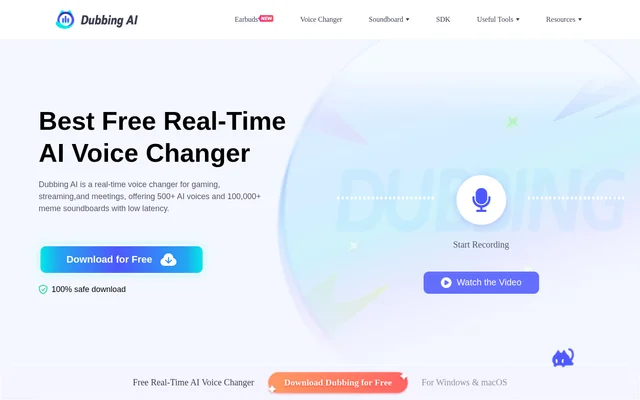
Dubbing AI is a real-time AI voice changer and soundboard for gaming, live streaming, and calls. Dubbing AI changes a user's voice while they speak, so a streamer can switch characters mid-broadcast or a gamer can role-play in voice chat without recording audio beforehand. The voice library includes 500+ presets, with options based on game and anime characters as well as original voices.
What Dubbing AI can do
Dubbing AI combines live voice effects with a soundboard for playing clips during streams and chats. The Voice Box lets users browse and preview character presets before choosing one. The soundboard includes clips from memes, games, and anime, and users can upload their own audio for others to discover.
- Dubbing AI changes microphone audio as users speak.
- Dubbing AI lets users save favorite voices for quick switching.
- Dubbing AI lets users monitor their transformed voice and adjust pitch and tone.
- Dubbing AI generates sound effects with an AI tool.
- Dubbing AI lets users share custom soundboards through Community Sound.
- Dubbing AI includes text-to-speech tools.
How Dubbing AI routes live audio
Dubbing AI provides desktop downloads for Windows and macOS. Users register an account, set their main microphone as the input in Dubbing AI, choose a voice preset, and turn on the Voice Changer toggle. In Discord, OBS, Zoom, or a compatible game, users then select Dubbing Virtual Device as the microphone input so the app receives the transformed audio instead of the original microphone feed.
Who Dubbing AI is for
Dubbing AI is aimed at gamers, streamers, and content creators who want to change voices without editing the audio afterward. Streamers can switch characters during a broadcast, and VTubers can choose a voice to match an avatar. Podcasters and audio drama creators can use different presets to perform multiple roles themselves.
- Role-play in Discord or in-game voice chat.
- Switch character voices during a Twitch or YouTube stream.
- Play meme clips as live reactions.
- Match a character voice to a VTuber avatar.
- Record distinct voices for a podcast or audio drama.
Dubbing AI pricing and plans
Dubbing AI uses a freemium model. The desktop app is available as a free download, and users can register with an email address to access a rotating selection of voices. A paid subscription unlocks all voice characters. The page does not list a subscription price, so the free download should not be read as free access to the full voice library.
Dubbing AI strengths and limitations
Dubbing AI lets users switch voices without restarting and preview how a preset sounds before using it in a game, stream, or call. The website reports voice-changing latency under 300 milliseconds. The desktop setup does require users to change the microphone input in each app where they want to use the transformed voice.
- Account registration is required before use.
- Free access is limited to a rotating selection of voices.
- Speaker audio can feed back into the microphone and cause echo.
Getting started with Dubbing AI
Dubbing AI recommends headphones for live monitoring because speaker audio can travel back into the microphone and cause an echo. After installing the desktop app and selecting a microphone, users can preview a preset in the Voice Box and use the Hear Myself toggle to check their transformed audio before joining a call or starting a stream.
Dubbing AI FAQ
What is Dubbing AI?
Dubbing AI is a real-time AI voice changer and soundboard for games, streams, and calls. Dubbing AI transforms microphone audio as users speak and routes the result to apps such as Discord, OBS, and Zoom through a virtual microphone.
Is Dubbing AI free?
Dubbing AI is free to download and offers a rotating selection of voices at no charge. Dubbing AI requires account registration before use, and a paid subscription unlocks all voice characters.
How do you use Dubbing AI with Discord?
Dubbing AI works with Discord through the Dubbing Virtual Device microphone input. Users choose a voice in Dubbing AI, turn on the Voice Changer toggle, and then select Dubbing Virtual Device as the input in Discord's audio settings.
Does Dubbing AI have a soundboard?
Dubbing AI includes a soundboard with preset clips from memes, games, and anime. Dubbing AI also offers an AI sound effect generator and lets users upload and share custom audio clips through its Community Sound feature.
Can you use Dubbing AI on Mac?
Dubbing AI offers a desktop download for macOS as well as Windows. On first launch, users select their main microphone, choose a voice preset, and route the transformed audio into a compatible app using Dubbing Virtual Device.
From the community
No reviews yet
Be the first to review this tool. What you write helps the next person choose.