What is Eloquens AI?
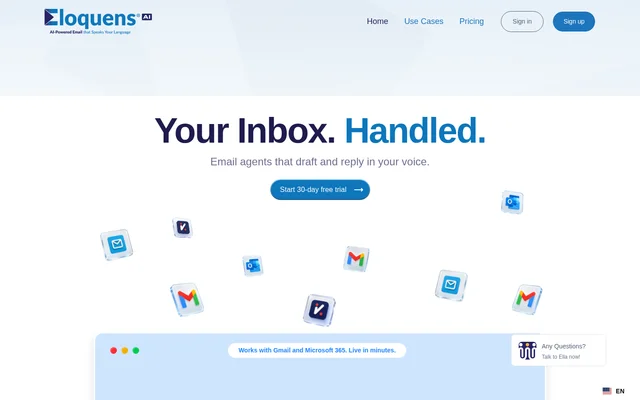
Eloquens AI is an email automation tool that connects AI agents to existing inboxes. Each agent reads incoming messages and decides whether to draft a reply, send a response, or hand the message to a person. The service is designed for individual inbox owners as well as teams that need shared oversight across multiple inboxes.
What Eloquens AI can do
Eloquens AI analyzes the intent, urgency, and context of incoming messages before drafting a response. Users can set different rules for routine inquiries and messages that need a person. The analytics dashboard tracks message volume, resolution rates, and response times, while an audit trail records the decisions behind emails the agents send.
- Eloquens AI drafts replies from approved knowledge sources.
- Eloquens AI adapts replies to each agent’s configured tone.
- Eloquens AI can hold drafts for review or send replies automatically.
- Eloquens AI can forward emails with generated context.
- Eloquens AI reads and responds in more than 160 languages.
How Eloquens AI works
Eloquens AI connects to Gmail through Google Workspace, Microsoft 365 or Outlook, and Kerio Connect. After connecting an inbox, users define when an agent should respond, forward a message, or escalate it. They can upload FAQs, policies, and product sheets or connect sources such as Google Drive and OneDrive. The agent searches those approved materials when drafting an answer.
Who Eloquens AI is for
Eloquens AI serves professionals and freelancers handling their own correspondence, teams running multiple inboxes, and companies managing email across departments. The site lists customer support, sales, personal assistant, and legal workflows. Contact centers and large enterprises can also request managed deployment when they need integration with ticketing systems, contact center platforms, or CRM infrastructure.
- Draft support responses from approved FAQs and product sheets.
- Forward sales inquiries to the appropriate team member.
- Review drafts before replying from a personal inbox.
- Route sensitive legal messages directly to a person.
Eloquens AI strengths and limitations
Eloquens AI gives teams control over which messages can be sent automatically and which need review. When the agent cannot confidently answer from approved sources, it can escalate according to the team’s rules or flag a partial draft for review. The tool can also route sensitive topics directly without attempting a reply.
- Sending stops at the monthly limit unless an email pack is added.
- Other email providers are handled through Enterprise.
- Annual plan payments are non-refundable.
Eloquens AI FAQ
What is Eloquens AI?
Eloquens AI is an email automation tool that reads incoming messages, drafts replies from approved knowledge, and either sends those replies or holds them for review. It can also route messages to a team member according to user-defined rules.
Is Eloquens AI free?
Eloquens AI offers a 30-day free trial on the Solo plan with no credit card required. The Solo, Team, and Business plans are paid and include monthly sent-email allowances. Reading, drafting, and routing decisions do not count against those allowances.
Which email providers does Eloquens AI support?
Eloquens AI connects to Gmail through Google Workspace, Microsoft 365 or Outlook, and Kerio Connect. Support for other email providers is handled through the Enterprise offering, and the site directs customers with those requirements to its sales team.
Can Eloquens AI send replies without approval?
Eloquens AI can send replies without human approval when automatic sending is enabled under the user’s rules. Users can also require draft review, flag partial replies for a person, or route sensitive topics directly without attempting a response.
What happens when Eloquens AI reaches the monthly email limit?
Eloquens AI stops sending replies for the rest of the billing period when the monthly allowance runs out, unless an email pack is added. Purchased pack emails sit on top of the monthly allowance, and unused pack emails do not expire.
From the community
No reviews yet
Be the first to review this tool. What you write helps the next person choose.