What is Emma AI?
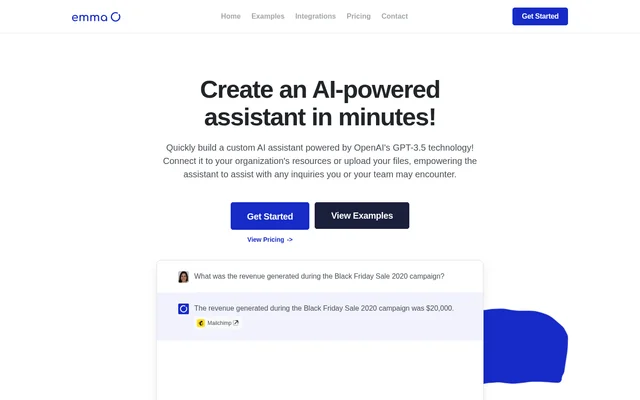
Emma AI is a custom AI assistant builder for organizations that want a chatbot to answer questions using their own information. The website describes assistants powered by OpenAI’s GPT-3.5 that can draw on connected resources or uploaded files. An organization can build an assistant for internal information lookup or set up a help desk chatbot. Assistants can be created separately for different teams, projects, or workflows rather than sharing the same resources.
What Emma AI can do
Emma AI lets organizations choose what each assistant can draw on when answering questions. A team with existing reference material can upload documents or connect a spreadsheet, database, or business tool. A team without files can add information manually or answer questions about what the assistant should know. The chat page can also be customized separately from the information the assistant uses.
- Emma AI connects assistants to business tools, databases, and spreadsheets.
- Emma AI accepts uploaded documents and manually entered information.
- Emma AI asks setup questions to gather information for an assistant.
- Emma AI lets teams add or remove each assistant’s data sources.
- Emma AI supports custom chat page images, cover images, and colors.
How Emma AI works
Emma AI’s setup starts with creating an account, setting up an assistant, and connecting the data the assistant needs. Users can then interact with the assistant through its chat webpage, a desktop application, an integration, or the Emma AI API. The website lists Slack, Zapier, support applications, and email software as integration options. The API can also connect an assistant to an organization’s own webpage or application.
Who Emma AI is for
Emma AI is aimed at teams that need to retrieve business information without searching for it manually or asking a colleague. Marketing and accounting illustrate how teams can work from different resources: a marketing assistant can use store, analytics, and project management tools, while an accounting assistant can use accounting software, selected Excel spreadsheets, and sales data. The website also describes help desk assistants that answer questions using linked data and uploaded files.
- Teams can look up information from internal resources.
- Help desks can answer questions using connected documents and spreadsheets.
- Marketing and accounting teams can use assistants with different data sources.
- Project teams can create assistants for particular workflows.
Emma AI pricing and plans
Emma AI offers free access through a beta program, according to its pricing page. The page separately invites educational organizations to apply for free access and states that this option is available to approved educational organizations of all types. The pricing page does not list paid plans or prices. It provides a contact option for sales or support, rather than publishing further pricing details.
Emma AI strengths and limitations
Emma AI combines flexible data setup with separate source access for each assistant. An organization can upload material for one assistant, connect business tools for another, and revise those connections as needs change. The website states that there is no limit to the number of assistants an organization can create. The pricing page is less specific about access outside the beta program and the educational option.
- The advertised general free offer is through the beta program.
- Free educational access requires approval.
- The pricing page does not list paid plan prices.
Emma AI FAQ
What is Emma AI?
Emma AI is a builder for custom AI assistants powered by OpenAI’s GPT-3.5. Organizations can connect business resources, upload documents, or add information manually so a chatbot can answer questions for a team, project, workflow, or help desk.
Is Emma AI free?
Emma AI offers free access through a beta program and free access for approved educational organizations. The pricing page invites educational organizations to apply and provides a contact option for sales or support, but does not list paid plan prices.
Can Emma AI use company documents and spreadsheets?
Emma AI can use uploaded company documents, linked spreadsheets, and connected business tools or databases. Organizations can choose which sources each assistant can access and can add or remove access to individual sources after setup.
Does Emma AI have an API and a Slack integration?
Emma AI offers an API and lists Slack as an integration option. Organizations can use the API to connect an assistant to their own webpage or application. Assistants can also be accessed through a chat webpage or desktop application.
Can I create separate Emma AI assistants for different teams?
Emma AI lets organizations create separate assistants for teams, projects, or workflows without a stated limit on the number of assistants. Each assistant can have its own integrations and data sources, so different teams can work with different resources.
From the community
No reviews yet
Be the first to review this tool. What you write helps the next person choose.