What is Build Chatbot?
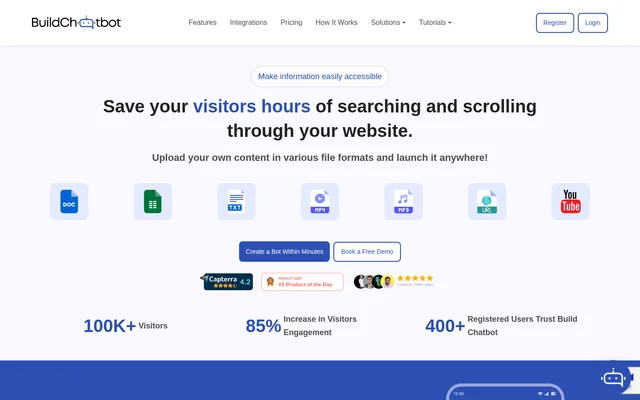
Build Chatbot is a no-code builder for AI chatbots that answer questions on websites using content supplied by the site owner. Instead of asking visitors to search through site pages or files, Build Chatbot lets them ask questions in a chat widget. The service also lets support staff review visitor questions and reply directly when a conversation needs a human response.
What Build Chatbot can do
Build Chatbot can use documents, spreadsheets, web pages, and media files as chatbot knowledge sources. Supported inputs include PDFs, DOCX files, CSV and Excel spreadsheets, text files, website and YouTube URLs, and audio and video files. Teams can also match the widget to their site by changing the logo, background color, or background image.
- Extracts information from audio and video for the knowledge base.
- Embeds a chat widget on a website or places it within a full page.
- Keeps a record of visitor questions for review.
- Sends mobile notifications when visitors start a conversation.
- Supports direct replies through iOS and Android apps.
How Build Chatbot works
Build Chatbot starts setup with a magic link sent by email. After naming the chatbot, the site owner uploads files or supplies URLs. Build Chatbot processes the material automatically, and the launch settings provide an embed code to add to the website. Once embedded, the chatbot can be tested by asking questions about the supplied content.
Build Chatbot connects with Slack for live agent chat. The site also lists live chat access through the web, mobile apps, and WhatsApp. Zapier serves a different purpose: when a visitor starts a conversation and the chatbot collects their details, a Zapier trigger can send that lead information to other apps.
Who Build Chatbot is for
Build Chatbot is for website owners who want visitors to find answers without searching through multiple pages, and for support teams that answer questions from those visitors. Conversation history is useful beyond the immediate reply: by reviewing what people ask, teams can identify where chatbot responses or website content need updating.
- Answer common support questions using existing website content.
- Make information from recordings accessible through chat.
- Respond to visitors directly from a smartphone.
- Capture leads in a website chat widget.
Build Chatbot pricing and plans
Build Chatbot offers a free plan with no credit card required. The plan includes one chatbot, 6 chats per month, and a 10,000-character limit. The site lists Essential, Prime, Power pack, and Enterprise as paid plans, with file-size and message limits varying by subscription. Annual packages are priced 20% below the monthly plans.
Build Chatbot strengths and limitations
Build Chatbot can make information from spreadsheets and recordings available alongside material from documents and websites. That gives teams a way to use existing support content without first converting everything to the same file type. The free plan allows basic testing, but its chat allowance is limited, and teams considering a downgrade should take the pricing page’s data deletion warning into account.
- The free plan allows 6 chats per month.
- Total file size and chat messages are capped by plan.
- The pricing page warns that downgrading deletes existing bots and data.
Build Chatbot FAQ
What is Build Chatbot?
Build Chatbot is a no-code AI chatbot builder for websites that answers visitor questions using files and links supplied by the site owner. The chatbot can be embedded on a website and customized with a logo, background color, or background image.
Is Build Chatbot free?
Build Chatbot offers a free plan with one chatbot, 6 chats per month, and a 10,000-character limit. The free sign-up does not require a credit card. Paid plans include Essential, Prime, Power pack, and Enterprise.
What files can Build Chatbot use as a knowledge base?
Build Chatbot supports PDFs, DOCX files, text files, CSV and Excel spreadsheets, audio, and video as knowledge sources. Website and YouTube URLs can also be added, and Build Chatbot processes submitted material automatically for the chatbot.
Can support teams reply to visitors directly in Build Chatbot?
Build Chatbot lets support teams reply directly to website visitors from its iOS and Android apps. The apps can also notify staff when a visitor starts a conversation, and Build Chatbot supports live agent chat in Slack.
Does Build Chatbot integrate with Zapier?
Build Chatbot integrates with Zapier to trigger actions based on chatbot interactions. When a website visitor starts a chat and Build Chatbot collects their information, Zapier can pass that lead data to other apps.
From the community
No reviews yet
Be the first to review this tool. What you write helps the next person choose.