What is FaceSwapAI?
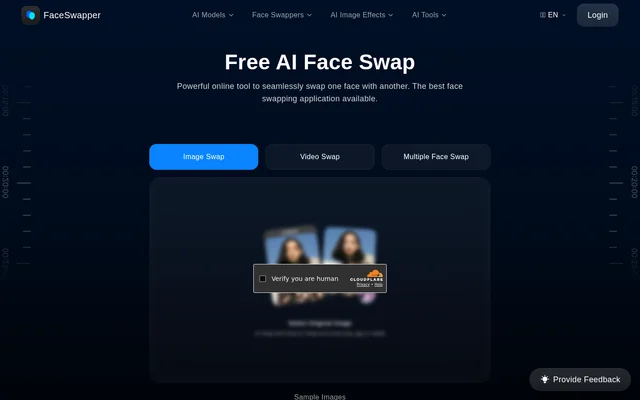
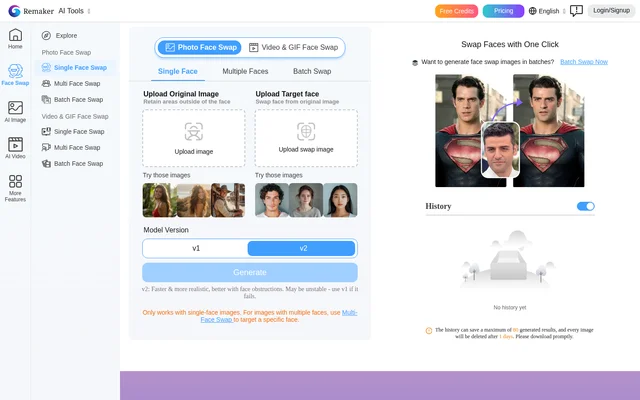
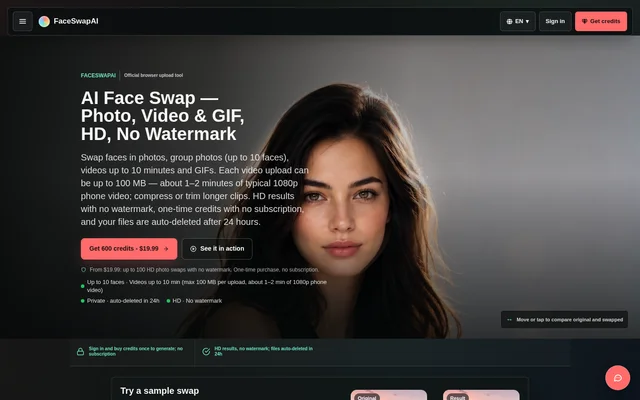
FaceSwapAI is an online AI face swap tool for editing photos, group images, video clips and animated GIFs. FaceSwapAI serves occasional users and regular photo, video and GIF creators through separate browser workflows. The photo and video studios work on desktop and mobile browsers without an app installation, and generated results are HD without watermarks.
FaceSwapAI distinguishes between a single source-and-target photo swap and selected-face editing in a group image. Group workflows can exchange two people, apply the same source identity across a group or map separate uploaded portraits to selected targets. The website also includes public before-and-after examples and pre-generated samples that use no credits.
What FaceSwapAI can do
FaceSwapAI provides media-specific face swapping alongside still-image editing, upscaling and preparation tools. Each generation workflow publishes its supported formats, limits and credit rules before submission. Planning tools help users inspect source material and estimate charges without spending credits, while the local compatibility checker examines file format, size and duration before upload.
- FaceSwapAI swaps a source face into a target photo.
- FaceSwapAI edits up to 10 selected faces in a group photo.
- FaceSwapAI processes video clips up to 10 minutes long.
- FaceSwapAI swaps faces in GIF loops up to 30 seconds long.
- FaceSwapAI checks photo readiness for visibility, resolution, lighting, contrast and detail.
- FaceSwapAI extracts source-resolution PNG frames from videos locally.
- FaceSwapAI offers Pro 2K image editing and Ultimate 8K image upscaling.
How FaceSwapAI works
FaceSwapAI starts with selecting the workflow that matches the target media. For a photo swap, users upload a clear, front-facing source portrait and the target photo, confirm permission to use every face, submit the swap and download the result. Photos can be chosen before signing in, but generation requires a Google or email sign-in and enough credits.
FaceSwapAI does not require email verification for generation, and checkout opens after sign-up. The website displays the exact credit charge before submission. Video and GIF charges use server-measured input duration rounded up to the next second, rather than a flat charge per file. Failed paid tasks receive an automatic credit return.
Who FaceSwapAI is for
FaceSwapAI addresses occasional swapping and regular photo, video and GIF creation, with a larger credit pack positioned for larger projects. Workflow selection depends on the target media and the number of faces being changed. Users preparing paid work can also consult a commercial-use rights checker covering licenses, likeness consent, disclosure and distribution evidence.
- Photo creators can place a source identity into a target scene.
- Group-photo editors can exchange two people or map portraits to selected faces.
- Video and GIF creators can replace a face while retaining the chosen media workflow.
FaceSwapAI pricing and plans
FaceSwapAI uses one-time credit purchases with no subscription, automatic renewal or free trial. Starter costs $19.99 for 600 credits, Creator costs $29.99 for 900 credits, and Studio costs $99.99 for 3,150 credits. Credits never expire. Purchases use third-party payment processors, with available methods shown at checkout, including credit/debit cards and cryptocurrency.
- FaceSwapAI charges 6 credits for a photo swap.
- FaceSwapAI charges 6 credits per selected group-photo target face.
- FaceSwapAI charges 3 credits per rounded-up video or GIF second, with a 9-credit minimum.
- FaceSwapAI charges 17 credits for a Pro 2K image edit.
- FaceSwapAI charges 14 credits for an Ultimate 8K upscale.
FaceSwapAI strengths and limitations
FaceSwapAI combines browser access, published task charges and watermark-free output with one-time purchasing. Task files are scheduled for deletion after 24 hours, although files may be removed earlier and upstream provider policies also apply. Input preparation remains important: the website explicitly notes that results vary with input quality and provides readiness checks before paid generation.
- FaceSwapAI requires paid credits and sign-in for generation.
- FaceSwapAI limits each video upload to 100 MB, so longer clips may need trimming or compression.
- FaceSwapAI limits GIF uploads to 30 MB and 30 seconds.
FaceSwapAI FAQ
What is FaceSwapAI?
FaceSwapAI is a browser-based AI tool for swapping faces in photos, group photos, videos and animated GIFs. FaceSwapAI offers separate workflows for each media type, produces HD results without watermarks and also provides still-image editing, upscaling and input-planning tools.
Is FaceSwapAI free?
FaceSwapAI requires paid credits for generation and has no free trial. One-time packs start at $19.99 for 600 credits, and a photo swap costs 6 credits. FaceSwapAI has no subscription or automatic renewal, and purchased credits never expire. Planning tools and pre-generated samples use no credits.
Can FaceSwapAI swap multiple faces in a group photo?
FaceSwapAI supports up to 10 selected target faces in a group photo. FaceSwapAI can exchange two people, apply one source face across a group or assign a different uploaded portrait to each selected target. Each selected target face costs 6 credits.
What are FaceSwapAI's video and GIF limits?
FaceSwapAI accepts videos up to 10 minutes long with a maximum upload size of 100 MB, and GIFs up to 30 seconds and 30 MB. FaceSwapAI charges 3 credits per server-measured input second, rounded up, with a 9-credit minimum for either workflow.
Does FaceSwapAI require an app or account?
FaceSwapAI runs in a browser, and the photo and video studios support desktop and mobile use without app installation. FaceSwapAI requires Google or email sign-in, sufficient credits and consent for every face before generation. Email verification is not required, and users can choose photos before signing in.
How long does FaceSwapAI keep uploaded files?
FaceSwapAI schedules task files for automatic deletion after 24 hours, and files may be removed earlier. FaceSwapAI also states that upstream provider policies apply. Generated results contain no watermark or account email, and failed tasks on the service side receive an automatic credit refund.
From the community
No reviews yet
Be the first to review this tool. What you write helps the next person choose.