What is BestFaceSwap?
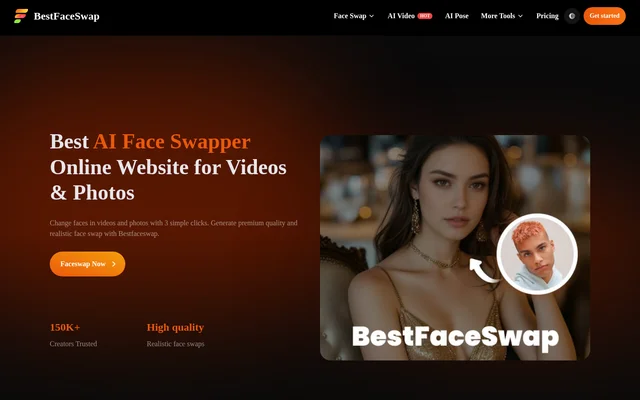
BestFaceSwap is an online AI tool for replacing faces in photos, videos and GIFs. BestFaceSwap serves creators making social media content, filmmakers working with video and people editing personal photos or messages. The website describes a browser-based process that does not require downloads or specialist skills, with separate options for photo and video face swapping.
BestFaceSwap also includes image generation and paid video-generation tools beyond face replacement. The pricing page lists text-to-image, image-to-image, image-to-video and AI Studio capabilities. Access combines a free credit allowance with one-time credit purchases, so the available functions depend on whether a user has purchased credits.
What BestFaceSwap can do
BestFaceSwap combines face replacement with image and video creation tools. The homepage describes facial landmark detection, face reconstruction and depth maps for aligning replacement faces. The pricing page extends the feature list to GIF swapping, image generation and paid video workflows, with different credit costs assigned to different tasks.
- BestFaceSwap replaces faces in uploaded photos.
- BestFaceSwap swaps faces in videos and GIFs through paid access.
- BestFaceSwap uses 106-point facial landmark detection.
- BestFaceSwap handles complex swaps with 3D face reconstruction and depth maps.
- BestFaceSwap generates images from text and edits images through image-to-image tools.
- BestFaceSwap provides paid image-to-video generation and AI Studio tools.
How BestFaceSwap works
BestFaceSwap uses an upload-based workflow: users provide a photo or video clip, upload the target face and select the Face Swap button. BestFaceSwap recommends clear, front-facing faces without obstructions such as hands. Good lighting on both the original and target faces helps the tool produce better-aligned results.
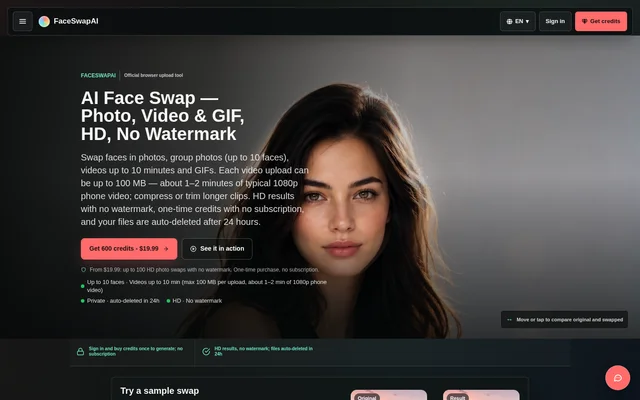
BestFaceSwap states that a photo face swap takes about 6 seconds, while video processing depends on clip length and frame count. BestFaceSwap also states that temporary files are automatically deleted after face swapping finishes. The website directs support requests through its Contact page and gives a reply window of 7 days.
Who BestFaceSwap is for
BestFaceSwap addresses both personal editing and content creation. The homepage names filmmaking and social media as video use cases, while customer testimonials describe marketing campaigns, school projects, memes and personalised celebrations. These examples show the intended range of applications without establishing that the same output quality or processing speed applies to every project.
- Creators can use BestFaceSwap for social media face-swap videos.
- Individuals can use BestFaceSwap for personalised birthday or wedding messages.
- Marketers can use BestFaceSwap for face-swapped campaign content.
- Educators can use BestFaceSwap for videos depicting students as historical figures.
BestFaceSwap pricing and plans
BestFaceSwap offers a free plan with 4 credits available through daily check-ins; those credits accumulate and never expire. Free credits cover photo face swaps, standard Undress mode and text-to-image or image-to-image generation with watermarks. A photo face swap costs 4 credits, while GIF and video face swaps are marked as paid features.
BestFaceSwap sells one-time credit packages without subscriptions, starting at 200 credits for $9.99. All credit packages include full feature access, and features marked Paid unlock after the first credit purchase. Video face swapping costs 40 credits per 15s, while AI Studio pricing varies by model and increases for longer videos or reference videos.
BestFaceSwap strengths and limitations
BestFaceSwap provides a download-free workflow, published credit costs and a free allowance for photo swapping. BestFaceSwap also separates free image tasks from paid video features. However, the homepage's multiple-face promotion needs qualification: the FAQ says independent multiple-face swapping is coming soon and recommends using a photo or video containing a single face.
- BestFaceSwap currently replaces all detected faces with the same target face.
- BestFaceSwap requires a credit purchase for video and GIF face swaps.
- BestFaceSwap adds watermarks to free text-to-image and image-to-image results.
- BestFaceSwap warns that blurry or low-resolution source material can affect results.
BestFaceSwap FAQ
What is BestFaceSwap?
BestFaceSwap is an online AI face-swapping tool for replacing faces in photos, videos and GIFs. BestFaceSwap also offers text-to-image, image-to-image and paid video-generation tools, with a browser-based face-swap workflow that requires no download.
Is BestFaceSwap free?
BestFaceSwap offers a free plan with 4 daily check-in credits that accumulate and never expire. Free credits support photo face swaps and selected image tools. Video and GIF face swaps require a credit purchase, with one-time packages starting at 200 credits for $9.99.
Does BestFaceSwap support multiple face swaps?
BestFaceSwap currently replaces all faces in a multi-face photo or video with the same target face. Although the homepage promotes multiple-face tools, the FAQ says multiple-face swapping is coming soon and recommends single-face uploads for the best results.
How do you use BestFaceSwap?
BestFaceSwap works by uploading a photo or video clip, uploading a target face and selecting the Face Swap button. BestFaceSwap recommends clear, front-facing, unobstructed faces and good lighting in both source and target images to improve the outcome.
How long does BestFaceSwap take to swap a face?
BestFaceSwap states that swapping a face in a photo takes about 6 seconds. Video processing time depends on the video's length and number of frames, so the website does not give a fixed completion time for all video swaps.
Does BestFaceSwap delete uploaded files?
BestFaceSwap states that all temporary files are automatically deleted once face swapping is complete. BestFaceSwap also says that only the user can view their data; these are the privacy claims provided in the website's FAQ.
From the community
No reviews yet
Be the first to review this tool. What you write helps the next person choose.