What is Fill3d?
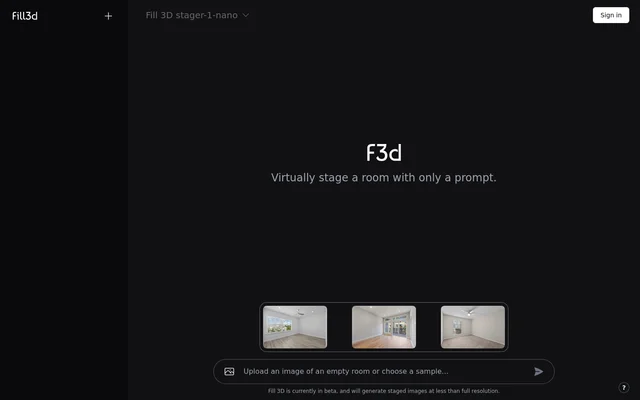
Fill3d is a virtual room staging tool that generates a staged image from a prompt. The page presents room staging as the tool’s main function and describes the result as an image. Fill3d is relevant to people who want to see a visual representation of a staged room based on a prompt.
Fill3d is currently described as a beta. The page gives a specific condition for the images generated during the beta: they are below full resolution. The page does not give a release schedule or say when a full-resolution option would be available.
What Fill3d can do
Fill3d takes a prompt for the task of staging a room and produces a staged image. The description is specific about the type of result, but it does not list separate controls for the content or appearance of that image. The stated capability is generating a room staging image from a prompt.
- Fill3d uses a prompt to stage a room.
- Fill3d generates a staged room image.
- Fill3d generates staged images below full resolution during the beta.
How Fill3d works
Fill3d describes a prompt as all that is needed to stage a room. The stated workflow begins with the prompt and ends with a generated staged image. The page does not show an example prompt or specify a required prompt format, so the available text establishes the input and output but does not explain how to phrase a staging request.
Fill3d shows Dashboard and Your profile labels in the interface text. Those labels establish that the interface has dashboard and profile navigation, but the available text does not say what either area contains or explain whether users must create an account before generating an image.
Who Fill3d is for
Fill3d is relevant to people who want to visualize a virtually staged room using a prompt. The page does not name a profession or industry, so the clearest way to identify the audience is by the task they want to complete. The stated result is an image of a staged room, and the page does not describe other deliverables.
- Visualize a virtually staged room.
- Use a prompt as the basis for room staging.
- Generate an image showing the staged room.
Fill3d strengths and beta limitations
Fill3d gives a clear account of what the user provides and what the tool returns: a prompt goes in, and a staged room image comes out. The practical limitation is the resolution of that image. Fill3d states that the beta generates images below full resolution, but the page does not provide pixel dimensions, so the exact output size cannot be determined from the description.
- Fill3d is currently in beta.
- Beta images are generated at less than full resolution.
- The page does not specify image dimensions.
Fill3d FAQ
What is Fill3d?
Fill3d is a virtual room staging tool that generates staged images from a prompt. The page describes the tool as being in beta and says that images generated during the beta are below full resolution.
What do you need to stage a room with Fill3d?
Fill3d says that a prompt is all that is needed to virtually stage a room. The page does not give an example prompt or specify the wording or format a user should provide.
Who is Fill3d for?
Fill3d is for people who want to generate an image of a virtually staged room from a prompt. The page presents room staging as the use case and does not identify a specific profession or industry.
Does Fill3d generate full-resolution images?
Fill3d does not generate full-resolution staged images in its current beta. The page states that staged images are generated below full resolution but does not specify the dimensions of those images.
Is Fill3d free?
Fill3d does not state on the page whether the tool is free. The page identifies Fill3d as being in beta, but it does not list prices, plans, or terms for free access.
From the community
No reviews yet
Be the first to review this tool. What you write helps the next person choose.