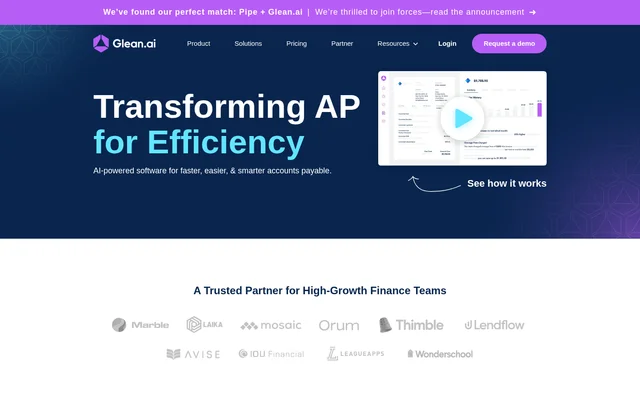
What is Glean AI?
Glean AI is an accounts payable automation and vendor spend management tool for accounting and FP&A teams. Glean AI combines invoice workflows with analysis of the underlying drivers of vendor costs, helping finance teams review spending, identify potential savings, and coordinate decisions about budgets and suppliers.
Glean AI focuses on both paying bills and understanding what those bills contain. The website describes analysis of invoice line items, including purchased items, quantities, unit prices, and relevant service periods. Glean AI also supports centralized vendor information so accounting and financial planning teams can work from shared spending data.
What Glean AI can do
Glean AI connects accounts payable tasks with spending analysis and vendor management. Glean AI automates data extraction and accounting workflows while providing information for budget reviews and vendor negotiations. The listed capabilities cover invoice intake, approvals, payments, accounting entries, and alerts about potential billing problems or changes in spending.
- Glean AI extracts invoice line items and automates GL coding.
- Glean AI supports custom approval workflows and ACH, check, and international payments.
- Glean AI automates prepaid amortizations and accrual bookings and reversals.
- Glean AI detects duplicate invoices and overcharges.
- Glean AI provides vendor pricing benchmarks and savings recommendations.
- Glean AI provides spend forecasts, budgeting, and upcoming renewal notifications.
How Glean AI works
Glean AI receives invoices through a unique email address that customers can add to an existing invoice forwarding group. Glean AI processes the invoice data without manual data entry. Most invoices appear in the application within minutes of receipt, while line-item data is typically added within 24 hours.
Glean AI connects to a bank account and general ledger system for accounts payable use. Setup also includes creating departments, adding users, and mapping vendors to default GL accounts. The website lists Quickbooks, Xero, Sage Intacct, NetSuite, and Dynamics integrations. Glean AI also offers a mobile interface for reviewing spend summaries, budget performance, and vendor pricing.
Who Glean AI is for
Glean AI serves finance teams that need to manage invoices while understanding vendor spending. Accounting teams can use Glean AI to automate recurring workflows and investigate overpayments. FP&A teams can use spending drivers and vendor data to support planning, budgeting, and forecasting, with shared information for cross-functional spending decisions.
- Accounting teams can use Glean AI to process invoices and manage approval workflows.
- FP&A teams can use Glean AI to investigate cost drivers and forecast spending.
- Finance teams can use Glean AI to compare vendor pricing before negotiations.
- Cross-functional teams can use Glean AI to review departmental spend and budgets.
Glean AI pricing and plans
Glean AI charges by invoice volume rather than user count and includes unlimited users across all plans. Basic costs $295 per month billed annually and covers up to 35 invoices per month. Pro has custom pricing for more than 35 invoices per month. The website provides a demo request option and pricing chat links.
Glean AI does not charge invoice overage fees, but customers automatically move to the next tier after 2 consecutive months above their current level. Glean AI lists a $50 fee for each additional entity and a $1.50 fee per historical invoice. These charges are separate considerations when assessing the cost of a deployment.
Glean AI strengths and limitations
Glean AI combines invoice automation with line-item spending analysis, vendor benchmarks, and collaboration features. Unlimited users support participation across finance and other departments without per-user pricing. Glean AI also brings document storage, approval workflows, and accounting automation together, allowing teams to review vendor spending alongside the processes used to approve and pay invoices.
- Glean AI requires annual billing for the published Basic price.
- Glean AI applies additional charges for extra entities and historical invoices.
- Glean AI typically adds line-item data within 24 hours of invoice receipt.
- Glean AI moves customers to a higher tier after sustained invoice-volume increases.
Glean AI FAQ
What is Glean AI?
Glean AI is an accounts payable automation and vendor spend management tool for finance teams. Glean AI processes invoices, supports approvals and payments, and analyzes spending through line-item data, vendor benchmarks, and savings insights.
How much does Glean AI cost?
Glean AI costs $295 per month billed annually for the Basic plan, which includes up to 35 invoices per month. Glean AI offers custom Pro pricing for higher invoice volumes and includes unlimited users across all plans.
Which accounting systems does Glean AI integrate with?
Glean AI lists integrations with Quickbooks, Xero, Sage Intacct, NetSuite, and Dynamics. Glean AI supports syncing bills and bill payments with general ledger systems, and accounts payable setup includes connecting a general ledger and bank account.
How does Glean AI receive and process invoices?
Glean AI provides a unique email address for forwarding vendor invoices, including through an existing forwarding group. Glean AI handles data processing without manual entry; most invoices appear within minutes, and line-item data is typically added within 24 hours.
Can Glean AI detect duplicate invoices and overcharges?
Glean AI automatically detects duplicate invoices and overcharges and provides alerts about billing errors, anomalous spending, and available vendor savings. Glean AI also provides vendor pricing benchmarks to help finance teams compare costs for the products and services they purchase.
What happens if Glean AI invoice limits are exceeded?
Glean AI does not charge overage fees for exceeding an invoice allowance. Glean AI automatically moves a customer to the next tier after 2 consecutive months above the current plan level, so sustained increases in invoice volume can change the applicable tier.
From the community
No reviews yet
Be the first to review this tool. What you write helps the next person choose.