What is Google AX?
Google AX is a declarative control plane for executing stateful AI agent workloads. Google AX is built for application developers and AI researchers who need to run isolated tasks that alternate between active computation and waiting for model responses, tool results, or human input. The project began at Google and draws on agent runtime research from Google DeepMind.
What Google AX can do
Google AX separates agent infrastructure into Task, Workspace, Gateway, and Model resources. These resources cover where code runs, what is available inside the sandbox, which network destinations a task can reach, and which model settings and secrets are configured. An agent can use a single task or compose multiple tasks.
- Tasks run untrusted agent code in sandboxes with CPU and memory limits.
- Workspaces list Git repositories, MCP servers, and skills.
- A plain-language workspace goal can trigger toolchain setup and dependency checks.
- Gateway policies restrict network traffic to an allowlist of hosts and ports.
- Model resources centralize model selection, parameters, and secrets.
How Google AX works
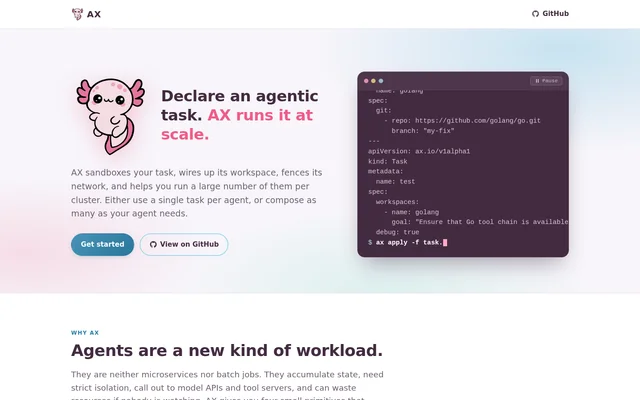
Google AX demonstrates a workflow in which a developer declares Workspace and Task resources in a YAML file, then applies the file with the CLI. The task references its workspace by name. The example shows a workspace configured with a Git repository and branch, followed by commands to inspect the task, enter the sandbox over SSH, and run a build.
Google AX uses Agent Substrate to run each task as a lightweight actor. When an agent waits for a model response, external tool call, or human response, the runtime can checkpoint and suspend the task. Multiple tasks share worker resources, and suspended tasks can resume in under a second. The CLI example shows that a file created before suspension remains available after resumption.
Who Google AX is for
Google AX is aimed at application developers running interactive agents, long-running agent services, and custom tool runtimes. AI researchers can use reproducible sandboxes to collect agent trajectories, run reinforcement learning loops, and evaluate agents at scale. The same runtime can also be used for notebook workloads and browser testing.
- Run interactive coding agents or long-running agent servers.
- Execute Jupyter notebooks and headless browser tests.
- Collect trajectories, run reinforcement learning loops, and evaluate agents in reproducible sandboxes.
Google AX pricing and plans
Google AX does not list prices or plan details on its product page, so the page does not establish whether there is a free or paid tier. For access, the page links to GitHub and includes a getting-started link. Its example shows how to use the CLI to submit a task and inspect its status.
Google AX strengths and limitations
Google AX addresses the idle time common in agent workloads by pausing tasks without discarding their state. This is useful when agents spend part of their lifecycle waiting on models or external tools. Google AX also gives developers a way to limit sandbox resources and network access. The stated sub-second resumption time refers to bringing a suspended task back, not to the time needed to prepare a new workspace.
Google AX FAQ
What is Google AX?
Google AX is a declarative control plane for running AI agent tasks in sandboxes. Google AX runs on Agent Substrate and provides resources for task execution, workspace setup, network policies, and centralized model configuration.
Who is Google AX for?
Google AX is for application developers and AI researchers. Developers can run coding agents, long-running agent servers, notebooks, browser tests, and custom tool runtimes, while researchers can use reproducible sandboxes to collect trajectories and evaluate agents at scale.
Can Google AX suspend and resume agent tasks?
Google AX can checkpoint and suspend idle tasks, then resume them in under a second. The product page illustrates this with a CLI example that creates a file in a task, suspends and resumes the task, and confirms that the file is still present.
Does Google AX support MCP servers?
Google AX supports listing MCP servers in a workspace definition alongside Git repositories and skills. Google AX prepares the workspace before the task starts, and a workspace can also be defined by describing the desired environment in plain language.
How does Google AX control agent network access?
Google AX uses Gateway policies to restrict network traffic to an explicit allowlist of hosts and ports. Google AX treats these policies as a declarative resource separate from the task definition, workspace setup, and model configuration.
From the community
No reviews yet
Be the first to review this tool. What you write helps the next person choose.