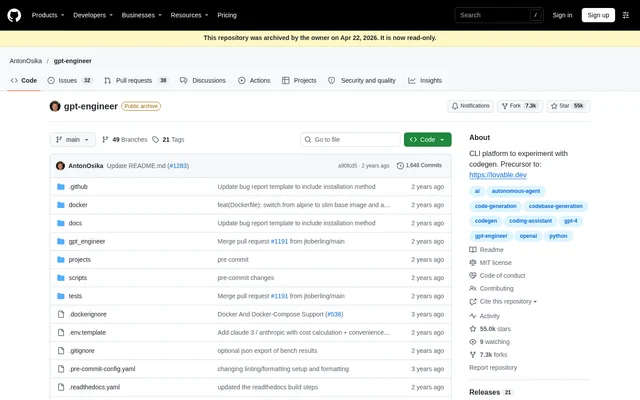
What is GPT Engineer?
GPT Engineer is an open-source command-line tool for experimenting with AI-generated code. GPT Engineer lets developers specify software in natural language, have an AI write and execute code, and ask for improvements. The project also provides tools for coding-agent builders who want to customize agent behavior or evaluate their own implementations.
GPT Engineer is distributed under the MIT license, and the repository is now archived and read-only. The repository describes the project as a precursor to Lovable and distinguishes the open-source CLI from gptengineer.app, a separate commercial service for generating web apps through a user interface.
What GPT Engineer can do
GPT Engineer combines prompt-driven code generation with options for changing existing projects and experimenting with agent behavior. GPT Engineer accepts text instructions by default and can use images when paired with a vision-capable model. The included benchmarking command supports evaluation of custom agent implementations against named public coding datasets.
- GPT Engineer generates and executes code from natural-language software instructions.
- GPT Engineer applies requested improvements to existing code.
- GPT Engineer accepts UX or architecture diagrams as image context.
- GPT Engineer customizes agent identity through overridden preprompts.
- GPT Engineer benchmarks custom agents against APPS and MBPP.
- GPT Engineer supports OpenAI, Azure OpenAI, and Anthropic models.
How GPT Engineer works
GPT Engineer can be installed through pip or from source using Poetry, and the repository also links to Docker instructions. The documented OpenAI setup uses an API key stored in an environment variable or a .env file. GPT Engineer provides separate documentation for custom models and Windows usage.
GPT Engineer uses a project directory containing a file named prompt with no extension. For new code, the user creates an empty project folder, writes the instructions in that file, and runs gpte with the project path. For existing code, the user adds improvement instructions and runs the command with the -i option.
Who GPT Engineer is for
GPT Engineer is aimed at developers experimenting with code generation and builders working on coding agents. The command-line workflow, model configuration, and customizable preprompts make the project relevant to technical users investigating how agents generate or modify software. The repository also points to research briefs and benchmarking initiatives.
- Developers can use GPT Engineer to start software projects from written specifications.
- Codebase maintainers can use GPT Engineer to request changes to existing projects.
- Coding-agent builders can use GPT Engineer to customize instructions and benchmark implementations.
- Developers can use GPT Engineer to supply diagrams as additional project context.
GPT Engineer pricing and access
GPT Engineer is available as an MIT-licensed open-source project, with installation instructions for a stable package and a development checkout. The repository does not describe subscription tiers for the CLI or specify model-provider charges. The commercial web-app service mentioned in the README is separate from this open-source project.
GPT Engineer strengths and limitations
GPT Engineer offers source access, configurable agent instructions, multiple model-provider options, and an included benchmarking interface. GPT Engineer supports both creating code and improving existing projects, rather than limiting the workflow to initial generation. The archived status is an important constraint when assessing the repository for ongoing use.
- GPT Engineer is archived, and the repository is read-only.
- GPT Engineer requires command-line setup and model configuration.
- GPT Engineer needs additional setup for local and alternative models.
- GPT Engineer requires a vision-capable model to process image inputs.
GPT Engineer FAQ
What is GPT Engineer?
GPT Engineer is an MIT-licensed, open-source command-line tool for experimenting with AI code generation. GPT Engineer turns natural-language software instructions into code, executes generated code, and supports requested improvements to existing projects. The repository is archived and read-only.
Is GPT Engineer free?
GPT Engineer is available as an open-source project under the MIT license. The repository provides installation instructions rather than CLI subscription plans. The documented OpenAI workflow requires an API key, but the page does not state model-provider pricing.
How do you use GPT Engineer to improve existing code?
GPT Engineer improves existing code using instructions in a file named prompt inside the code folder. The user runs gpte with the project directory and the -i option. The prompt describes the changes the AI should implement.
Which AI models does GPT Engineer support?
GPT Engineer supports OpenAI models through the OpenAI API or Azure OpenAI API, as well as Anthropic models. GPT Engineer can also run with local and alternative models, including WizardCoder, with additional setup described in the documentation.
Can GPT Engineer use images as input?
GPT Engineer accepts image inputs when configured with a vision-capable model. Users specify an image directory and select an appropriate model in the CLI command. The repository identifies UX and architecture diagrams as examples of useful additional context.
Is GPT Engineer still maintained?
GPT Engineer has an archived, read-only repository according to the page. The README directs users seeking a maintained, hackable CLI to aider and describes a separate managed service at gptengineer.app.
From the community
No reviews yet
Be the first to review this tool. What you write helps the next person choose.