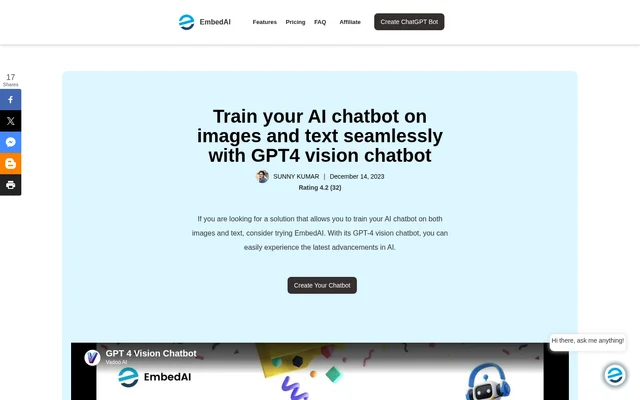
What is GPT4 Vision Chatbot?
GPT4 Vision Chatbot is a no-code chatbot builder from EmbedAI that uses GPT-4 vision capabilities to interpret images alongside text. Instead of limiting a conversation to written questions, a chatbot can respond to an uploaded image and a prompt about it. The builder is designed for people who want to create and customize that kind of chatbot without programming.
What GPT4 Vision Chatbot can do
GPT4 Vision Chatbot supports both visual questions during a conversation and custom content added when setting up the bot. A user can ask about an uploaded image, while a creator can supply reference material from sources such as a website, knowledge base, or support library.
- Describe and analyze uploaded images.
- Answer questions that combine an image with a written prompt.
- Add reference content from websites, PDFs, and text files.
- Use YouTube links and Notion data as content sources.
- Connect a custom assistant to a backend API through EmbedAI.
How GPT4 Vision Chatbot works
GPT4 Vision Chatbot is created through the platform after signing in with a Gmail or GitHub account. The creation flow includes an option labeled Create the Vision Chatbot. The page also describes an EmbedAI connection to a dedicated backend API or an OpenAPI integration, allowing a custom assistant to draw on information from that connection when responding to website visitors.
Who GPT4 Vision Chatbot is for
GPT4 Vision Chatbot is intended for creators who need a chatbot to work with visual as well as written inputs. The page identifies customer support, education, and accessibility as potential applications. In each case, the image provides context that users might otherwise need to describe in words.
- Help support teams respond to questions that include product photos.
- Explain visual materials in educational settings.
- Describe visual content for people with visual impairments.
GPT4 Vision Chatbot pricing and plans
GPT4 Vision Chatbot is accessed by signing in to the platform. The page advertises a Black Friday upgrade promotion but does not list the regular subscription price, describe what the upgrade includes, or confirm a free tier. The promotional banner therefore does not establish what someone would pay for the chatbot builder.
GPT4 Vision Chatbot strengths and limitations
GPT4 Vision Chatbot gives nontechnical creators a way to build bots that accept images and text, and lets them use content they already maintain. Its answers are not guaranteed to be correct, however. The page specifically acknowledges that image interpretation can be inaccurate and that AI responses can reflect bias.
- The chatbot can misinterpret visual content.
- AI bias may affect responses.
- The page does not list standard prices or free-tier limits.
Getting started with GPT4 Vision Chatbot
GPT4 Vision Chatbot can be tried after signing in and selecting the vision chatbot option in the creation flow. The image icon opens an upload from the user's device. After adding the image, the user can write a prompt that supplies context or specifies what kind of answer is needed, such as a description or an explanation of a detail.
GPT4 Vision Chatbot FAQ
What is GPT4 Vision Chatbot?
GPT4 Vision Chatbot is a no-code builder from EmbedAI for custom chatbots that accept images and text. A chatbot can describe an uploaded image, analyze its contents, or answer a question supplied in a written prompt.
Is GPT4 Vision Chatbot free?
GPT4 Vision Chatbot does not have a confirmed free tier in the supplied page text. The page advertises an upgrade promotion, but it does not list regular plan prices or explain which features, if any, are available without payment.
What content can GPT4 Vision Chatbot use?
GPT4 Vision Chatbot can use content from websites, knowledge bases, support documents, text files, PDFs, YouTube links, and Notion. The page presents these as sources for building a custom chatbot that answers questions based on the creator's content.
Can GPT4 Vision Chatbot connect to a backend API?
GPT4 Vision Chatbot can connect a customized assistant to a dedicated backend API or an OpenAPI integration through EmbedAI. The page describes this as a way to bring information from a connected service into chatbot interactions with website visitors.
How do I ask GPT4 Vision Chatbot about an image?
GPT4 Vision Chatbot accepts an image uploaded from the user's device and a written prompt about it. After signing in and creating a vision chatbot, the user selects the image icon to upload the file, then adds a question or explains what kind of response is needed.
From the community
No reviews yet
Be the first to review this tool. What you write helps the next person choose.