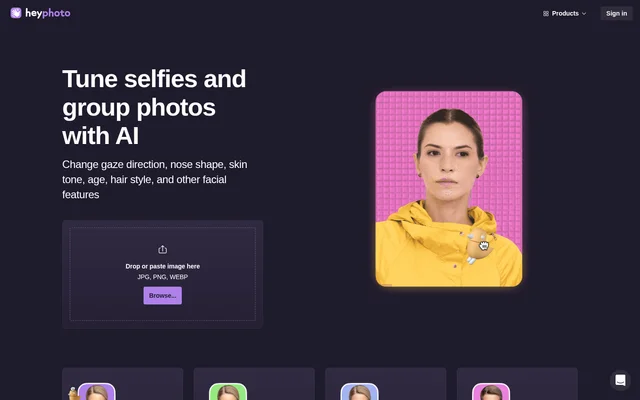
What is HeyPhoto?
HeyPhoto is an AI photo editing service for changing facial features in selfies and group photos. HeyPhoto uses artificial intelligence to detect faces and make adjustments according to the selected editing tool. The service is intended for people who want to modify faces without special skills, with controls for gaze, smiles, expressions, apparent age, and masculine or feminine appearance.
What HeyPhoto can do
HeyPhoto provides separate tools for specific facial changes rather than requiring manual brushwork. HeyPhoto lets users direct a subject’s eyes, set a level of happiness, and change an expression to match a desired mood. HeyPhoto also includes an anonymization option described as helping keep identity private from face recognition systems.
- HeyPhoto changes gaze direction by letting users drag a bird.
- HeyPhoto adjusts the level of happiness shown in a face.
- HeyPhoto changes facial expressions to match different moods.
- HeyPhoto makes a face appear older or younger.
- HeyPhoto makes a face appear more masculine or feminine.
- HeyPhoto offers an anonymization tool intended to protect facial identity.
How HeyPhoto works
HeyPhoto accepts images through dropping, pasting, or browsing for a file, with JPG, PNG, and WEBP listed as supported formats. HeyPhoto detects faces in the image and applies changes based on the chosen tool. For better results, the service recommends quality photos of people facing the camera directly, although slight rotation is also acceptable.
HeyPhoto supports photos up to 5 MB and faces up to 1024*1024 px in size. HeyPhoto returns images at the same size and quality as the source image. Uploaded images are stored to make them available for later access, and users can delete those images at any time.
Who HeyPhoto is for
HeyPhoto is for people editing selfies and group photos who do not have specialist photo editing skills. HeyPhoto supports both subtle changes, such as adjusting where someone looks, and appearance experiments, such as exploring an older or younger face. The page also presents anonymization as an option for people concerned about facial identity.
- HeyPhoto helps selfie users adjust smiles and facial moods.
- HeyPhoto lets people change gaze direction in photos.
- HeyPhoto supports appearance experiments involving age and gender presentation.
- HeyPhoto offers identity-focused editing through its anonymization tool.
HeyPhoto pricing and access
HeyPhoto is free to use, with a watermark placed on resulting photos in exchange for access to the service. HeyPhoto describes the watermark as promotion for the free tool. Users can begin with the image upload area, which accepts dropped or pasted images as well as files selected through the browse control.
HeyPhoto strengths and limitations
HeyPhoto combines free access, task-specific face controls, and an editing process that requires no special skills. HeyPhoto also preserves the source image’s size and quality and allows uploaded images to be deleted. The main constraints concern watermarked results, upload limits, image storage, and tools that are listed but not yet available.
- HeyPhoto adds a watermark to resulting photos.
- HeyPhoto limits photos to 5 MB and faces to 1024*1024 px.
- HeyPhoto stores uploaded images, although users can delete them at any time.
- HeyPhoto marks skin tone, nose, face reshaping, makeup, and hairstyle editing as coming soon.
HeyPhoto FAQ
What is HeyPhoto?
HeyPhoto is an AI face editor for selfies and group photos that detects faces and changes them using selected tools. HeyPhoto supports gaze adjustment, smiles, facial expressions, apparent age, gender appearance, and face anonymization without requiring special skills.
Is HeyPhoto free to use?
HeyPhoto is free to use and places a watermark on resulting photos. HeyPhoto describes this arrangement as providing a free service in exchange for promotion through the watermark.
What image formats and sizes does HeyPhoto support?
HeyPhoto accepts JPG, PNG, and WEBP images, with photos up to 5 MB and faces up to 1024*1024 px. HeyPhoto returns images at the source image’s size and quality and recommends quality, front-facing photos for better results.
Does HeyPhoto store uploaded photos?
HeyPhoto stores uploaded images so users can access them again when needed. HeyPhoto states that images are stored securely and that users are free to delete their uploaded images at any time.
Can HeyPhoto change hair, makeup, or nose shape?
HeyPhoto lists hairstyle changes, makeup application, and nose shape editing as coming soon, rather than currently available tools. HeyPhoto also marks skin tone adjustment and face reshaping as coming soon.
From the community
No reviews yet
Be the first to review this tool. What you write helps the next person choose.