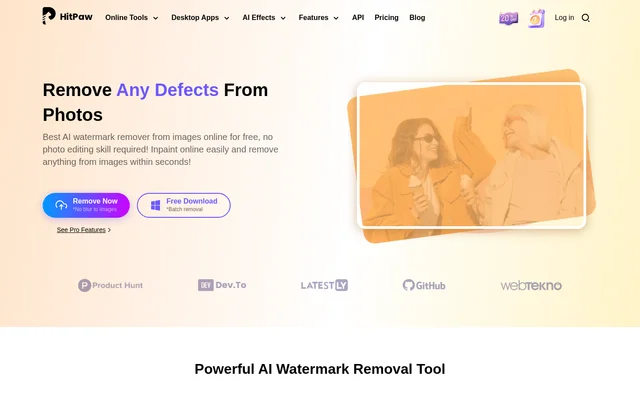
What is HitPaw Online Ultra?
HitPaw Online Ultra is a browser-based editing suite whose photo watermark removal page describes AI-assisted image cleanup. The photo tool removes watermarks and other unwanted content from uploaded images. The page identifies individuals, commercial users and designers as its audiences, with examples including social media images, ecommerce pictures and design resources.
HitPaw Online Ultra combines selected-area removal with image inpainting. The page describes content-aware fill that replaces a watermark area with content closely matching its surroundings. Photo editing skills are not required, and the documented process centres on uploading an image, selecting the unwanted area and saving the edited result.
What HitPaw Online Ultra can do
HitPaw Online Ultra supports several photo cleanup tasks beyond removing a conventional watermark. The page lists text, people, emojis, stickers and objects as removable content. Full-screen watermarks and Nano Banana watermarks are also specifically mentioned. The selection brush lets users identify the area to edit before previewing and downloading the result.
- HitPaw Online Ultra removes full-screen watermarks from photos.
- HitPaw Online Ultra fills selected watermark areas to match nearby image content.
- HitPaw Online Ultra removes unwanted text from pictures.
- HitPaw Online Ultra removes passersby and other unwanted people.
- HitPaw Online Ultra removes emojis, memes and stickers.
- HitPaw Online Ultra removes unwanted objects using a brush.
- HitPaw Online Ultra supports Nano Banana watermark removal.
How HitPaw Online Ultra photo removal works
HitPaw Online Ultra provides an online photo workflow that begins with uploading a watermarked image. Users then mark the watermark with a brush. The page's FAQ says results can be previewed in real time, after which the edited image can be downloaded and saved. This is the documented process for the browser-based photo remover.
HitPaw Online Ultra also links to Windows and Mac downloads alongside a batch-removal message. The page separately points to downloadable AI watermark removal for automatic area detection. These download references are distinct from the online instructions, which explicitly tell users to select the unwanted area with a brush.
Who HitPaw Online Ultra is for
HitPaw Online Ultra presents photo watermark removal for personal, commercial and professional uses. Individuals can prepare images for social sharing, ecommerce users can clean up store images, and designers can edit image resources. The page also highlights everyday photo corrections, such as removing a passerby or another unwanted person from a picture.
- Individuals can prepare watermark-free images for social media.
- Ecommerce users can remove unwanted content from store images.
- Designers can clean up image resources.
- Photo owners can erase unwanted people, text or stickers.
HitPaw Online Ultra pricing and plans
HitPaw Online Ultra advertises the online photo watermark remover as free. The broader pricing page lists a free plan and weekly, monthly and yearly subscriptions priced at $9.99, $24.99 and $79.99 respectively, excluding tax. Paid subscriptions renew automatically and can be cancelled. These prices describe suite access rather than a separately listed photo watermark removal subscription.
HitPaw Online Ultra lists limited exports and limited upload file size for free access. Several other suite tools are preview-only on the free plan. The supplied pricing text does not specify a separate photo watermark removal allowance, so the photo tool's free messaging should be distinguished from the broader suite's usage limits.
HitPaw Online Ultra strengths and limitations
HitPaw Online Ultra offers a browser-based workflow, multiple cleanup targets and a preview before download. Content-aware fill is intended to match edited areas to surrounding image content. The online instructions still require users to brush over the unwanted area, while batch removal is promoted through download links rather than the documented browser workflow.
- The online workflow requires manual brush selection.
- The broader free plan has export and upload-size restrictions.
- Paid suite subscriptions renew unless cancelled.
HitPaw Online Ultra FAQ
What is HitPaw Online Ultra?
HitPaw Online Ultra is a browser-based AI editing suite that includes photo watermark removal. The photo tool removes watermarks, text, unwanted people, emojis, stickers and objects, using brush selection and content-aware fill to edit selected image areas.
Is HitPaw Online Ultra free?
HitPaw Online Ultra advertises its online photo watermark remover as free, while the broader suite offers free and paid plans. The pricing page lists export and upload-size limits for free access, but does not specify a separate photo watermark removal allowance.
How do you remove a photo watermark with HitPaw Online Ultra?
HitPaw Online Ultra removes photo watermarks through an upload-and-select workflow. Users upload an image, brush over the watermark, preview the result in real time and download the edited image after completing the removal.
Can HitPaw Online Ultra remove people and objects from photos?
HitPaw Online Ultra supports removing unwanted people and objects from photos. The page specifically mentions passersby and tourists, alongside text, emojis, memes and stickers, with a brush used to select the content for removal.
Who is HitPaw Online Ultra photo watermark removal for?
HitPaw Online Ultra targets individuals, commercial users and designers for photo watermark removal. The page highlights social media sharing, ecommerce image cleanup and preparing image resources for designers, and says no photo editing skills are required.
Can HitPaw Online Ultra remove Nano Banana watermarks?
HitPaw Online Ultra supports Nano Banana watermark removal, according to the photo tool's FAQ. The page describes AI-assisted watermark erasing with background restoration, alongside its general brush-selection workflow for online photo watermark removal.
From the community
No reviews yet
Be the first to review this tool. What you write helps the next person choose.