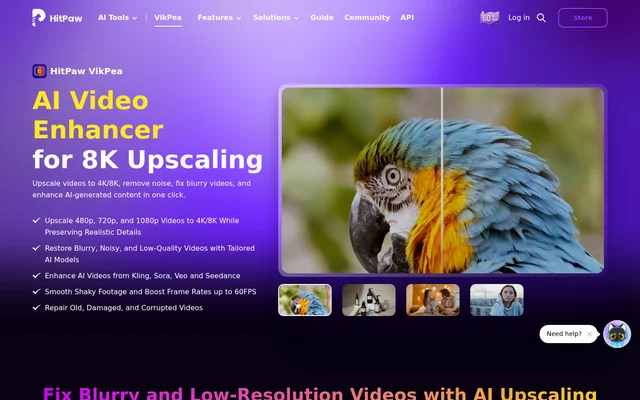
What is HitPaw VikPea?
HitPaw VikPea is AI video enhancement software for improving low-resolution, blurry, noisy, or damaged footage. HitPaw VikPea serves video editors, content creators, filmmakers, and people restoring family recordings. The software combines resolution upscaling with specialized models for facial detail, video restoration, motion smoothing, and color enhancement.
HitPaw VikPea supports personal and professional projects, including archived recordings, marketing videos, and creative productions. Beyond conventional footage, HitPaw VikPea enhances AI-generated videos from Kling, Sora, Veo, and Seedance. The page describes sharpening details, smoothing motion, and increasing resolution as capabilities for these generated clips.
What HitPaw VikPea can do
HitPaw VikPea provides dedicated AI models for different video problems rather than limiting enhancement to resolution changes. Available models address portraits, quality repair, restoration, stabilization, frame interpolation, color enhancement, and low-light footage. Additional tools handle backgrounds, corrupted files, and text overlays within the broader application.
- HitPaw VikPea upscales low-resolution footage to 4K or 8K.
- HitPaw VikPea reduces noise, sharpens details, and repairs compression artifacts.
- HitPaw VikPea stabilizes shaky footage and increases frame rates up to 60FPS.
- HitPaw VikPea colorizes black-and-white videos and adjusts brightness, contrast, saturation, and hue.
- HitPaw VikPea repairs damaged videos and supports batch processing.
- HitPaw VikPea removes, blurs, or replaces video backgrounds.
How HitPaw VikPea works
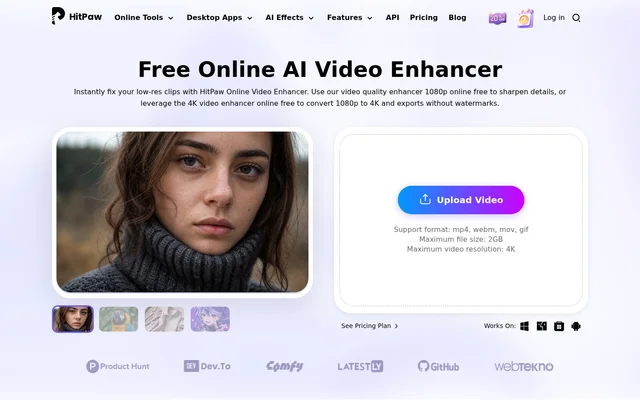
HitPaw VikPea uses an upload, model-selection, preview, and export workflow. Users launch the software, upload videos, and choose an AI model suited to the footage. Users can then preview the enhancement effect before exporting the upscaled video. The page also describes scene detection that adjusts color, removes noise, and sharpens details.
HitPaw VikPea supports MP4, MOV, MKV, AVI, FLV, and WMV files, among other formats. Cloud-accelerated rendering provides an alternative to placing the processing load on a local CPU or GPU. A video enhancement API is available for developers, editors, and creative services incorporating enhancement into their workflows.
Who HitPaw VikPea is for
HitPaw VikPea addresses both everyday recordings and production footage. The page highlights family users restoring camcorder videos, editors improving compressed clips, and creators working with travel or outdoor recordings. Restoration and color tools also support archival footage, while portrait enhancement targets facial details and skin texture.
- Family users can restore digitized camcorder recordings and older memories.
- Video editors can upscale footage for large displays.
- Marketers and e-commerce sellers can improve compressed product videos.
- Travel creators can reduce camera shake in outdoor footage.
- Film restorers can improve faded colors and low-light archival material.
HitPaw VikPea pricing and access
HitPaw VikPea offers paid purchasing alongside free-try options. Windows and Mac downloads are listed, together with online access and iPhone, iPad, and Android options. The page does not clearly explain subscription terms, license duration, or the limits of free access, so those details cannot be established from the supplied text.
HitPaw VikPea strengths and limitations
HitPaw VikPea combines upscaling, restoration, motion processing, and color correction with support for common video formats. Batch processing and cloud rendering extend the available workflow options. Desktop installation has stated operating-system, processor, memory, and storage requirements, while the page leaves free-access conditions and paid plan terms unclear.
- HitPaw VikPea requires Windows 10/11 or macOS 10.15 or higher for the listed desktop versions.
- HitPaw VikPea lists minimum desktop requirements of 8GB RAM and 4GB disk space.
- HitPaw VikPea does not clearly specify free-access limits on the supplied page.
HitPaw VikPea FAQ
What is HitPaw VikPea?
HitPaw VikPea is AI video enhancement software that upscales footage, reduces blur and noise, restores details, and repairs videos. HitPaw VikPea also includes stabilization, colorization, background removal, and tools for enhancing AI-generated clips.
Is HitPaw VikPea free?
HitPaw VikPea offers free-try options alongside paid purchasing. The supplied page does not explain how long free access lasts, which features are included, or whether free exports have restrictions.
Can HitPaw VikPea upscale videos to 4K or 8K?
HitPaw VikPea supports AI upscaling to 4K and 8K from lower-resolution footage. Users upload a video, choose an appropriate enhancement model, preview the result, and export the enhanced video.
Which platforms does HitPaw VikPea support?
HitPaw VikPea lists Windows and Mac desktop downloads, online access, and iPhone, iPad, and Android options. The desktop specifications require Windows 10/11 or macOS 10.15 or higher, with additional processor, memory, and storage requirements.
Does HitPaw VikPea have an API?
HitPaw VikPea offers a video enhancement API for integrating AI video processing into workflows. The page identifies developers, editors, and creative services as audiences, but does not provide API pricing or implementation instructions.
Can HitPaw VikPea enhance AI-generated videos?
HitPaw VikPea enhances AI-generated videos from Kling, Sora, Veo, and Seedance. The page describes upscaling generated footage, sharpening details, and smoothing motion, including enhancement of grainy AI-generated clips.
From the community
No reviews yet
Be the first to review this tool. What you write helps the next person choose.