What is HitPaw FotorPea?
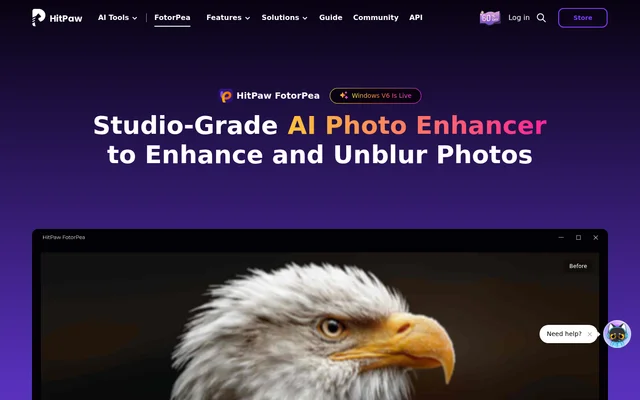
HitPaw FotorPea is an AI photo enhancer for improving image quality, increasing resolution, and restoring blurred or damaged pictures. Formerly called HitPaw Photo Enhancer, HitPaw FotorPea serves photographers, creators, online sellers, and people preserving family photographs. The software combines dedicated enhancement models with additional image creation and editing tools.
HitPaw FotorPea addresses both everyday smartphone pictures and photography workflows involving portraits, product images, low-light scenes, and old scans. The page describes models for facial detail, upscaling, sharpening, denoising, colorization, and scratch repair. Windows and Mac downloads appear alongside online, mobile, and Photoshop plugin access options.
What HitPaw FotorPea can do
HitPaw FotorPea uses task-specific AI models to address different image problems, including motion blur, low resolution, noise, and faded colors. Beyond enhancement, HitPaw FotorPea includes tools for creating images, removing backgrounds, generating portraits, and preparing ID photos. The page names Nano Banana Pro among the models used for enhancement and generation.
- HitPaw FotorPea sharpens blurred images and addresses motion blur and missed focus.
- HitPaw FotorPea upscales photos up to 4K/8K/32K.
- HitPaw FotorPea reduces noise, JPEG compression artifacts, and film grain.
- HitPaw FotorPea colorizes monochrome photos and repairs scratches.
- HitPaw FotorPea removes backgrounds and saves transparent or solid backgrounds.
- HitPaw FotorPea generates artwork from text or images.
- HitPaw FotorPea creates stylized portraits and automatically sizes ID photos.
How HitPaw FotorPea works
HitPaw FotorPea follows an upload, model selection, preview, and export workflow. Users launch the software, upload an image or images, and choose an AI enhancement model based on the image type. After processing, users preview the effect and export the upscaled image when satisfied with the result.
HitPaw FotorPea offers Windows and Mac downloads, an online option, iPhone/iPad and Android apps, and a Photoshop plugin. The desktop specifications list supported operating systems, processors, graphics hardware, memory, and storage. These access options are listed separately, so the page does not establish identical features across every version.
Who HitPaw FotorPea is for
HitPaw FotorPea serves photographers working with portraits, sports, wildlife, stage performances, and low-light scenes. The page also describes product image enhancement for online stores and image generation for designers, content creators, and artists. Family photo restoration is another stated use, including colorizing monochrome pictures and repairing worn photographs.
- HitPaw FotorPea restores old family photographs and faded scans.
- HitPaw FotorPea improves product pictures captured on older smartphones.
- HitPaw FotorPea reduces grain in concert and candlelit photographs.
- HitPaw FotorPea sharpens action images from sports and dance.
- HitPaw FotorPea generates portraits, landscapes, anime, and digital art.
HitPaw FotorPea pricing and access
HitPaw FotorPea is advertised with free trials, purchase links, and an upgrade option. The page provides download links for desktop and mobile use, plus online access and a Photoshop plugin. The supplied text does not clearly describe subscription periods, plan entitlements, or trial restrictions, so those details cannot be compared from this page.
HitPaw FotorPea strengths and limitations
HitPaw FotorPea combines restoration, sharpening, denoising, and upscaling with image generation and background removal. Dedicated models let users select an approach based on the photograph, while previewing provides a check before export. Desktop access has explicit operating system and hardware requirements that users need to consider before installation.
- HitPaw FotorPea requires 8GB or more RAM for the listed desktop configurations.
- HitPaw FotorPea requires 2GB or more free disk space.
- HitPaw FotorPea supports Windows 11/10 (64-bit) and macOS 10.15 or later.
HitPaw FotorPea FAQ
What is HitPaw FotorPea?
HitPaw FotorPea is an AI photo enhancer formerly called HitPaw Photo Enhancer. HitPaw FotorPea improves image quality and resolution, removes blur, reduces noise, and restores old or damaged photos using dedicated enhancement models.
Is HitPaw FotorPea free?
HitPaw FotorPea offers a free trial and advertises purchase and upgrade options. The supplied page text does not clearly describe trial restrictions, subscription periods, or plan entitlements, so a permanently free version cannot be confirmed.
How do you enhance photos with HitPaw FotorPea?
HitPaw FotorPea enhances photos through an upload, model selection, preview, and export workflow. Users launch the software, upload images, choose an AI model suited to the image type, preview the enhancement, and export the result.
Which platforms does HitPaw FotorPea support?
HitPaw FotorPea offers Windows and Mac downloads, online access, iPhone/iPad and Android apps, and a Photoshop plugin. The listed desktop requirements specify Windows 11/10 (64-bit) or macOS 10.15 or later, with at least 8GB RAM.
Can HitPaw FotorPea restore old photos?
HitPaw FotorPea restores old photos using colorization, scratch repair, color calibration, and enhancement models. HitPaw FotorPea can address faded colors, monochrome photographs, surface scratches, blur, and unclear facial details in family pictures and archival scans.
How much can HitPaw FotorPea upscale images?
HitPaw FotorPea advertises photo upscaling up to 4K/8K/32K. HitPaw FotorPea also includes a Magic Upscaler described as increasing photo resolution up to 4x, with art and product photos named as use cases.
From the community
No reviews yet
Be the first to review this tool. What you write helps the next person choose.