What is Face26?
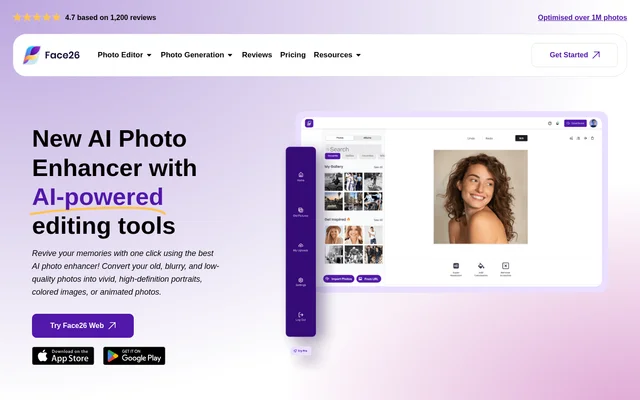
Face26 is an AI photo enhancer with tools for restoring photographs, editing images, and generating new visual content. Face26 serves people improving personal photographs, creating portraits, or preparing product imagery. The website describes automatic enhancement for old, blurry, and low-quality pictures, alongside tools for colorization, retouching, and animation.
Face26 combines photo editing and photo generation services rather than focusing only on image sharpness. The listed tools cover existing photographs, drawings, AI-generated images, and basic product shots. Face26 also describes creating high-definition portraits from group photos and improving family photographs without requiring photo editing skills.
What Face26 can do
Face26 provides tools for image quality improvement, visual adjustments, and generated photography. Face26 lists restoration and enhancement alongside more specific tasks such as changing clothing colors, removing backgrounds, smoothing skin, and creating product scenes. The website also includes tools for converting artwork into photographic images and animating still photographs.
- Face26 enhances old, pixelated, or blurred photographs.
- Face26 colorizes black-and-white and yellowed photos.
- Face26 upscales small images, including text, objects, logos, and photographs.
- Face26 retouches faces to smooth skin and remove wrinkles or spots.
- Face26 removes backgrounds from pictures containing people, objects, or pets.
- Face26 generates professional headshots and ecommerce product images.
- Face26 transforms drawings into photorealistic images.
- Face26 animates photographs.
How Face26 works
Face26 uses an upload, enhance, and download workflow for automatic photo enhancement. A user uploads a photograph to the photo enhancer editor, applies the automatic enhancement, and saves the finished image to a desktop computer or smartphone. Face26 describes this process as requiring only a single click for the enhancement stage.
Face26 offers a browser application that works on a PC or smartphone, and the website also refers to mobile apps. Face26 states that images are encrypted when uploaded through either the web editor or mobile apps. Uploaded images are saved, and users can delete their photos or accounts.
Who Face26 is for
Face26 is for people who want to improve photographs without learning manual editing techniques. Face26 also addresses portrait creation and commercial imagery through its headshot, dating photo, and ecommerce tools. The stated use cases range from restoring family memories to generating alternative settings from an existing product photograph.
- Face26 helps people restore and colorize old family photographs.
- Face26 supports people creating professional headshots or dating photos.
- Face26 helps ecommerce users show products in different settings.
- Face26 lets people convert drawings or paintings into photorealistic images.
Face26 strengths and stated boundaries
Face26 combines automatic photo enhancement with targeted editing and image generation capabilities. Browser access supports use on both desktop computers and smartphones, while direct downloads let users save finished images to those devices. Face26 also states that photo editing skills are unnecessary and provides encryption and deletion controls for uploaded photographs.
Getting started with Face26
Face26 presents its web services as the starting point for photo editing and generation. For the enhancement workflow, the stated steps are to upload a photograph to the editor, apply automatic enhancement, and download the finished result. Face26 lists separate tools for restoration, colorization, retouching, background removal, and generated imagery.
Face26 FAQ
What is Face26?
Face26 is an AI photo enhancement and image generation service for improving photographs and creating visual content. Face26 offers old photo restoration, colorization, upscaling, face retouching, background removal, professional headshots, ecommerce photos, and photo animation.
Can Face26 restore old and blurry photos?
Face26 offers AI restoration and enhancement for old, blurry, pixelated, and low-quality photographs. Face26 also supports noise removal, face sharpening, and black-and-white colorization, including tools intended for improving old family photos and creating high-definition portraits.
Can Face26 be used on a smartphone?
Face26 can be used through a web browser on a smartphone or desktop computer. Face26 lets users upload a photograph, apply automatic enhancement, and save the finished image directly to the device. The website also mentions mobile apps.
What photo generation tools does Face26 offer?
Face26 offers professional headshot generation, dating photo generation, and ecommerce photo generation. Face26 can create product pictures in different settings from a basic white product shot, transform drawings into photorealistic images, and improve lighting and colors in AI-generated photographs.
How does Face26 handle uploaded photos?
Face26 states that uploaded images are encrypted in its web editor and mobile apps. Face26 says images are saved and are not shared or accessed, and users can delete their photos or accounts.
From the community
No reviews yet
Be the first to review this tool. What you write helps the next person choose.