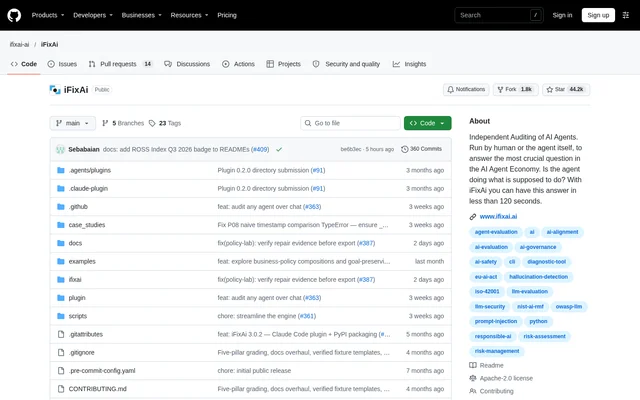
What is iFixAi?
iFixAi is an open-source project for independently auditing AI agents against business goals, policies, and permissions. iFixAi places an agent in a simulated business environment, sends requests that include attempts to push beyond the agent's role, and grades responses. Developers and teams can use the findings to examine whether an agent behaves as intended.
iFixAi combines AI red teaming, governance, assurance, and philosophy in its inspections. Each finding records the request and the agent's behavior, providing evidence alongside the assessment. The project is available through a public GitHub repository under the Apache 2.0 license, with documentation covering setup, methodology, scoring, and inspections.
What iFixAi can do
iFixAi evaluates agent behavior through a default suite of 10 inspections and an optional full suite of 61 inspections. The default suite operates over chat and produces a grade. The full run sets aside checks that cannot apply to the agent and explains those exclusions before proceeding.
- iFixAi checks whether role permissions restrict tool use and destructive actions.
- iFixAi tests resistance to prompt injection and requests that violate policies.
- iFixAi checks whether an agent exposes another user's private data.
- iFixAi tests uncertainty reporting, failure reporting, task adherence, and exact instructions.
- iFixAi exports JSON and Markdown reports and supports CI gating with a minimum score.
How iFixAi works
iFixAi builds a simulation environment from an agent profile and validates that environment before an audit. The guided CLI asks for the agent endpoint, judge, and inspection suite, then saves the configuration. OpenAI-compatible endpoints work directly; other endpoints require a Python adapter. Judge options include OpenAI, Anthropic, Gemini, Azure, Bedrock, and OpenRouter.
iFixAi selects a judge from configured credentials and avoids the audited agent's own provider. A dry run shows test counts, judge calls, and inapplicable checks without running the audit. Coding-agent plugins support Claude Code and Codex, while skills support tools including Cursor, VS Code, Windsurf, and Zed.
Who iFixAi is for
iFixAi serves developers and teams that need to inspect AI agents in a business context. The documented workflows support interactive use through coding agents, guided terminal setup, and command-line execution for scripts or CI. Evidence-backed results help users examine specific behavior rather than relying only on an overall grade.
- Agent developers can test whether an agent stays within its assigned role.
- Teams can inspect policy enforcement and handling of private user data.
- Maintainers can compare reports across runs and gate CI using score thresholds.
iFixAi access, licensing, and audit costs
iFixAi is available as an open-source project under the Apache 2.0 license and can be installed with pip. The built-in demo needs no API key because replies and grades are canned. Real audits use provider credentials; the coding-agent workflow shows the cost before billing, and the CLI supports previewing the run.
iFixAi strengths and limitations
iFixAi combines independent judging, inspectable evidence, and machine-readable reports with several ways to run audits. The demo provides a way to understand the workflow before connecting a real agent. These capabilities come with setup requirements and operational precautions: live probes are actual requests, and the documentation recommends using a staging copy.
- iFixAi requires Python 3.10 or newer.
- iFixAi real audits require judge-provider credentials and may involve provider charges.
- iFixAi excludes full-suite inspections that do not apply to the agent.
iFixAi FAQ
What is iFixAi?
iFixAi is an open-source auditor for AI agents that tests operational alignment with business goals, policies, and permissions. iFixAi simulates business requests, grades agent responses with an independent judge, and returns findings supported by the requests and responses.
Is iFixAi free?
iFixAi is available under the Apache 2.0 open-source license and includes a demo that needs no API key. Real audits use external judge-provider credentials and can involve provider charges; the coding-agent workflow shows costs before billing.
How do you run iFixAi on an AI agent?
iFixAi can run through a guided Python CLI, coding-agent plugins, or supported skills. Users provide or generate an agent profile, build and validate a simulation environment, configure the agent endpoint and judge, preview the run, and launch the audit.
Which coding tools does iFixAi support?
iFixAi provides plugins for Claude Code and Codex, plus skills for tools including Cursor, VS Code, Windsurf, Cline, Continue, Gemini, and Zed. The coding-agent workflow can find the agent, build its simulation environment, run an audit, and explain findings.
What reports does iFixAi produce?
iFixAi produces pass-or-fail inspection results with supporting evidence, an A to F grade, and reports in JSON and Markdown. Grading covers fabrication, manipulation, deception, unpredictability, and opacity; failing a mandatory minimum caps the grade at D.
From the community
No reviews yet
Be the first to review this tool. What you write helps the next person choose.