What is imagetocaption.ai?
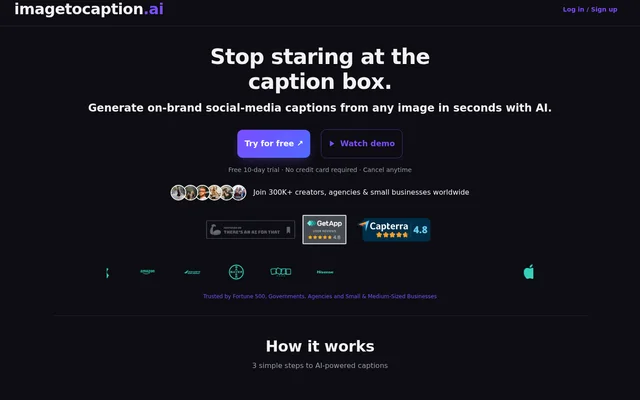
imagetocaption.ai is an AI-powered web tool that generates written captions from images and videos for social media posts and online shop descriptions. The service targets small businesses and people creating content for channels such as Instagram, TikTok and Facebook. The website also identifies Shopify descriptions and personal branding as uses.
imagetocaption.ai generates accompanying post text rather than requiring users to write a caption from scratch. The website states that the service uses ChatGPT AI technology. Users can supply information about themselves or their company to shape the generated copy around a particular brand voice.
What imagetocaption.ai can do
imagetocaption.ai combines visual uploads with controls for the intended audience and publishing context. Users can choose a target platform and language, then adjust the details that guide the caption. The available settings cover both writing style and optional post elements, allowing different versions to be generated from the same visual.
- imagetocaption.ai generates captions from uploaded images and videos.
- imagetocaption.ai accepts brand voice details to guide wording and tone.
- imagetocaption.ai supports language selection for multilingual captions.
- imagetocaption.ai lets users set a theme, location, tone and output length.
- imagetocaption.ai can include hashtags, emojis and a call to action.
- imagetocaption.ai regenerates captions after users adjust the parameters.
How imagetocaption.ai works
imagetocaption.ai starts with an image or video upload. Users select the target platform, choose a language and enter optional context such as the theme or photo location. After setting tone, length and other preferences, users select Create Caption. The generated text can be replaced by adjusting the parameters and generating another version.
imagetocaption.ai also describes a workflow for Instagram Reels and TikTok drafts. Users create a draft in the relevant app, download the video to their phone and upload the saved file from their photo library. Instagram or TikTok is then selected as the target platform before generating the caption.
Who imagetocaption.ai is for
imagetocaption.ai is aimed at small businesses, social media users and online sellers who need text to accompany visual content. The website lists industry and use-case pages for fashion, photography, business, e-commerce, personal branding and beauty studios. Brand voice settings support users who want consistent wording, tone and emojis across channels.
- Small businesses can use imagetocaption.ai to draft captions for promotional posts.
- Online shops can use imagetocaption.ai to generate descriptions from product visuals.
- Creators can use imagetocaption.ai for Instagram Reels and TikTok captions.
- Personal brands can use imagetocaption.ai to tailor captions with their own voice details.
imagetocaption.ai strengths and limitations
imagetocaption.ai provides image and video input, multilingual output and detailed caption controls in the same workflow. Brand voice information can be copied from a website or social profile, giving users a practical way to provide context. The main constraints are credit consumption and video upload restrictions, with an inconsistency in the published Basic-plan duration limit.
- imagetocaption.ai requires video uploads to be MP4 files.
- imagetocaption.ai limits Basic videos to 500MB, but lists 30 seconds in pricing and 1min in the FAQ.
- imagetocaption.ai limits Plus and Elite videos to 2GB and 3 minutes.
- imagetocaption.ai asks users needing larger or longer videos to contact support.
imagetocaption.ai FAQ
What is imagetocaption.ai?
imagetocaption.ai is a web-based AI tool that generates captions from uploaded images and videos. The service supports social media posts and online shop descriptions, with controls for target platform, language, tone, brand voice and output length.
Is imagetocaption.ai free?
imagetocaption.ai offers a 10-day free trial without requiring a credit card, followed by paid credit-based plans. Basic, Plus and Elite have different monthly credit allowances, and monthly or yearly billing is available. The page also states that users can cancel anytime.
How do you create Instagram or TikTok captions with imagetocaption.ai?
imagetocaption.ai generates Instagram or TikTok captions from uploaded images or saved video drafts. Users download a draft from the Instagram or TikTok app, upload the file, select the target platform and optionally customise the caption settings before generating text.
Can imagetocaption.ai match a brand voice?
imagetocaption.ai accepts brand voice details to make generated captions more relevant to a person or company. Users can copy background information from a website or social media profile and combine that context with tone, theme, emoji and other caption settings.
How many credits does imagetocaption.ai use per caption?
imagetocaption.ai charges 1 credit for an image caption and a minimum of 3 credits for a video caption. Videos longer than 30 seconds incur 1 additional credit for every additional 30 seconds. Regenerating a video caption costs 1 credit.
What video formats and limits does imagetocaption.ai support?
imagetocaption.ai accepts MP4 videos. Plus and Elite support uploads up to 2GB and 3 minutes. Basic supports 500MB, but the page conflicts on duration: the pricing table says 30 seconds and the FAQ says 1min. Larger or longer uploads require contacting support.
From the community
No reviews yet
Be the first to review this tool. What you write helps the next person choose.