What is Spikes Studio?
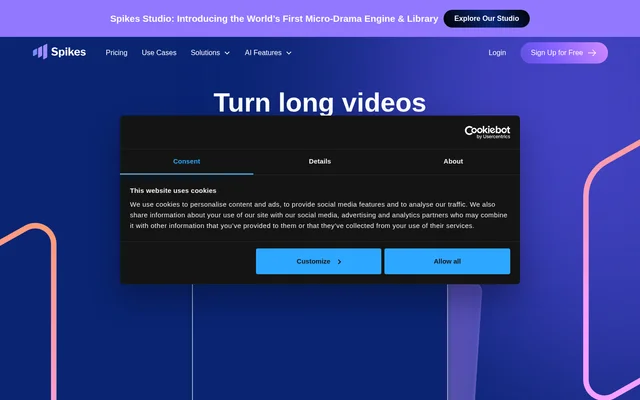
Spikes Studio is an AI video editing and social content management tool for creators, video professionals, small businesses, and teams. Spikes Studio combines clip creation, platform-specific customization, publishing, analytics, and project management. The editing tools identify standout moments in raw footage and prepare clips for social formats including TikTok videos, Instagram Reels, and YouTube Shorts.
Spikes Studio supports both individual content creation and workflows involving multiple clients or team members. Shared workspaces, project folders, and content search sit alongside editing and publishing tools. The service also provides original-language transcription across over 99 languages and supports simultaneous processing of multiple videos.
What Spikes Studio can do
Spikes Studio provides tools for turning footage into social posts and evaluating the resulting content. AI-assisted editing handles moment detection, captions, transitions, and zooming, while customization tools adapt clips to different networks. Publishing and analytics features extend the workflow beyond exporting a finished video.
- Spikes Studio identifies standout moments with AI-powered clip detection.
- Spikes Studio adds automatic transitions, zooming, and styled captions.
- Spikes Studio resizes clips for TikTok, Instagram, and YouTube.
- Spikes Studio generates titles, hashtags, and audience-tailored emojis.
- Spikes Studio schedules and publishes posts across connected social channels.
- Spikes Studio tracks views, engagement, growth, and historical performance trends.
- Spikes Studio organizes projects with folders, search, and drag-and-drop tools.
How Spikes Studio works
Spikes Studio starts with an uploaded video, which its AI analyzes to identify moments for clips. The web editor's Add Captions tab supports videos up to 5 minutes and offers captions, vertical reframing, and automatic effects. The editing workflow also supplies a title, description, and suggested hashtags for the post.
Spikes Studio lets users connect social accounts to schedule content and manage performance from a dashboard. The website specifically names LinkedIn, TikTok, Facebook, and YouTube for posting and scheduling. A visual content calendar supports planning, while smart posting recommendations help guide publishing decisions. The pricing page also provides an application route for API-based automation.
Who Spikes Studio is for
Spikes Studio targets aspiring creators who want help finding useful moments, preparing content for social networks, and managing publishing without prior editing experience. Spikes Studio also addresses video professionals handling individual businesses or multiple clients, alongside small businesses and teams that need video production, consistent posting, and performance tracking.
- Creators can repurpose raw footage into captioned social clips.
- Video professionals can organize projects across multiple clients.
- Small businesses can maintain posting schedules and monitor video performance.
- Teams can share workspaces and coordinate content production.
Spikes Studio pricing and plans
Spikes Studio lists a free Basic plan with demo clips, watermarked 720p exports, auto-captions, and a basic editor. The free trial does not require a credit card. PRO+ costs $32.99 per month when billed monthly or $14.09 per month when billed annually. Paid plans remove watermarks and provide 1080p exports.
Spikes Studio lists Enterprise at $115.99 per month with monthly billing or $56.34 per month with annual billing. Enterprise features include custom templates, an account manager, and unlimited storage. PRO+ includes AI B-roll, while the annual PRO+ listing also names a social media scheduler, music, and sound effects.
Spikes Studio strengths and limitations
Spikes Studio brings editing, social customization, scheduling, analytics, and project organization into a connected workflow. Language support and simultaneous video processing can serve multilingual or higher-volume content needs. Access limits remain important: the free plan focuses on demo clips, exports carry a watermark, and the comparison table assigns different storage lifespans to different plans.
- Spikes Studio limits free exports to watermarked 720p video.
- Spikes Studio supports videos up to 5 minutes in the Add Captions web editor.
- Spikes Studio lists a 7-day storage lifespan for Basic and 90 days for PRO+.
- Spikes Studio requires a paid plan to remove video watermarks.
Spikes Studio FAQ
What is Spikes Studio?
Spikes Studio is an AI video editing and social content management tool for creators, businesses, and teams. Spikes Studio detects standout moments in footage, creates captioned social clips, adapts videos for different networks, and provides publishing, analytics, and project organization tools.
Is Spikes Studio free?
Spikes Studio offers a free Basic plan with demo clips, auto-captions, a basic editor, and watermarked 720p exports. Spikes Studio also offers paid PRO+ and Enterprise plans. A free trial does not require a credit card, and watermark removal requires a paid subscription.
Which social networks does Spikes Studio support?
Spikes Studio names LinkedIn, TikTok, Facebook, and YouTube for connected posting and scheduling. Spikes Studio also provides resizing and formatting for TikTok, Instagram, and YouTube, including content intended for Instagram Reels and YouTube Shorts.
What languages does Spikes Studio support?
Spikes Studio supports over 99 languages and can transcribe a video into its original language. Spikes Studio describes this language support as part of its AI-powered video workflow; the supplied page does not describe translation into other languages.
Can Spikes Studio edit videos in a web editor?
Spikes Studio provides a web editor through the Add Captions tab for videos up to 5 minutes long. Spikes Studio can add captions, reframe videos vertically, and create automatic effects, while also supplying a title, description, and suggested hashtags.
Does Spikes Studio have an API?
Spikes Studio provides an application link for users looking to scale and automate tasks with an API. Spikes Studio does not specify API pricing, endpoints, or general availability in the supplied page text.
From the community
No reviews yet
Be the first to review this tool. What you write helps the next person choose.