What is jpgHD?
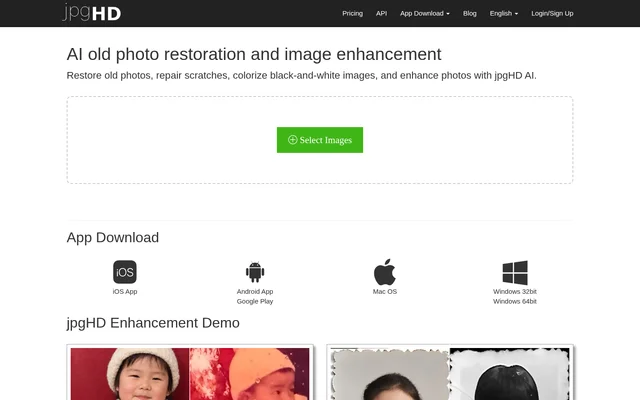
jpgHD is an AI tool for old photo restoration and image enhancement. jpgHD supports restoring old photos, repairing scratches, colorizing black-and-white images, and enhancing photos. The website is intended for people with photographs that need these changes and presents image selection and processing controls directly on the page.
jpgHD pairs these editing capabilities with a before-and-after display and a download control for processed results. The supplied page describes the available tasks and basic workflow, but does not explain the underlying AI methods or provide detailed specifications for the restoration process.
What jpgHD can do
jpgHD covers several related photo-editing tasks rather than only colorization or scratch repair. The page explicitly names old photo restoration and image enhancement, with additional support for repairing scratches and adding color to black-and-white images. The interface also provides a way to view results and download processed images.
- jpgHD restores old photos using AI.
- jpgHD repairs scratches in photographs.
- jpgHD colorizes black-and-white images.
- jpgHD enhances photos.
- jpgHD displays before-and-after results.
- jpgHD provides downloads of processed images.
How jpgHD works
jpgHD presents a Select Images control followed by a Start Processing action. The interface shows image dimensions, file size, and file name alongside selected images. The processing control includes an estimate of about 5 minutes, giving users an indication of the expected wait rather than presenting processing as immediate.
jpgHD includes Before and After labels for viewing results and a Download control for the output. The page also provides Delete and Delete All actions for managing images in the interface. A retry message appears for failed processing, indicating that an unsuccessful attempt can be tried again.
Who jpgHD is for
jpgHD is for people who want to work on old, scratched, black-and-white, or otherwise enhancement-ready photographs. The supported use cases are defined by the editing tasks listed on the page, rather than by a particular profession or industry. jpgHD does not identify specialist audience groups in the supplied text.
- jpgHD can be used to restore old photographs.
- jpgHD can be used to repair visible scratches.
- jpgHD can be used to add color to black-and-white images.
- jpgHD can be used for general photo enhancement.
jpgHD pricing and plans
jpgHD offers free use and displays an Upgrade to Pro option. The stated free user limit is 3000x3000px and 10M. The page also includes a prompt asking whether the user wants priority processing, but the supplied text does not give a Pro price or describe a complete set of plan benefits.
jpgHD strengths and limitations
jpgHD brings restoration, scratch repair, colorization, and enhancement into the same photo-processing interface. Before-and-after viewing and downloadable output support reviewing and obtaining results. The main stated constraints are the free image limits and the processing-time estimate; the supplied page leaves Pro pricing and detailed plan differences unspecified.
- jpgHD limits free use to 3000x3000px and 10M.
- jpgHD estimates processing at about 5 minutes.
- jpgHD does not list Pro prices in the supplied page text.
jpgHD FAQ
What is jpgHD?
jpgHD is an AI old photo restoration and image enhancement tool. jpgHD restores old photographs, repairs scratches, colorizes black-and-white images, and enhances photos through a website with image selection, processing, before-and-after viewing, and download controls.
Is jpgHD free?
jpgHD offers free use with a stated limit of 3000x3000px and 10M. jpgHD also provides an Upgrade to Pro option, but the supplied page text does not list Pro pricing or complete plan details.
Can jpgHD colorize black-and-white photos?
jpgHD supports colorizing black-and-white images as part of its AI photo-editing capabilities. jpgHD also lists old photo restoration, scratch repair, and photo enhancement, with before-and-after viewing and downloads available in the interface.
How long does jpgHD take to process photos?
jpgHD displays an estimate of about 5 minutes on the Start Processing control. jpgHD also shows a priority-processing prompt, but the supplied page does not specify a separate processing time for priority requests.
How do you use jpgHD?
jpgHD provides controls to select images, start processing, view before-and-after results, and download the output. jpgHD also displays image dimensions, file size, and file name, with Delete and Delete All controls for managing selected images.
From the community
No reviews yet
Be the first to review this tool. What you write helps the next person choose.