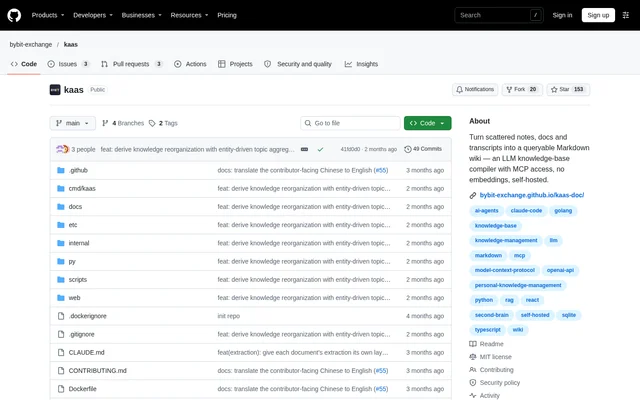
What is KaaS?
KaaS is an open-source, self-hosted knowledge-base compiler for turning scattered notes, documents, and transcripts into a searchable Markdown wiki. KaaS supports personal knowledge management and organizational knowledge retention. Rather than storing embedded text fragments, KaaS produces human-readable articles that users can inspect, edit, and query.
KaaS began as an internal tool for knowledge scattered across documents, meetings, and email. The repository describes compiling that material into a wiki tied to a role rather than an individual. This approach preserves distilled context for whoever takes over the role when someone moves on.
What KaaS can do
KaaS combines document intake, knowledge compilation, article browsing, and cited chat. The web interface includes Chat, Submit, Wiki, and Status views. Compiled articles remain plain Markdown on disk, so the material used for answers is also available for direct reading, manual editing, commits, and diff review.
- KaaS accepts pasted text, uploaded files, and page URLs.
- KaaS extracts concepts, entities, and decisions from source content.
- KaaS writes or merges Markdown articles and updates indexes.
- KaaS cites wiki articles in chat replies.
- KaaS uses content checksums for incremental compilation.
- KaaS exposes a wiki query tool to MCP clients.
How KaaS works
KaaS passes raw content through extraction, classification, article writing or merging, and index updates. During retrieval, an LLM walks the master index, selects relevant articles, and answers from their full text. KaaS does not use embeddings for this process, and answers cite the compiled articles rather than ranked fragments.
KaaS can be set up through a coding agent, a Docker container, or the CLI installer. LLM calls use an OpenAI-compatible API, with examples including OpenAI, DeepSeek, Ollama, vLLM, and Azure OpenAI. MCP access supports local stdio or remote streamable HTTP, allowing clients such as Claude Code, Codex, and openclaw to query the wiki.
Who KaaS is for
KaaS addresses personal knowledge collections, organizational context, and agent-accessible documentation. Individuals can compile scattered material into a personal wiki, while organizations can retain role-specific knowledge through staff changes. Developers working in MCP-capable coding agents can query the same compiled articles without switching to a separate knowledge-search workflow.
- KaaS turns personal notes and transcripts into queryable articles.
- KaaS preserves distilled knowledge for role handovers.
- KaaS grounds coding-agent answers in a compiled wiki.
KaaS pricing and access
KaaS is an open-source project distributed under the MIT license through its public repository. The supplied page describes installation and self-hosting rather than subscription plans. Users can obtain a prebuilt Docker image, build from source, use the CLI installer, or ask a coding agent to follow the repository's setup guide.
KaaS requires an LLM endpoint configuration for compilation and querying. The documented settings include an API key, base URL, and model name, with environment variables overriding the configuration file at startup. The page supports both hosted and local OpenAI-compatible endpoints but does not provide model-provider pricing.
KaaS strengths and limitations
KaaS makes its compiled knowledge inspectable through editable Markdown and article-level citations. Incremental compilation avoids processing unchanged material again, while leased tasks allow interrupted work to be reclaimed. A single Docker image bundles the service components, avoiding the need for sidecar containers in that deployment path.
- KaaS requires service deployment and LLM configuration.
- KaaS offers native CLI installer builds for Linux and Apple Silicon Macs, but not Intel Macs.
- KaaS leaves remote MCP authentication off unless a token is set.
- KaaS may need longer extraction and writing timeouts with slow local models.
KaaS FAQ
What is KaaS?
KaaS is an open-source, self-hosted knowledge-base compiler that turns notes, documents, and transcripts into a searchable Markdown wiki. KaaS uses LLM-driven compilation and whole-article retrieval, with chat answers that cite the wiki articles used as sources.
Is KaaS open source?
KaaS is an open-source project distributed under the MIT license through its public repository. KaaS supports self-hosting through Docker, CLI installation, or agent-assisted setup, and requires an OpenAI-compatible LLM endpoint configuration.
Does KaaS use embeddings?
KaaS does not use embeddings for retrieval. KaaS compiles source content into Markdown articles, then uses an LLM to navigate a master index, select relevant pages, and answer from the full article text rather than embedded fragments.
Does KaaS support MCP?
KaaS supports MCP through local stdio and remote streamable HTTP transports. KaaS exposes an ask tool that returns cited Markdown answers grounded in the wiki, with documented client examples including Claude Code, Codex, and openclaw.
Which LLM providers can KaaS use?
KaaS calls LLMs through any OpenAI-compatible API. The repository lists OpenAI, DeepSeek, Ollama, vLLM, and Azure OpenAI as examples. KaaS lets users configure the API key, endpoint base URL, and model through environment variables or its configuration file.
Can KaaS run on an Intel Mac?
KaaS does not provide a native CLI installer build for Intel Macs. The repository directs Intel Mac users to agent-assisted setup or Docker instead. KaaS provides native installer support for Linux and Apple Silicon Macs.
From the community
No reviews yet
Be the first to review this tool. What you write helps the next person choose.