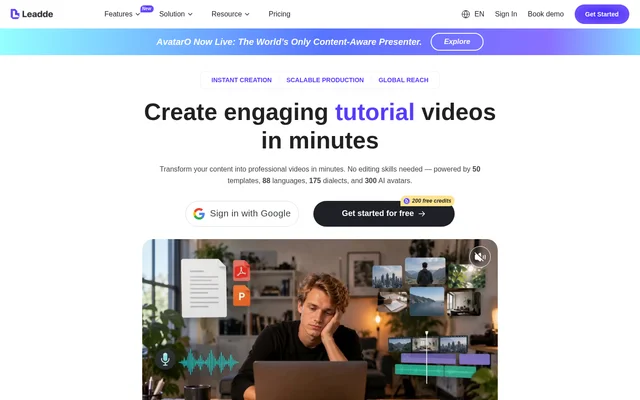
What is Leadde AI?
Leadde AI is a web-based AI video creation service that converts static documents into multilingual business and instructional videos. Leadde AI serves businesses, trainers, and content creators producing training, onboarding, tutorials, launches, and process explanations. The website describes a workflow covering video creation, localization, management, and publishing without requiring video editing skills.
Leadde AI combines document-based presentations with AI avatars and voices. The service also supports marketing and internal communications, extending its use beyond formal training materials. Users can choose avatar-led videos or remove the avatar layer for voice-over-only content, depending on the presentation format they need.
What Leadde AI can do
Leadde AI provides tools for turning existing materials into video and adapting those videos for different languages. The listed capabilities include slide presenters, avatar videos, translation, dubbing, and voice cloning. Available languages, export quality, storage, and some branding features depend on the selected subscription plan.
- Leadde AI imports PPT and PDF presentations for slide-based videos.
- Leadde AI creates videos with AI avatars and cloned voices.
- Leadde AI supports PPT translation, image translation, and video dubbing.
- Leadde AI offers 88 languages and 175 dialects on paid plans.
- Leadde AI includes video chat and knowledge base features.
- Leadde AI provides brand kits and 4K video export on Creator.
How Leadde AI works
Leadde AI is accessed through the web, with a free starting option and paid subscriptions. The document workflow includes importing PPT or PDF material into the slide presenter. The plan comparison lists imports of up to 50 slides with a maximum file size of 200MB across the displayed plans.
Leadde AI lets users hide or delete the Avatar layer to make a video containing only a voice-over. Leadde AI automatically saves video edits when the user is properly connected to the internet. Translation and dubbing tools provide additional ways to adapt the resulting content for multilingual audiences.
Who Leadde AI is for
Leadde AI targets business video production, including training, marketing, and internal communications. The pricing page identifies Starter as a plan for individual content creators and Creator as a plan for professionals. The homepage also names onboarding, tutorials, launches, processes, and lectures as supported video subjects.
- Leadde AI helps training teams turn static documents into instructional videos.
- Leadde AI supports onboarding and process-explanation videos for employees.
- Leadde AI supports launch videos and marketing presentations.
- Leadde AI helps content creators localize videos with translation and dubbing.
Leadde AI strengths and limitations
Leadde AI combines document conversion, avatar presentation, voice tools, and localization within a business video workflow. The free option provides a way to explore video creation before choosing a paid subscription. However, credit allowances, duration limits, processing queues, and plan-specific features remain relevant when selecting a plan for ongoing production.
- Leadde AI processes only one video at a time on Free.
- Leadde AI allows up to 3 queued videos on Starter and up to 6 on Creator.
- Leadde AI lists custom studio avatars as a paid add-on requiring contact with sales.
- Leadde AI requires an internet connection for automatic saving.
Leadde AI FAQ
What is Leadde AI?
Leadde AI is a web-based AI video creation service for converting static documents into multilingual instructional and business videos. Leadde AI supports training, onboarding, tutorials, marketing, and internal communications through avatar videos, slide presentations, voice tools, translation, and dubbing.
Is Leadde AI free?
Leadde AI offers a Free plan with 200 credits per month, alongside paid Starter and Creator plans. The Free plan includes voice cloning, avatar cloning, and video creation, with a maximum video duration of 10 minutes and processing limited to one video at a time.
Can Leadde AI create videos from PowerPoint or PDF files?
Leadde AI supports PPT and PDF imports through its slide presenter feature. The plan comparison lists imports of up to 50 slides with a maximum file size of 200MB across the displayed plans, supporting document-based presentations and instructional video creation.
Can Leadde AI create videos without an avatar?
Leadde AI can create voice-over-only videos by allowing users to hide or delete the Avatar layer. This option supports presentations that use narration without a visible avatar presenter, while retaining the video creation workflow.
What languages does Leadde AI support?
Leadde AI lists 80+ languages on the Free plan and 88 languages with 175 dialects on paid plans. Leadde AI also lists PPT translation, image translation, and video dubbing among its tools for creating and adapting multilingual video content.
From the community
No reviews yet
Be the first to review this tool. What you write helps the next person choose.