What is Local AI Playground?
Local AI Playground is a native desktop app for managing, verifying, and running AI models locally. Local AI Playground is designed for people who want to experiment with models offline and in private, including on computers without a GPU. The Rust-backed app runs inference on the CPU and adjusts to the threads available on the machine. Model management and integrity checks are built into the same app as the inference tools.
What Local AI Playground can do
Local AI Playground combines a model manager, file integrity checks, and an inference interface. Models can be kept in a directory selected by the user and sorted by usage. The verification tools compute BLAKE3 and SHA256 digests, and model cards display information such as license and usage labels. The inference interface exposes parameters and supports writing to .mdx files.
- Local AI Playground resumes interrupted model downloads.
- Local AI Playground downloads models concurrently.
- Local AI Playground offers a BLAKE3 quick check.
- Local AI Playground supports GGML quantization.
- Local AI Playground streams inference from a local server.
How Local AI Playground works
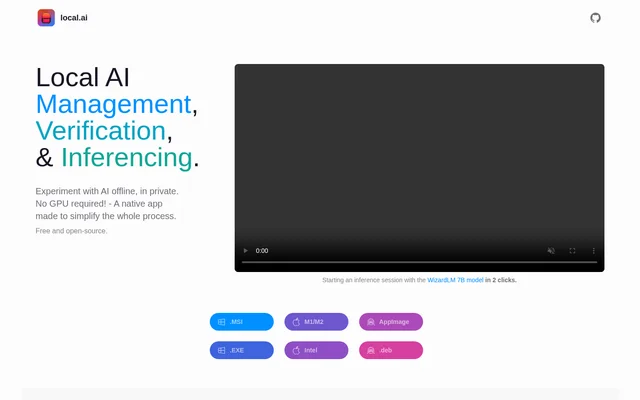
Local AI Playground starts a local streaming inference server after a model is loaded. The desktop interface also offers a quick way to run inference directly, with parameters that can be adjusted. The product page demonstrates starting a session with WizardLM 7B and separately shows Local AI Playground working with window.ai as an example of using local inference to power another AI app.
Who Local AI Playground is for
Local AI Playground is for people who want to try AI models privately without relying on a GPU. The model manager is relevant to users who want to keep downloaded models together while choosing where the files live. The local streaming server is also relevant to developers who want to test how an AI app works with a locally loaded model.
- Experiment privately with AI models offline.
- Keep downloaded models in a chosen directory.
- Check the integrity of a downloaded model.
- Test an AI app with a local inference server.
Local AI Playground pricing and downloads
Local AI Playground is free and open source. The product page provides downloads for Windows in MSI and EXE formats, for Mac in M1/M2 and Intel variants, and for Linux in AppImage and .deb formats. Local AI Playground is distributed as a native desktop app, and a GPU is not required to use its available CPU inference features.
Local AI Playground strengths and limitations
Local AI Playground combines offline CPU inference with resumable downloads, digest checks, and flexible model storage. The combination covers downloading a model, checking its file integrity, and running inference from the same desktop app. The product page distinguishes those capabilities from upcoming work, including GPU inference and parallel sessions. The model management tools sort by usage, while search and custom sorting are listed as upcoming.
- GPU inference is listed as upcoming.
- Parallel inference sessions are listed as upcoming.
- Model search and custom sorting are listed as upcoming.
Getting started with Local AI Playground
Local AI Playground offers desktop downloads for several operating systems and lets users select the directory where models are stored. After downloading a model, users can compute a digest to check the file's integrity. A loaded model can then be tested in the quick inference interface, or used to start the local streaming server when inference needs to be available to another app.
Local AI Playground FAQ
What is Local AI Playground?
Local AI Playground is a native desktop app for managing, verifying, and running AI models locally. Local AI Playground supports offline CPU inference, model downloads, digest checks, and a local streaming server that starts after a model is loaded.
Is Local AI Playground free?
Local AI Playground is free and open source. Local AI Playground is distributed as a native desktop download, with MSI and EXE options for Windows, M1/M2 and Intel options for Mac, and AppImage and .deb options for Linux.
Does Local AI Playground need a GPU?
Local AI Playground does not need a GPU to run inference. Local AI Playground runs models on the CPU, adapts to available threads, and supports GGML quantization. The product page lists GPU inference as an upcoming feature rather than a current capability.
How does Local AI Playground verify model downloads?
Local AI Playground checks the integrity of downloaded model files by computing BLAKE3 and SHA256 digests. Local AI Playground also lists a BLAKE3 quick check and a known-good model API among its verification features.
Can Local AI Playground serve a model to another AI app?
Local AI Playground can serve a loaded model through a local streaming inference server. The workflow is to load a model and then start the server. The product page demonstrates Local AI Playground working alongside window.ai.
From the community
No reviews yet
Be the first to review this tool. What you write helps the next person choose.