What is Melobytes Studio?
Melobytes Studio is a desktop application for composing music with musical algorithms rather than generative AI. Melobytes Studio applies musical rules to melody, rhythm and harmony, using lyrics, images and settings as guidance. The application is relevant to users who want to create songs or instrumentals and then edit the resulting musical material.
Melobytes Studio is the product described in the supplied page text, which presents a featured desktop release. Although the submitted product name refers to AI Image to song By Melobytes.com, the supplied text does not describe that tool separately. The capabilities and access details documented here therefore concern Melobytes Studio.
What Melobytes Studio can do
Melobytes Studio combines music generation with editing controls for notes, instruments, arrangements and synthetic singers. Melobytes Studio supports lyrics-to-song creation, instrumental composition and image-to-MIDI conversion. The stated output options cover WAV, MIDI and video, while music can also be combined with video within the described workflow.
- Melobytes Studio composes music using rules for melody, rhythm and harmony.
- Melobytes Studio creates songs guided by lyrics.
- Melobytes Studio converts images into MIDI.
- Melobytes Studio supports MIDI editing and timeline arrangement.
- Melobytes Studio provides synthetic voice pronunciation and expression controls.
- Melobytes Studio exports WAV, MIDI and video.
How Melobytes Studio works
Melobytes Studio uses lyrics, images and settings to guide algorithmic composition. Melobytes Studio then lets users edit notes, instruments and arrangements, refine synthetic singers and combine music with video. MIDI editing and timeline arrangement provide the stated editing workflow, while pronunciation and expression controls address the synthetic voice component. The page identifies a Windows desktop application rather than describing a browser-based workflow.
Who Melobytes Studio is for
Melobytes Studio suits Windows users whose tasks involve turning lyrics or images into musical material and editing the results. Melobytes Studio brings composition, MIDI editing, synthetic singing controls and video-related output into the same described application. The source does not identify particular professions or skill levels, so the clearest audience is users seeking these specific music-creation capabilities.
- Melobytes Studio supports users composing songs from lyrics.
- Melobytes Studio supports users creating instrumental music.
- Melobytes Studio supports users turning images into MIDI.
- Melobytes Studio supports users combining music with video.
Melobytes Studio pricing and access
Melobytes Studio is offered with a free demo and a one-time licence. Melobytes Studio is listed for 64-bit Windows, and internet access is required for activation. The supplied text includes a product link but does not provide a licence price, demo restrictions or installation instructions. The stated access options should not be treated as pricing information for the separately named image-to-song tool.
Melobytes Studio strengths and limitations
Melobytes Studio combines algorithmic composition with editable musical elements, synthetic voice controls and several export formats. Melobytes Studio explicitly distinguishes its musical-rule approach from generative AI. The main stated access constraints are the Windows system requirement and internet activation; the available text does not establish support for other operating systems or explain the limits of the free demo.
- Melobytes Studio is listed for 64-bit Windows.
- Melobytes Studio requires internet access for activation.
- Melobytes Studio offers a one-time licence alongside the free demo.
Melobytes Studio FAQ
What is Melobytes Studio?
Melobytes Studio is a desktop music composition application that applies musical rules to melody, rhythm and harmony. Melobytes Studio uses lyrics, images and settings as guidance and includes MIDI editing, timeline arrangement and synthetic voice controls.
Does Melobytes Studio use generative AI?
Melobytes Studio uses musical algorithms, not generative AI, according to the supplied page text. Melobytes Studio composes music by applying rules to melody, rhythm and harmony, guided by lyrics, images and settings.
Is Melobytes Studio free?
Melobytes Studio offers a free demo and a one-time licence. The supplied text does not state a price or explain demo restrictions. Melobytes Studio requires internet access for activation.
Can Melobytes Studio turn images into music?
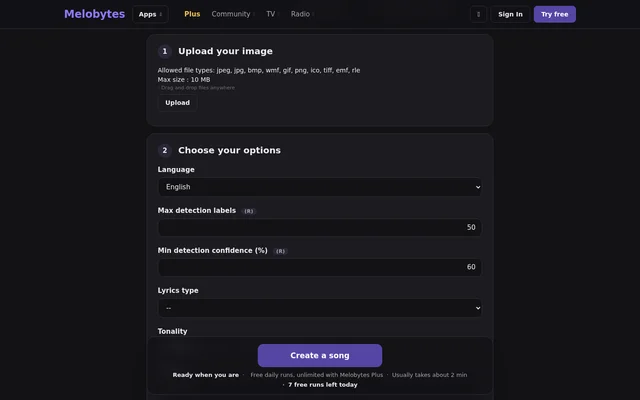
Melobytes Studio supports image-to-MIDI conversion and uses images as guidance for musical composition. Melobytes Studio also provides MIDI editing, note and instrument editing, timeline arrangement, and WAV, MIDI and video export.
Which operating systems does Melobytes Studio support?
Melobytes Studio is listed for 64-bit Windows and requires internet access for activation. The supplied page text does not identify support for other operating systems or describe a browser-based version.
Does the supplied page describe AI Image to song By Melobytes.com?
Melobytes Studio is the product described in the supplied page text, despite the submitted product name referring to AI Image to song By Melobytes.com. The text does not establish features or pricing for that separately named tool.
From the community
No reviews yet
Be the first to review this tool. What you write helps the next person choose.