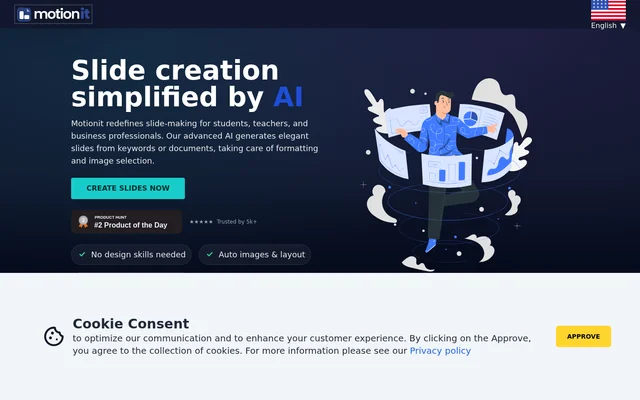
What is Motionit?
Motionit is a web-based AI slide generator for students, teachers, and business professionals. Motionit turns keywords or documents into presentation decks and handles the structure, images, layout, and formatting. The website presents slide creation as a workflow that does not require design skills, with generated decks available for export to Google Slides for final adjustments.
Motionit addresses the manual work involved in finding presentation images, choosing layouts, and keeping formatting consistent. The stated division of work is straightforward: users focus on content while Motionit generates the visual structure of the deck. The page emphasizes slide creation rather than asking users to design each slide individually.
What Motionit can do
Motionit combines content-based slide generation with automatic visual preparation. Keywords or documents provide the starting material, and Motionit generates a deck with structure, images, and layout. The website also displays named templates, including Nebula, Lagoon, Sunset, Frost, Shadow, Amethyst, and Grid, alongside the option to export slides for further editing.
- Motionit generates presentation slides from keywords.
- Motionit turns documents into slide decks.
- Motionit handles slide structure and formatting.
- Motionit automatically generates and selects images.
- Motionit creates consistent slide layouts.
- Motionit exports presentations to Google Slides.
How Motionit works
Motionit follows a workflow that starts with keywords or documents and ends with a generated presentation ready for final edits. Motionit supplies the slide structure, imagery, and layout instead of leaving those tasks entirely to the user. Google Slides export supports the last stage of the process, where users can adjust the generated deck and refine its content.
Motionit is identified as a web application in the website’s structured data. The page provides a Create slides now entry point, but the supplied text does not explain account requirements or document upload formats. The described workflow therefore establishes the starting inputs, automated slide preparation, and export destination without detailing every interaction.
Who Motionit is for
Motionit explicitly serves students, teachers, and business professionals who need presentation slides. The website positions automatic image selection and layout as ways to reduce time spent on visual preparation. Customer testimonials also describe pitch decks and conference presentations, providing examples of how generated slides can support business and public-speaking work.
- Motionit helps students generate presentations from keywords or documents.
- Motionit helps teachers prepare slide decks with automatic formatting and images.
- Motionit helps business professionals create presentation drafts.
- Motionit supports pitch deck creation, as described in customer testimonials.
- Motionit supports conference presentation preparation, as described in a customer testimonial.
Motionit strengths and limitations
Motionit combines keyword and document inputs with automatic slide structure, imagery, formatting, and layout. Google Slides export provides a stated route for final edits, while the website says no design skills are needed. The supplied page does not establish specific product restrictions; details such as supported document formats and usage allowances remain unspecified rather than confirmed limitations.
Motionit FAQ
What is Motionit?
Motionit is a web-based AI slide generator for students, teachers, and business professionals. Motionit creates presentations from keywords or documents and handles slide structure, formatting, image selection, and layout.
Can Motionit create slides from documents?
Motionit generates slide decks from documents as well as keywords. Motionit handles the presentation structure, images, and layout, allowing users to focus on content rather than manually formatting each slide.
Does Motionit export to Google Slides?
Motionit supports exporting generated presentations to Google Slides for final edits. Motionit describes this export as the last stage of a workflow that automatically prepares slide structure, images, formatting, and layout.
Who is Motionit for?
Motionit is designed for students, teachers, and business professionals who need presentation slides without requiring design skills. Customer testimonials on the page also describe using Motionit for pitch decks and conference presentations.
From the community
No reviews yet
Be the first to review this tool. What you write helps the next person choose.