What is neoSVG?
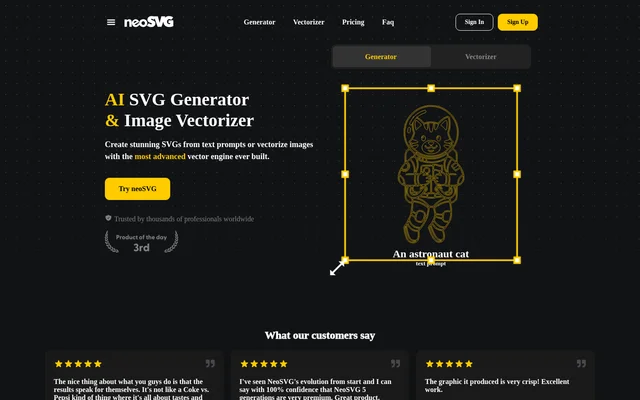
neoSVG is a web-based AI tool for generating SVG graphics from text prompts and vectorizing existing images. neoSVG serves beginners working on small projects, professionals with growing workloads, and agencies with high-volume needs. Its output is native SVG code rather than a static pixel image, allowing graphics to scale for printing and digital use without losing quality. The website provides separate Generator and Vectorizer tools, alongside account sign-in and sign-up options.
What neoSVG can do
neoSVG combines vector generation with image reconstruction. The generator creates raw XML elements, including paths, shapes, and geometric regions, while the vectorizer detects geometric primitives and optimizes curves to follow an input image. neoSVG describes the resulting vector files as structured, lightweight, and editable. Base, Pro, and Ultra models provide different processing options, with Base emphasizing speed, Pro improving fine detail and path accuracy, and Ultra allocating more processing power and creative flexibility.
- neoSVG generates native SVG graphics from text prompts.
- neoSVG converts existing images into vector files.
- neoSVG reconstructs shapes, colors, and curves.
- neoSVG produces graphics that scale for print, websites, and social media.
- neoSVG exports standard SVG files through paid plans.
How neoSVG works
neoSVG offers a text-prompt workflow through its Generator and an image-input workflow through its Vectorizer. Free users can view rendered results directly in the web interface. Paid users can download the raw SVG output and import the files into professional vector editors. Because neoSVG produces standard SVG code, those editors can be used to adjust nodes, edit Bézier curves, change colors, and make final modifications before the graphics are used in production.
Who neoSVG is for
neoSVG positions its Starter plan for beginners and small projects, Professional for professionals and growing projects, and Enterprise for agencies and high-volume needs. Its stated applications include both printed and digital graphics. Users with an active paid subscription receive commercial rights for generated and vectorized content, covering client projects, merchandise, websites, and digital products. Those uses depend on the paid-subscription rights described by neoSVG, rather than the free preview experience.
- neoSVG supports scalable graphics intended for printing at different sizes.
- neoSVG supports graphics for websites and social media.
- neoSVG supports commercial client projects and merchandise with an active paid subscription.
neoSVG strengths and limitations
neoSVG combines prompt-based vector creation and image tracing in a web interface, with standard SVG output that remains editable in other design software. Its processing choices let users select between speed-focused output and more detailed processing. The main access boundaries concern exports, commercial rights, and Ultra availability: free accounts provide rendered previews, while paid subscriptions unlock downloadable SVG files and the additional rights and model access described on the website.
- neoSVG restricts raw SVG downloads and exports to paid plans.
- neoSVG excludes Ultra from free accounts by default.
- neoSVG ties commercial rights to an active paid subscription.
neoSVG FAQ
What is neoSVG?
neoSVG is a web-based AI SVG generator and image vectorizer. neoSVG creates native SVG code from text prompts and reconstructs existing images as vector graphics, producing scalable output for print, websites, social media, and other design uses.
Can neoSVG convert images into SVG files?
neoSVG converts images into SVG files using an AI vectorization engine that detects geometric primitives, optimizes curve fitting, and aligns shapes with the input image. neoSVG reconstructs shapes, colors, and curves to produce structured, editable vector output.
Can neoSVG graphics be used commercially?
neoSVG grants commercial rights for generated and vectorized content to users with an active paid subscription. The stated permitted uses include client projects, merchandise, websites, and digital products. Free previews are not described as including those commercial rights.
Can neoSVG output be edited in other design software?
neoSVG produces standard SVG code that is compatible with professional vector editors. Downloaded files can be imported to adjust nodes, edit Bézier curves, change colors, and make final production modifications. Raw SVG downloads require a paid plan.
What is the difference between neoSVG Base, Pro, and Ultra?
neoSVG offers Base for fast, accurate vectorizations, Pro for improved fine details and path accuracy, and Ultra for more processing power and creative flexibility. Ultra is not available on free accounts by default and requires a paid subscription.
From the community
No reviews yet
Be the first to review this tool. What you write helps the next person choose.