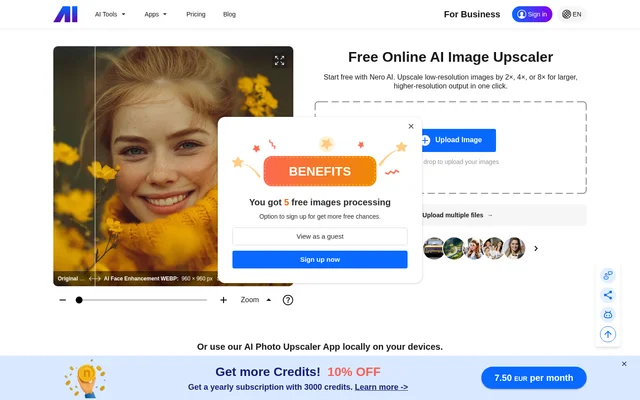
What is Nero AI Image Upscaler?
Nero AI Image Upscaler is an online tool for enlarging low-resolution images and photos using AI. Nero AI Image Upscaler runs on the web and offers larger, higher-resolution output through an upload-based workflow. The page presents free access and enlargement at 2×, 4×, or 8×, although the pricing table restricts the largest enlargement setting to paid users.
Nero AI Image Upscaler supports JPG, PNG, JPEG, WEBP, and BMP files according to the page’s software description. The available model names include Photo and Anime, alongside Standard, Iris, Reconstruct, and Reconstruct+. These options make the tool relevant to people working with photographs as well as anime images, without requiring a separate desktop installation for the web workflow.
What Nero AI Image Upscaler can do
Nero AI Image Upscaler combines image enlargement with several model choices and a face fix option. The pricing table distinguishes the credit requirements of Photo, Anime, Standard, and Iris from those of Reconstruct and Reconstruct+. Enlargement level also affects consumption, so processing costs depend on the selected configuration rather than a single universal per-image rate.
- Nero AI Image Upscaler enlarges images by 2×, 4×, or 8×.
- Nero AI Image Upscaler offers Photo, Anime, Standard, and Iris models.
- Nero AI Image Upscaler lists Reconstruct and Reconstruct+ processing options.
- Nero AI Image Upscaler provides a face fix option.
- Nero AI Image Upscaler accepts multiple-file uploads.
How Nero AI Image Upscaler works
Nero AI Image Upscaler begins with an Upload Image control or a drag-and-drop upload area in the browser. The page also provides a multiple-file upload link and sample images for people without an image available. Processing uses Nero Credits, with the required amount determined by the model, enlargement setting, and any listed face fix charge.
Who Nero AI Image Upscaler is for
Nero AI Image Upscaler serves people who need larger versions of low-resolution visual files. The source specifically describes images and photos, while the model list also includes Anime. The supported formats and browser upload workflow provide a direct route for working with existing image files rather than generating a new image from a text prompt.
- Nero AI Image Upscaler can enlarge low-resolution photos.
- Nero AI Image Upscaler can process anime images with the Anime model.
- Nero AI Image Upscaler can apply face fix to images.
Nero AI Image Upscaler pricing and plans
Nero AI Image Upscaler offers free access and uses Nero Credits for processing. Photo, Anime, Standard, and Iris cost 1 Nero Credit per image at 2× and 2 Nero Credits at 4×. Their 8× setting costs 4 Nero Credits and is restricted to paid users. Reconstruct and Reconstruct+ have separate, higher credit requirements.
Nero AI Image Upscaler uses the Nero credit system described in the pricing FAQ. Credit Packs can be purchased only with an active subscription. Auto-renewal can be disabled in account settings, but subscription credits and benefits end with the billing period. The FAQ also states that refunds are unavailable once a subscription is activated and Nero Credits are used.
Strengths and limitations of Nero AI Image Upscaler
Nero AI Image Upscaler provides a browser-based workflow, multiple image models, and a published breakdown of credit consumption. Free access gives users an entry point, while multiple-file uploads support working with more than an individual image. The main constraints concern paid access to the largest enlargement setting and the conditions attached to subscription credits.
- Nero AI Image Upscaler restricts 8× enlargement to paid users.
- Nero AI Image Upscaler consumes different credit amounts depending on the processing configuration.
- Nero AI Image Upscaler subscription credits expire when the subscription expires.
Nero AI Image Upscaler FAQ
What is Nero AI Image Upscaler?
Nero AI Image Upscaler is a web-based AI tool that enlarges low-resolution images and photos into larger, higher-resolution output. Nero AI Image Upscaler offers multiple image models, face fix, and enlargement settings of 2×, 4×, and 8×.
Is Nero AI Image Upscaler free?
Nero AI Image Upscaler offers free access alongside credit-based processing and paid options. Nero AI Image Upscaler restricts 8× enlargement to paid users, while credit requirements vary by model and enlargement setting. Additional Credit Packs require an active subscription.
Which image formats does Nero AI Image Upscaler support?
Nero AI Image Upscaler supports JPG, PNG, JPEG, WEBP, and BMP according to the page’s software description. Nero AI Image Upscaler accepts browser uploads through an upload control or drag-and-drop area, and the page also provides a multiple-file upload option.
How many credits does Nero AI Image Upscaler use?
Nero AI Image Upscaler charges Photo, Anime, Standard, and Iris processing at 1 Nero Credit for 2×, 2 Nero Credits for 4×, and 4 Nero Credits for paid-only 8× enlargement. Reconstruct and Reconstruct+ cost 2, 4, 8, or 16 Nero Credits for their listed enlargement settings.
Can you cancel a Nero AI Image Upscaler subscription?
Nero AI Image Upscaler uses Nero subscriptions, whose auto-renewal can be turned off at any time in account settings. Credits and other benefits are lost at the end of the billing period. The pricing FAQ states that refunds are unavailable after subscription activation and credit use.
From the community
No reviews yet
Be the first to review this tool. What you write helps the next person choose.