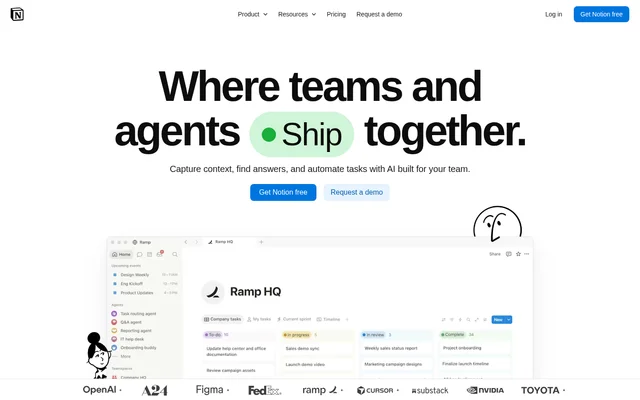
What is Notion?
Notion is an AI workspace that brings team knowledge, answers, and task automation into a shared system. Notion serves individuals organizing personal projects, professionals collaborating with colleagues, and businesses coordinating work across teams. The workspace combines documents and databases with AI features that use information from Notion, connected applications, and the web.
Notion supports work beyond document creation, including project organization, meeting records, research, and autonomous handling of repetitive tasks. The product is available on the web, macOS, Windows, iOS, and Android. Desktop and mobile apps also support offline use through downloaded pages.
What Notion can do
Notion combines content creation, information retrieval, and automation within the same workspace. Notion Agent can complete complex, multi-step tasks using available context, while other AI features focus on meetings, research, and recurring work. Databases provide structured information that teams can organize through properties, dependencies, charts, and dashboards.
- Notion generates and edits documents, translates content, and autofills databases.
- Notion finds answers across workspace content and connected applications.
- Notion returns answers with citations.
- Notion AI Meeting Notes transcribes meetings and produces summaries.
- Notion Research mode creates detailed reports using workspace, connected-tool, and web information.
- Notion Custom Agents handle repetitive tasks autonomously.
- Notion databases organize projects with subtasks, dependencies, and custom properties.
How Notion works
Notion organizes information in pages and databases, with connections that bring other workplace tools into the workflow. Notion Agent uses context from the workspace, connected applications, and the web to perform tasks. Enterprise Search finds information across tools including Slack, Microsoft Teams, and GitHub; several additional search connections are labeled Beta.
Notion also supports custom development through a public API, webhooks, and a CLI. Workers, labeled Beta, run custom code to extend agents, synchronize external data, and trigger workflows without requiring infrastructure. Connected properties exchange information with Slack or use Zapier to create automated workflows involving other tools.
Who Notion is for
Notion serves individuals managing personal projects, small teams working together, growing businesses streamlining teamwork, and organizations seeking administrative controls. Notion presents use cases across product feedback, customer support, security alerts, and reporting. Teams can also use meeting transcription, shared knowledge, and connected search to capture context and retrieve information.
- Notion supports product teams triaging feedback.
- Notion supports teams resolving support tickets in Slack.
- Notion supports security teams responding to alerts.
- Notion supports teams automating weekly reporting.
- Notion supports developers creating custom tools and integrations.
Notion pricing and plans
Notion offers Free, Plus, Business, and Enterprise plans, with monthly and yearly payment options. Free and Plus include limited trials of AI capabilities such as document generation and database autofill. Business includes Notion Agent, AI Meeting Notes, and Enterprise Search Beta. Enterprise uses custom pricing and adds administrative, security, and compliance capabilities.
Notion Custom Agents are free to try, then cost $10 per 1,000 monthly Notion credits. Workers also require Notion credits. Notion provides sign-up options for Free, purchasing paths for Plus and Business, and a sales contact for Enterprise. AI access and administrative features therefore depend on the selected plan.
Notion strengths and limitations
Notion combines knowledge storage, connected search, meeting capture, and agent-driven work rather than separating these functions into standalone tools. Notion also provides citations and enterprise controls, including SAML SSO and audit logs. Availability varies by plan, and some research, search, and developer capabilities are explicitly labeled Beta.
- Notion Free and Plus provide limited AI trials rather than unrestricted AI access.
- Notion Custom Agents require credits after the free trial.
- Notion Research mode and Workers are labeled Beta.
- Notion offers zero data retention with LLM providers only for Enterprise workspaces.
Notion FAQ
What is Notion?
Notion is an AI workspace for organizing knowledge, finding answers, and automating tasks. Notion combines documents, databases, meeting notes, connected search, and agents for individuals and teams, with web, desktop, and mobile access.
Is Notion free?
Notion offers a Free plan, but AI capabilities on Free and Plus are limited trials. Business includes Notion Agent and AI Meeting Notes, while Enterprise has custom pricing. Custom Agents are free to try and then require paid Notion credits.
What can Notion AI features do?
Notion can generate and edit documents, translate content, autofill databases, transcribe meetings, and find answers across workspace content and connected tools. Notion Agent completes multi-step tasks, while Research mode produces detailed reports and Custom Agents handle repetitive tasks autonomously.
Does Notion connect to other apps or have an API?
Notion supports connections to tools including Slack, Google Drive, GitHub, and Asana, with availability depending on the plan and connection. Notion also provides a public API, webhooks, Zapier-connected workflows, a CLI, and Workers Beta for custom development.
How does Notion handle AI data retention?
Notion states that LLM providers use zero data retention for Enterprise plan workspaces. The pricing comparison lists 30 day retention for Free, Plus, and Business, making the Enterprise retention policy a plan-specific feature rather than a standard feature across all subscriptions.
From the community
No reviews yet
Be the first to review this tool. What you write helps the next person choose.