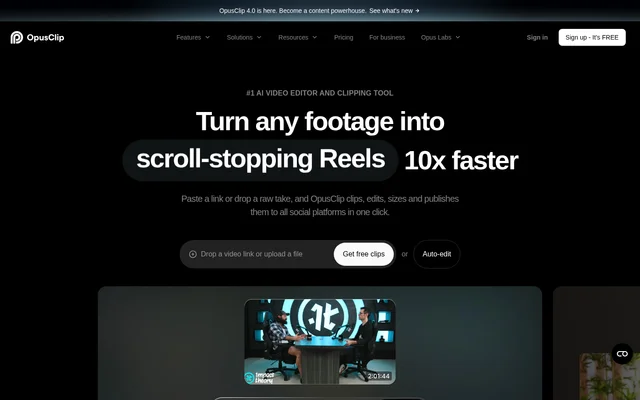
What is OpusClip?
OpusClip is an AI video editor for turning existing footage into short clips for social media. OpusClip serves creators, brands and teams that want to repurpose longer recordings rather than edit every short from scratch. The tool accepts video links and uploaded files, then combines highlight selection, editing, resizing and publishing within a video production workflow.
OpusClip supports content beyond talking-head recordings. The ClipAnything model handles podcasts, interviews, vlogs, gaming, sports, explainer videos and footage with little or no dialogue. The website describes analysis of visual, audio and sentiment cues to identify moments for clips, alongside analysis of social and marketing trends.
What OpusClip can do
OpusClip combines clip selection with tools for presentation, formatting and sound. Users can let AI handle editing or retain manual control over the result. The feature set also includes branding and collaboration tools, allowing teams to apply visual identity elements and manage creative projects together rather than limiting the workflow to individual clip generation.
- OpusClip selects highlights and rearranges footage into short clips.
- OpusClip accepts natural-language prompts to find specific moments.
- OpusClip automatically adds captions and allows text editing.
- OpusClip resizes videos and tracks moving subjects with ReframeAnything.
- OpusClip offers AI B-roll, audio enhancement and voice-over.
- OpusClip creates brand templates with fonts, colors, logos and intros and outros.
- OpusClip provides team workspaces for collaborative project management.
How OpusClip works
OpusClip starts with a pasted video link or an uploaded file. OpusClip analyzes the content, selects highlights and assembles short videos with dynamic captions, layout adjustments and transitions. Users can edit caption text and use manual tracking to tell the reframing model which subject to follow. The web app also supports publishing clips to social platforms.
OpusClip offers an API for connecting video creation to a CMS and other tools. For the Pro plan, the website lists video sources including YouTube, Google Drive, Vimeo, Zoom, Twitch, Facebook, LinkedIn, Loom, Riverside and StreamYard. Supported languages include English, German, Spanish, French, Portuguese, Italian, Japanese, Korean and Vietnamese, among others.
Who OpusClip is for
OpusClip is intended for creators and businesses producing social video, including brands and teams managing shared creative projects. The range of supported footage makes OpusClip relevant to interview producers, podcasters, vloggers and creators working with gaming or sports content. Brand templates and API integration also support businesses that want repeatable video creation workflows.
- OpusClip turns podcast and interview recordings into short social videos.
- OpusClip extracts moments from gaming, sports and vlog footage.
- OpusClip converts long, wide-format videos into vertical shorts.
- OpusClip helps teams apply shared branding across video projects.
OpusClip pricing and plans
OpusClip uses a freemium model with a free-forever plan that includes 60 credits each month. New users receive a 7-day trial of the Pro plan without providing a credit card. After the trial, users can remain on the free plan or upgrade. Paid subscriptions provide flexible upload credits and are available with monthly or yearly billing.
OpusClip strengths and limitations
OpusClip brings highlight selection, captions, reframing and publishing into the same workflow. Support for varied video genres and low-dialogue footage broadens the available source material, while manual editing and tracking provide control over automated results. Team workspaces, brand templates and an API extend the tool beyond individual clip production.
OpusClip limits free-forever access to 60 credits each month, so the free plan has a defined usage allowance. The website places its list of supported external video sources under the Pro plan. Paid subscriptions offer flexible upload credits, but the supplied page text does not state subscription prices or detailed credit allowances for paid plans.
OpusClip FAQ
What is OpusClip?
OpusClip is an AI video editor and clipping tool that turns footage into short social videos. OpusClip identifies highlights, edits clips, adds captions and reframes footage for creators, brands and teams repurposing existing video.
Is OpusClip free to use?
OpusClip offers a free-forever plan with 60 credits every month. New users also receive a 7-day Pro trial without a credit card. After the trial, users can stay on the free plan or choose a paid monthly or yearly subscription.
What types of videos can OpusClip clip?
OpusClip supports podcasts, interviews, vlogs, gaming, sports, TV shows and videos with little or no dialogue through ClipAnything. OpusClip uses visual, audio and sentiment cues to identify moments, and users can provide natural-language prompts to request specific moments.
Can OpusClip automatically add captions?
OpusClip automatically adds captions and allows users to change and edit the text. OpusClip supports languages including English, German, Spanish, French, Portuguese, Italian, Dutch, Japanese, Korean and Vietnamese, alongside other languages listed on the website.
Does OpusClip have an API?
OpusClip offers an API for integrating video creation with a CMS and other tools. OpusClip also provides a web app, giving creators and businesses options for browser-based editing and automated video production workflows.
Can OpusClip resize videos and track subjects?
OpusClip uses ReframeAnything to resize videos for different platforms and keep moving subjects centered through AI object tracking. OpusClip also provides manual tracking controls so users can tell the AI which subject to follow.
From the community
No reviews yet
Be the first to review this tool. What you write helps the next person choose.