What is BridgeClip?
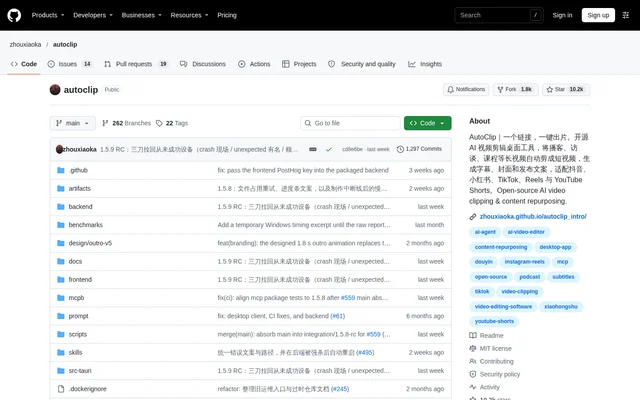
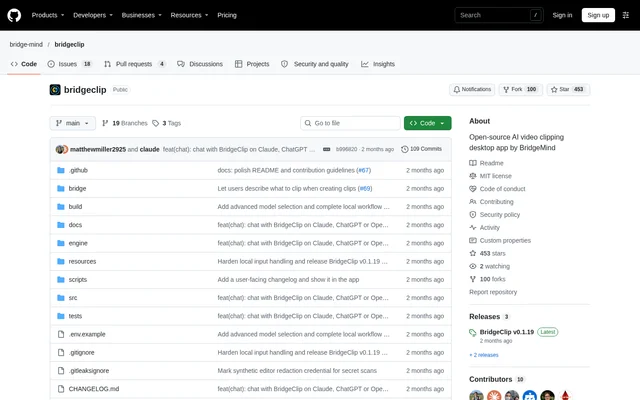
BridgeClip is an open-source desktop app from BridgeMind that turns long videos into captioned short-form clips. BridgeClip helps creators find complete moments in podcasts, streams and interviews, refine the resulting edits and export videos for their audience. The project is available under the MIT license, with desktop packages for macOS, Windows and Linux.
BridgeClip combines local video rendering with cloud AI processing rather than running every task locally. Audio and transcripts go to OpenRouter, while enabled visual analysis can send sampled frames. Videos and API keys do not pass through a BridgeMind server, and users do not need a BridgeMind account.
What BridgeClip can do
BridgeClip supports moment discovery, editing, export and publishing preparation within a desktop workflow. Moment selection uses source transcripts and metadata to find clips with their setup and ending intact. Users can choose Quality, Economy or Advanced model settings, with optional source research and editorial checks for additional context.
- BridgeClip trims, splits and extends cuts with synchronized source and output previews.
- BridgeClip adjusts crops and supports full-frame, split and fit layouts.
- BridgeClip corrects and positions captions or suppresses captions in selected sections.
- BridgeClip exports vertical or horizontal clips with framing that follows faces and accommodates screen shares.
- BridgeClip removes dead air and changes export speed while preserving voice pitch and caption timing.
- BridgeClip drafts platform-specific titles, captions and tags for review.
- BridgeClip publishes and schedules selected clips through connected Zernio accounts.
How BridgeClip works
BridgeClip starts with an OpenRouter API key entered in the first-launch setup card. Users then add a local video, public YouTube link or public, completed Twitch VOD. After choosing a workflow, users select framing, clip lengths and captions, follow processing in Jobs and find completed clips in Library and the output folder.
BridgeClip offers Automatic processing for finding moments, framing footage and exporting captioned clips without an editing pass. Review & edit instead opens candidates in an editor and always uses Jev candidate reviews through OpenRouter. Edits autosave, and users can export an individual clip or all ready clips.
Who BridgeClip is for
BridgeClip serves creators who want to repurpose longer recordings into shorter videos while retaining control over cuts, framing and captions. The supported sources and editing tools suit podcast, interview and stream workflows. Users must have permission to use the footage, and publishing features require their own connected accounts.
- BridgeClip turns podcast and interview moments into captioned clips.
- BridgeClip extracts short videos from public YouTube sources and completed Twitch VODs.
- BridgeClip helps organize exports, track posted status and prepare publishing queues.
BridgeClip pricing and access
BridgeClip is distributed as an MIT-licensed open-source project, with downloads available from bridgeclip.ai and GitHub Releases. AI clipping requires an OpenRouter API key with available credit, and provider calls bill that account. Optional reviews and additional visual context can add provider costs. Social publishing uses the user's Zernio account.
BridgeClip strengths and limitations
BridgeClip combines local rendering, editable clip candidates and publishing tools, with job progress and provider-reported costs visible inside the app. Operating-system secure storage protects saved keys. The assistant can use BridgeClip tools but has no shell or file access, and publishing, deletion and clipping-credit spending require approval.
- BridgeClip relies on cloud AI processing rather than a fully local workflow.
- BridgeClip needs to remain open for daily automations.
- BridgeClip requires an unlocked desktop secret service on Linux to store API keys.
- BridgeClip release features can differ from the current source described in the README.
BridgeClip FAQ
What is BridgeClip?
BridgeClip is an open-source AI video clipping desktop app from BridgeMind. BridgeClip finds moments in long videos, supports editing cuts and captions, and exports short-form clips. Supported sources include local files, public YouTube links and public, completed Twitch VODs.
Is BridgeClip free?
BridgeClip is an MIT-licensed open-source app, but AI clipping requires an OpenRouter API key with available credit. AI calls bill the user's OpenRouter account, and optional reviews or additional analysis can add provider costs. No BridgeMind account is required.
Does BridgeClip process videos locally?
BridgeClip renders videos locally, but AI processing uses cloud providers through OpenRouter. Audio and transcripts are sent to OpenRouter, and some enabled visual features can send sampled frames. Videos and keys do not pass through a BridgeMind server.
Which operating systems does BridgeClip support?
BridgeClip provides downloads for macOS on Apple silicon and Intel, Windows x64 and Linux x64. Packages include Python, FFmpeg and yt-dlp. Installed releases support automatic updates, while Linux requires an unlocked desktop secret service to save API keys.
Can BridgeClip publish and schedule social media clips?
BridgeClip connects social accounts through Zernio to publish clips, schedule posts, reorder queues and recover held clips. Selected clips are uploaded to Zernio's service. Daily automations require BridgeClip to remain open, and assistant publishing actions show an approval card first.
Can BridgeClip work with Claude or ChatGPT?
BridgeClip can connect a Claude Pro or Max subscription through Claude Code, a ChatGPT subscription through Codex, or an OpenRouter model. The assistant can start clipping jobs, organize Library, export clips and schedule posts, but has no shell or file access.
From the community
No reviews yet
Be the first to review this tool. What you write helps the next person choose.